Add documents your way
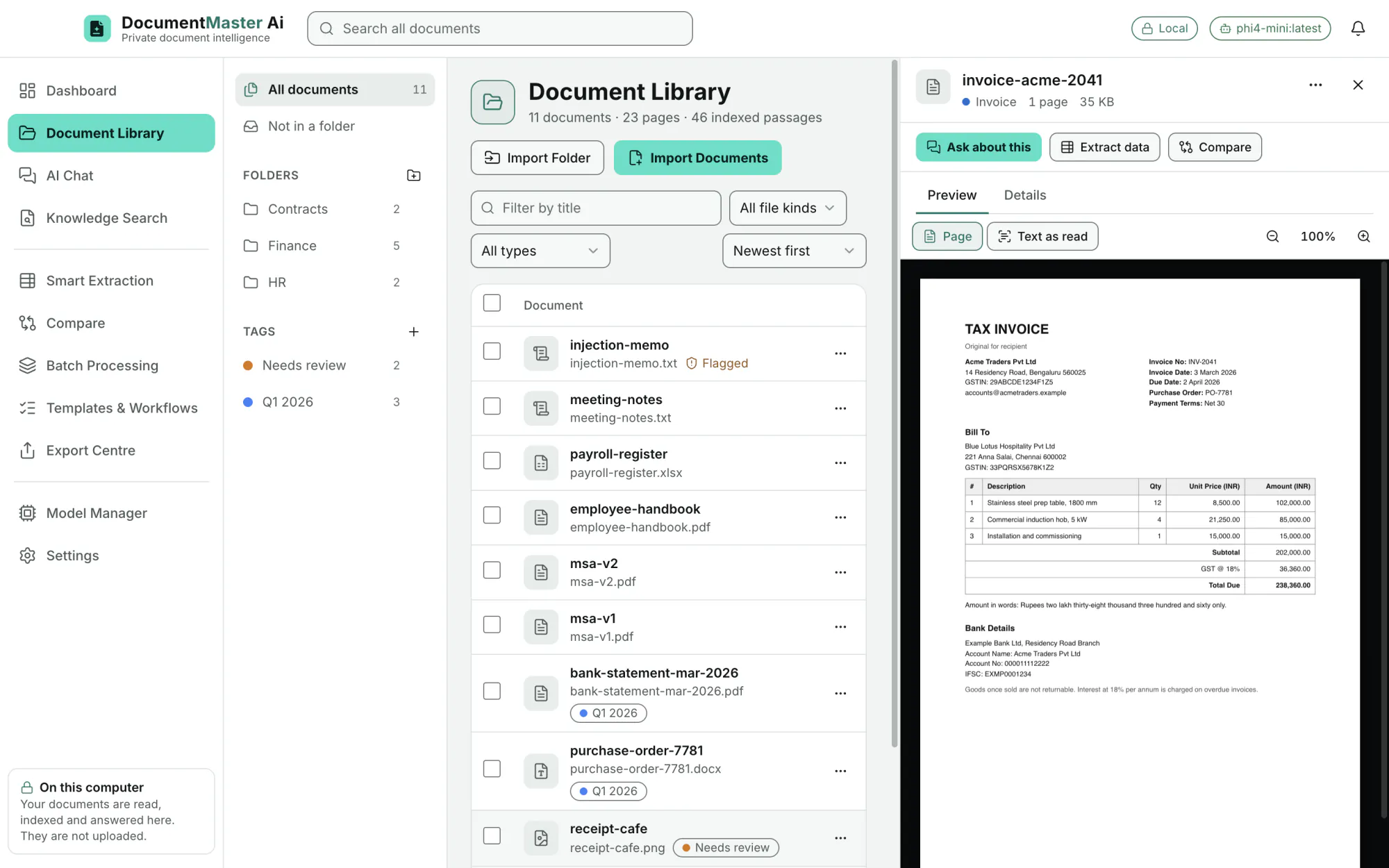
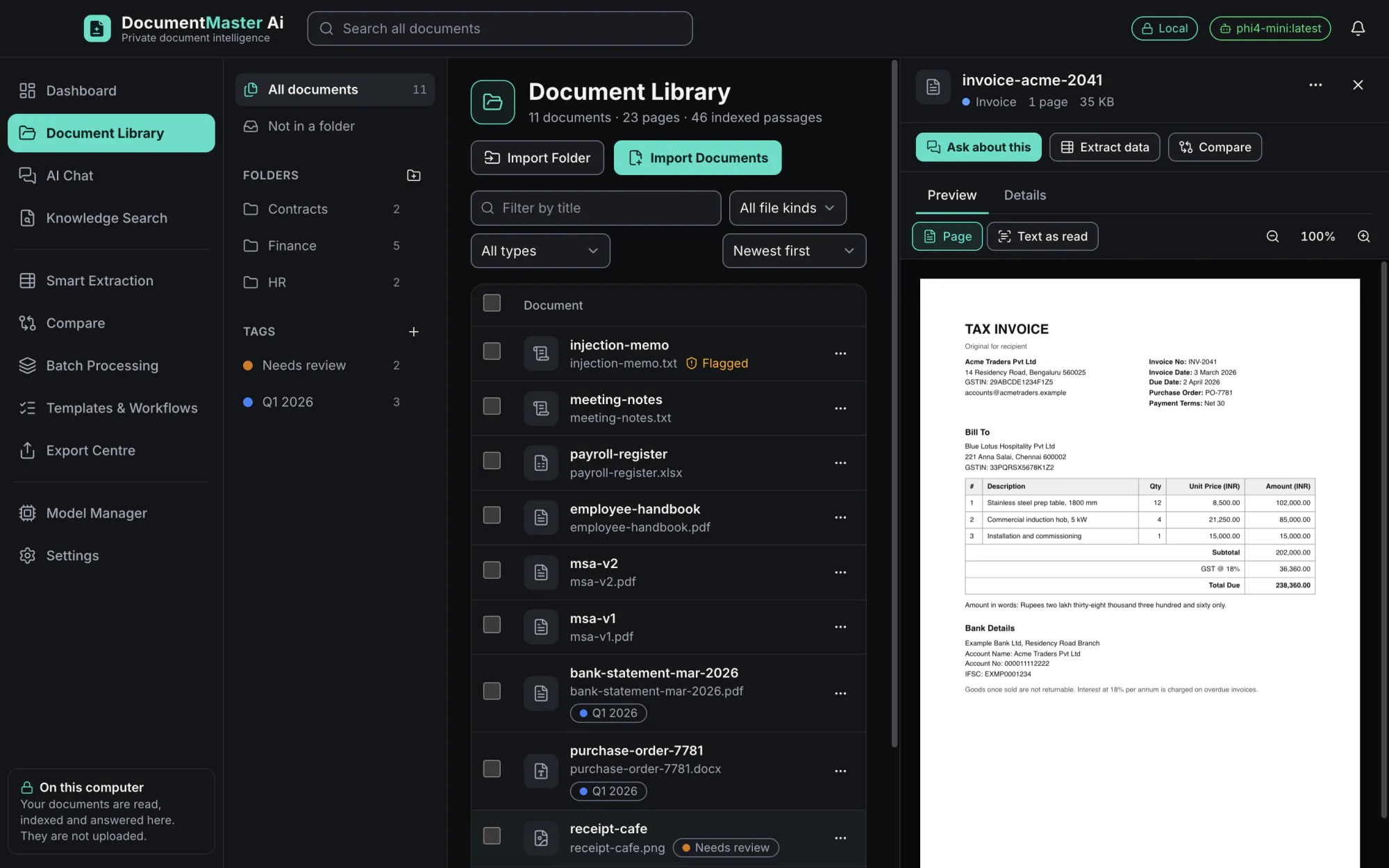
Import files, import a whole folder, or drag them onto the window. Accepted: PDF, Word (.docx), Excel (.xlsx), text files (TXT, MD, CSV, TSV, LOG, JSON) and images (PNG, JPEG, TIFF, BMP, GIF, HEIC, WebP).
EditionAll
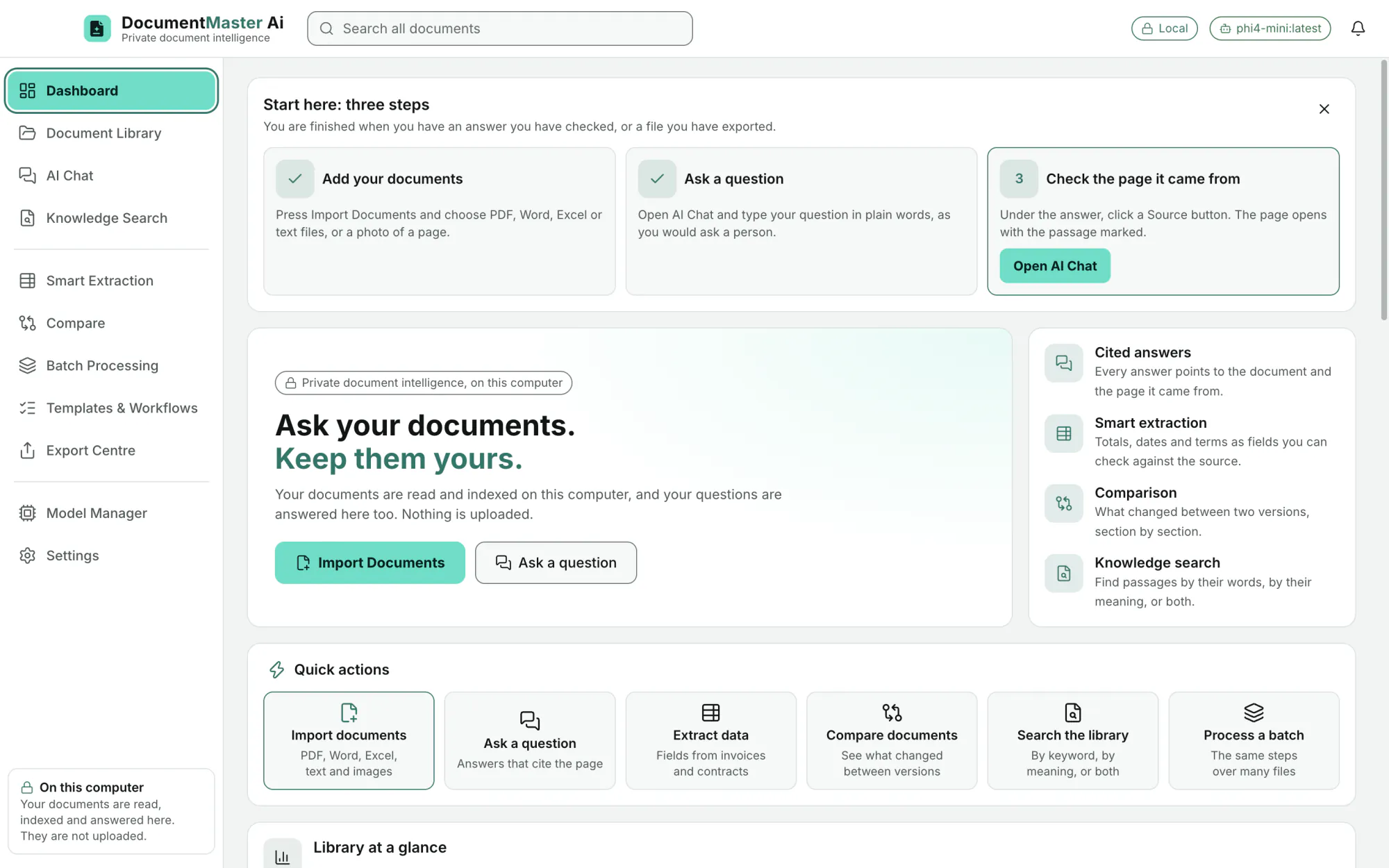
All 91 features of the 0.1.0 build, each with the real screen that shows it. Pictures are made-up documents on the real application.
Every feature is in every edition: the edition label of each one reads All. Editions differ only by fee and by volume, and the volumes are provisional and not final.
Document Library
Import files, import a whole folder, or drag them onto the window. Accepted: PDF, Word (.docx), Excel (.xlsx), text files (TXT, MD, CSV, TSV, LOG, JSON) and images (PNG, JPEG, TIFF, BMP, GIF, HEIC, WebP).
EditionAll
Files are copied into the app's own folder. The same file is never added twice (duplicates are detected).
EditionAll
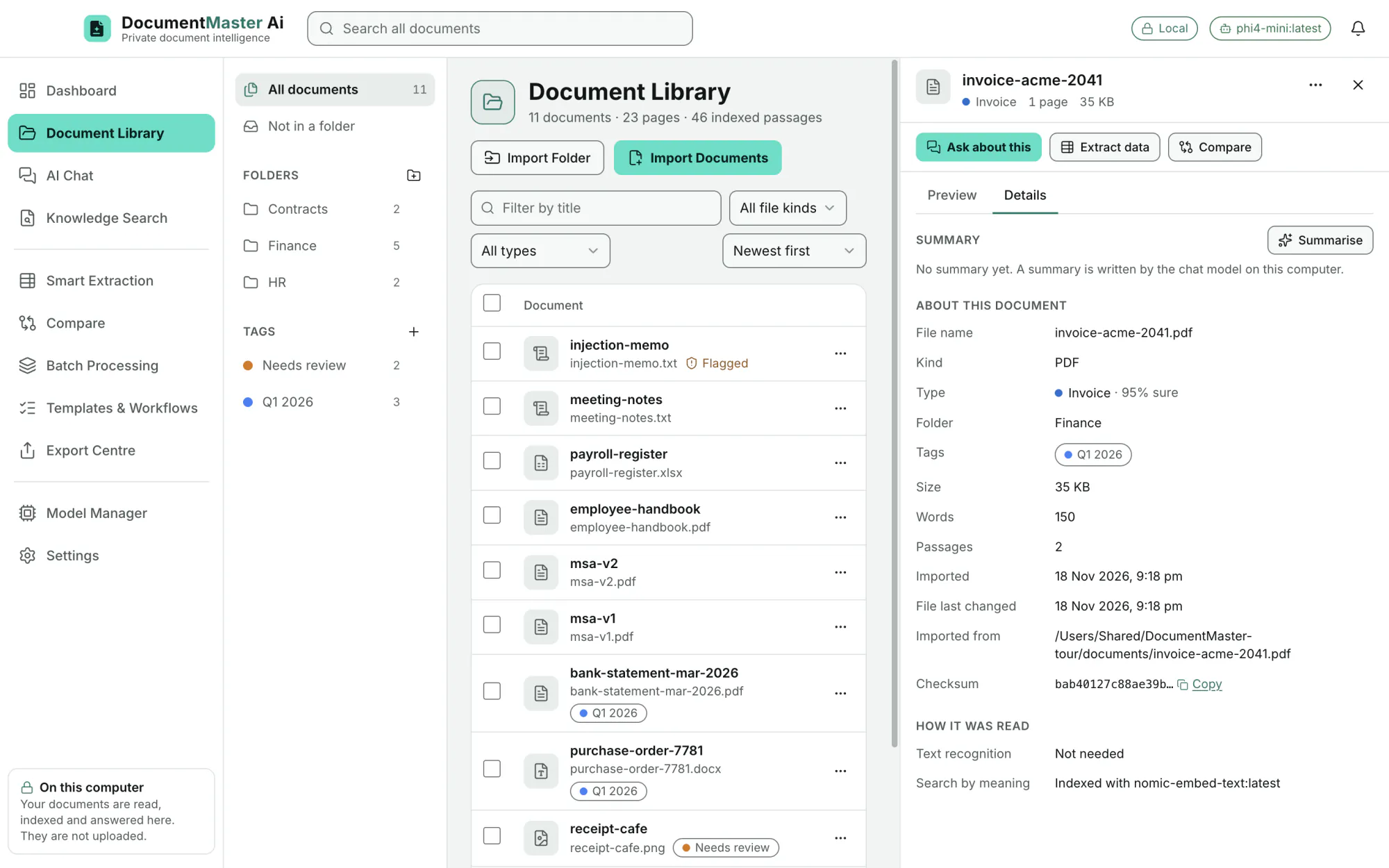
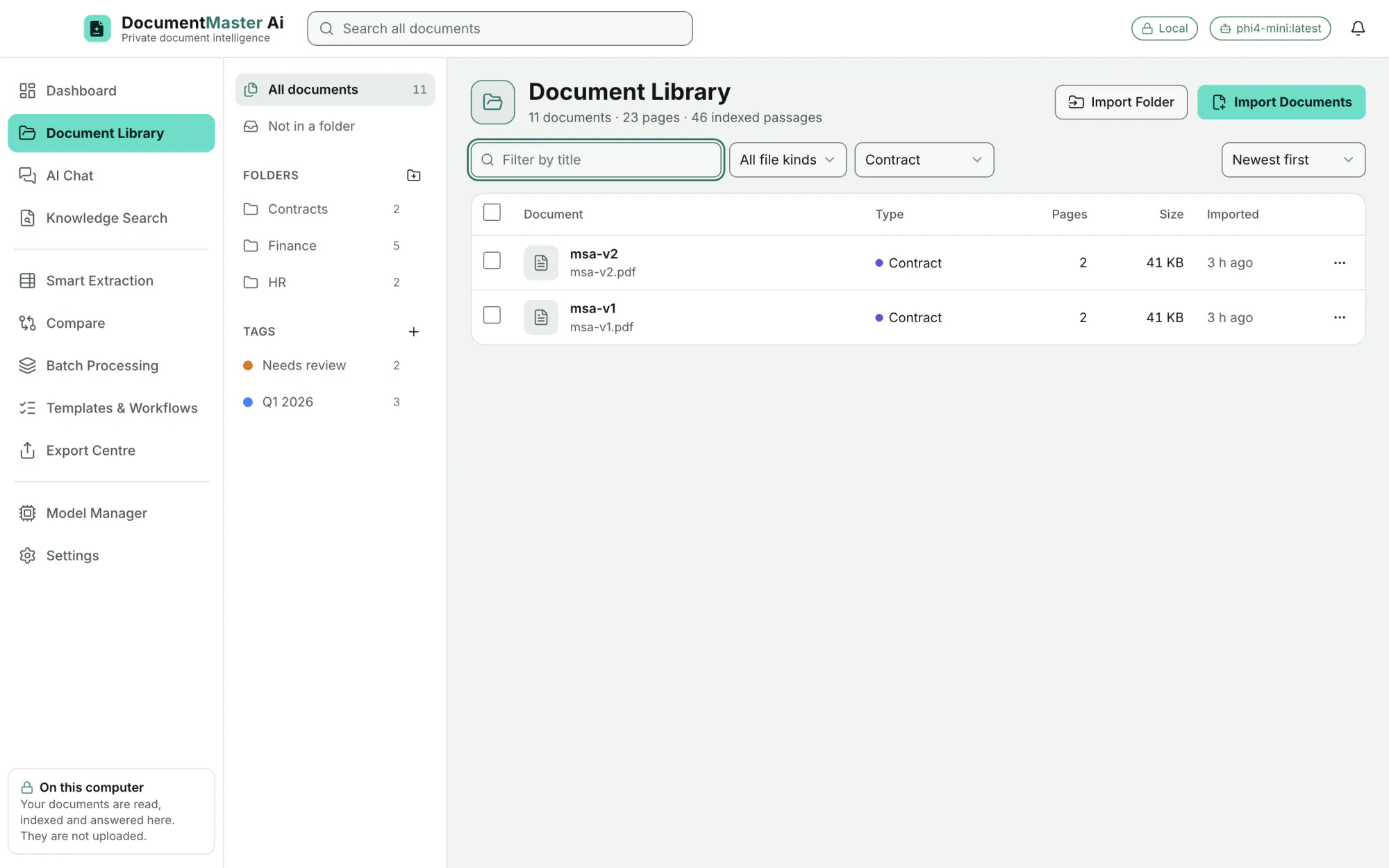
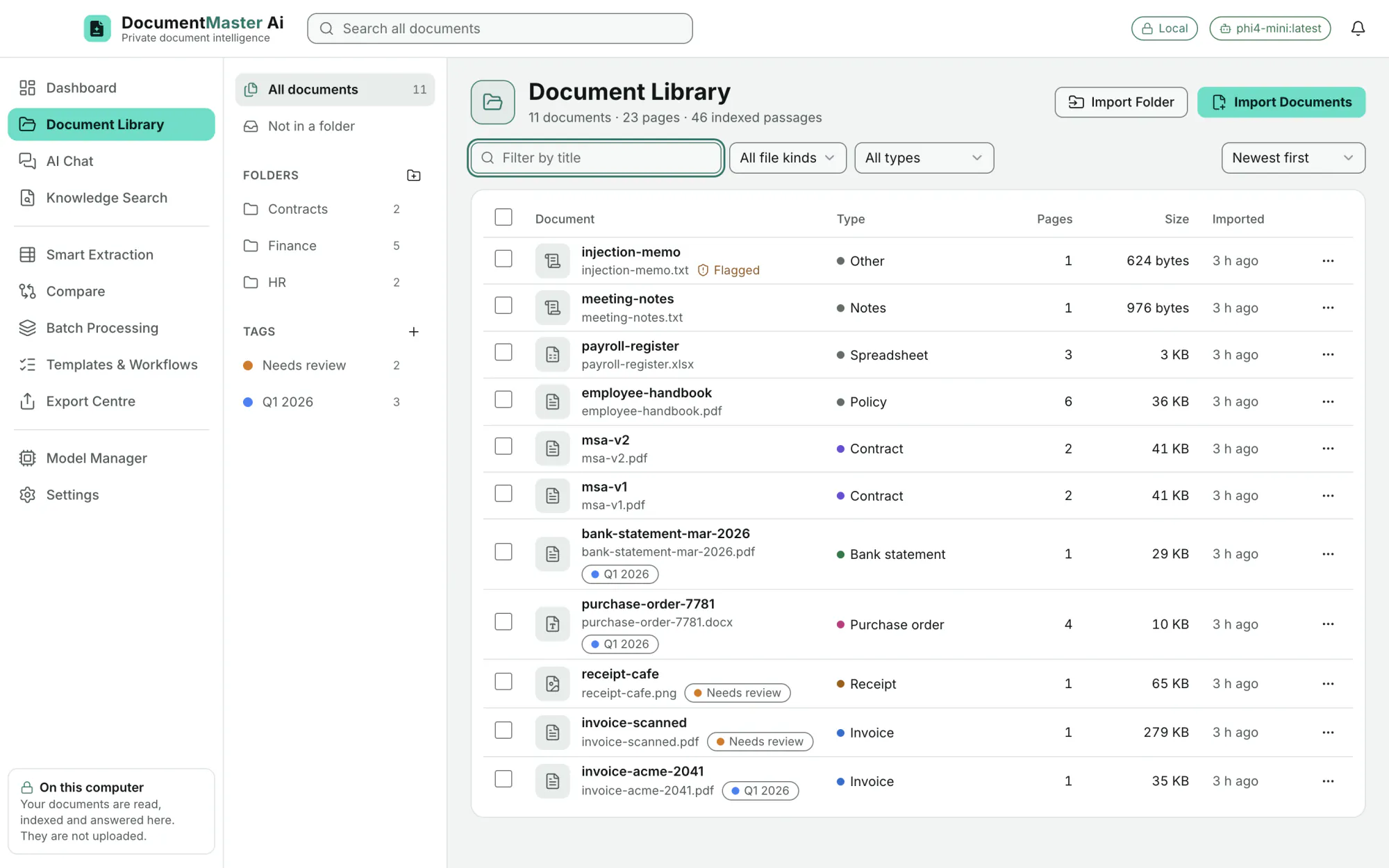
Nested folders (add, rename, delete), colour tags, a "Not in a folder" view, and a count on each.
EditionAll
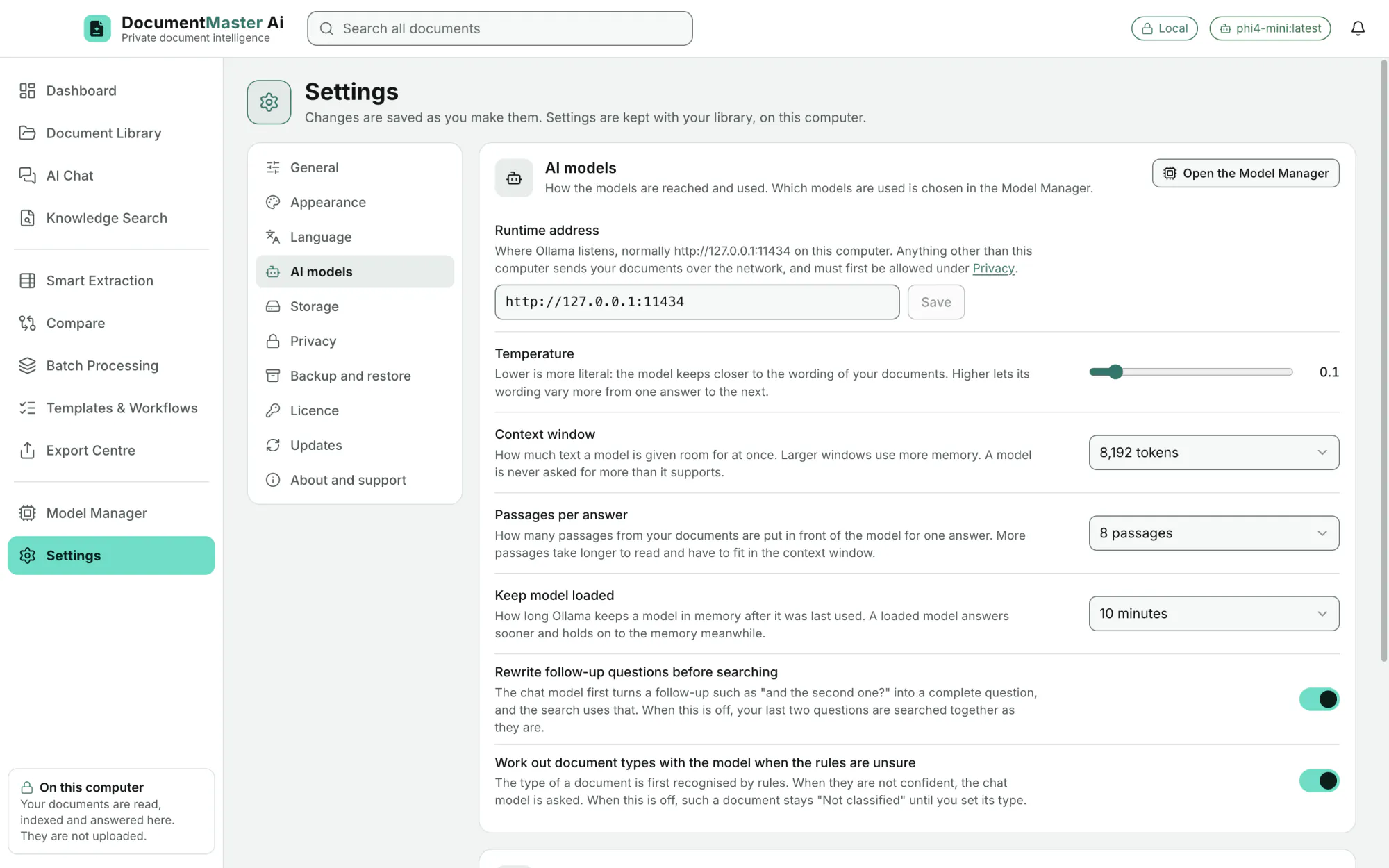
Every document gets a type (Invoice, Receipt, Bank statement, Contract, Purchase order, Report, Letter, Résumé, Form, Spreadsheet, Notes, Policy, Other) and a sureness ("Invoice · 95% sure"). You can correct it. A setting lets the chat model decide when the rules are unsure.
EditionAll
Filter by title, by file kind (PDF, Word, Excel, Text, Image) and by document type. Sort six ways: newest, oldest, title A to Z, title Z to A, largest, most pages.
EditionAll
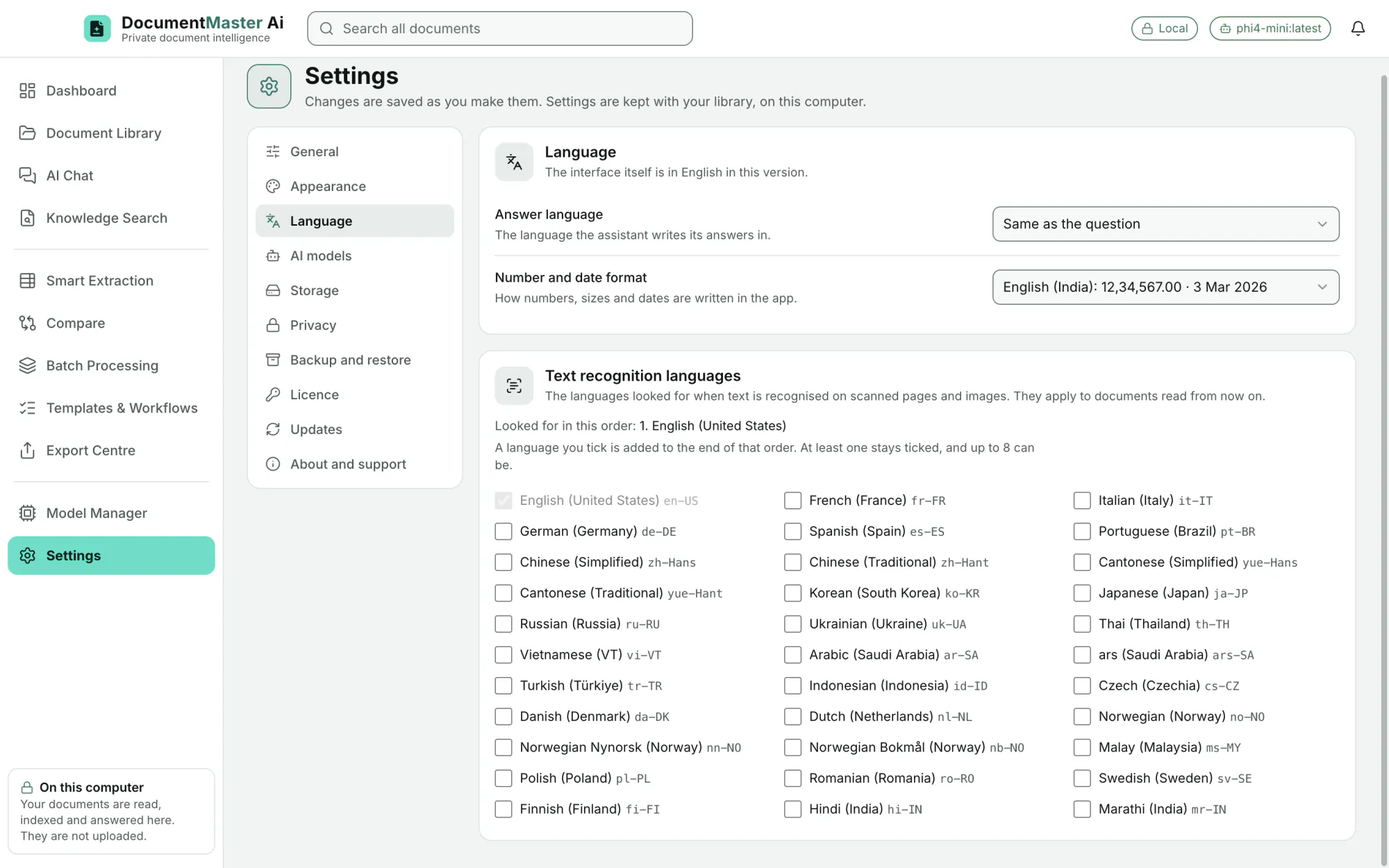
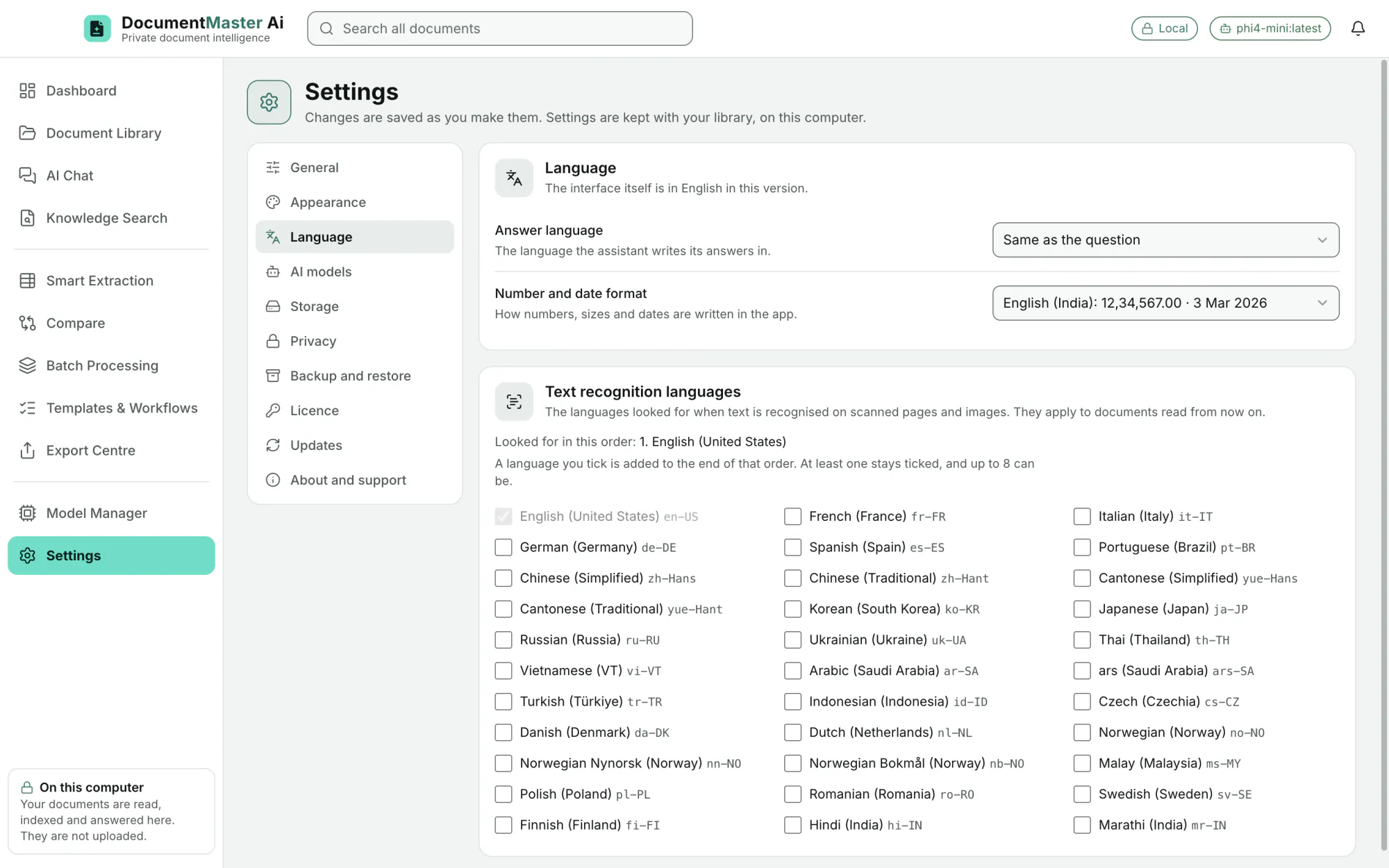
Apple's on-device text recognition reads scanned pages and photographed documents, in 33 languages including Hindi and Marathi. Pages that already hold text are used as they are, and images are always recognised. Choose Accurate or Fast, and Automatic, Always or Never.
EditionAll
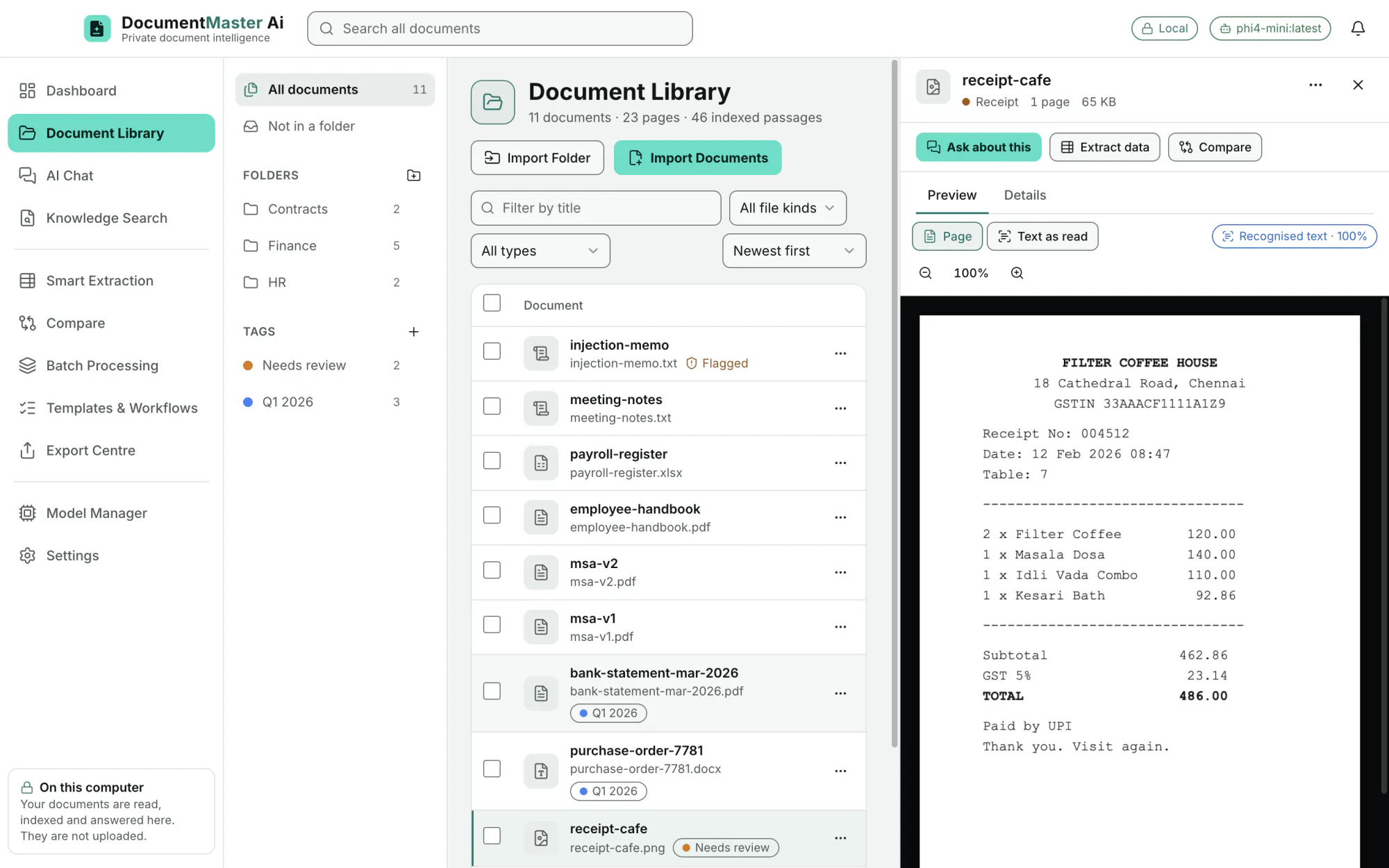
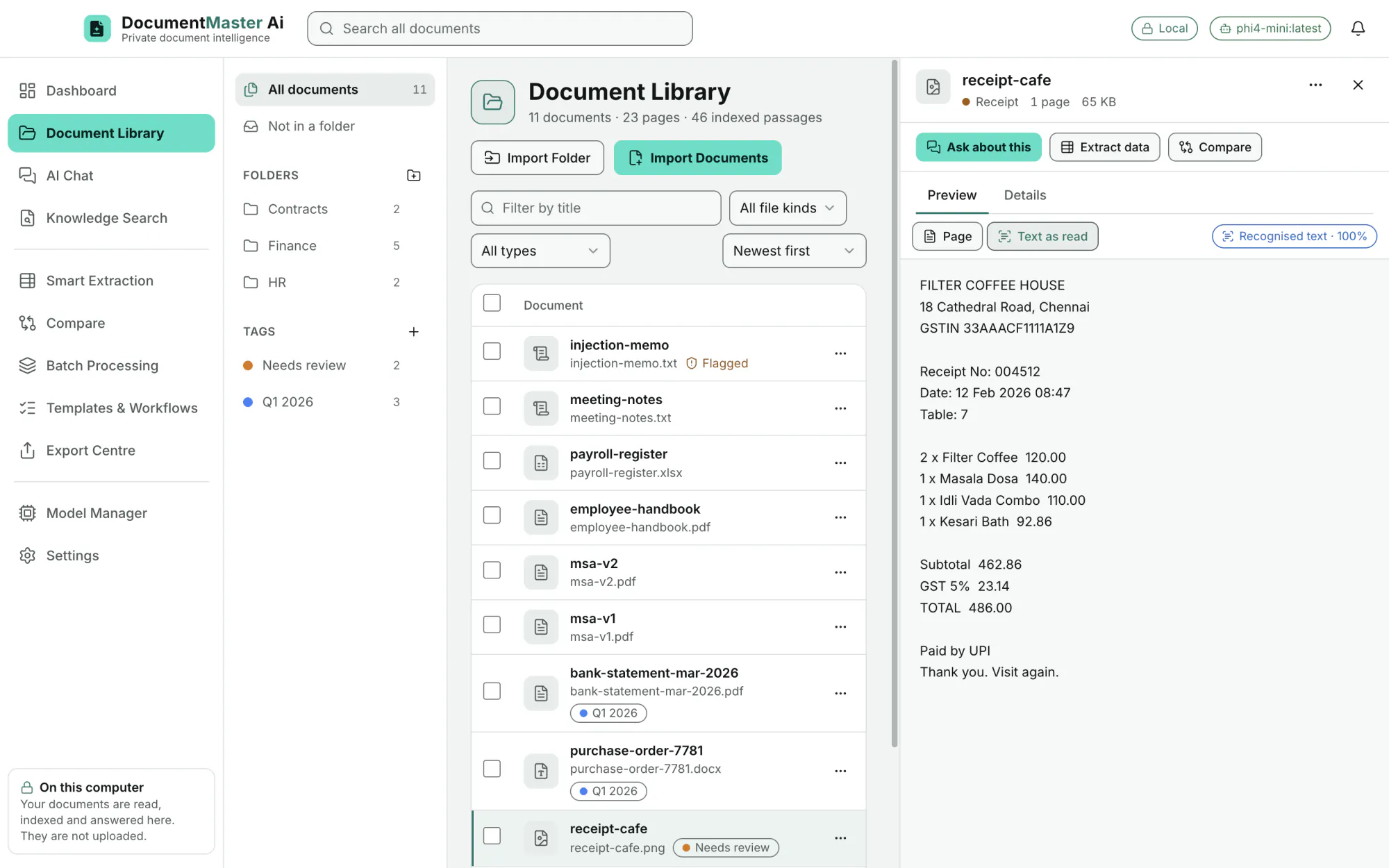
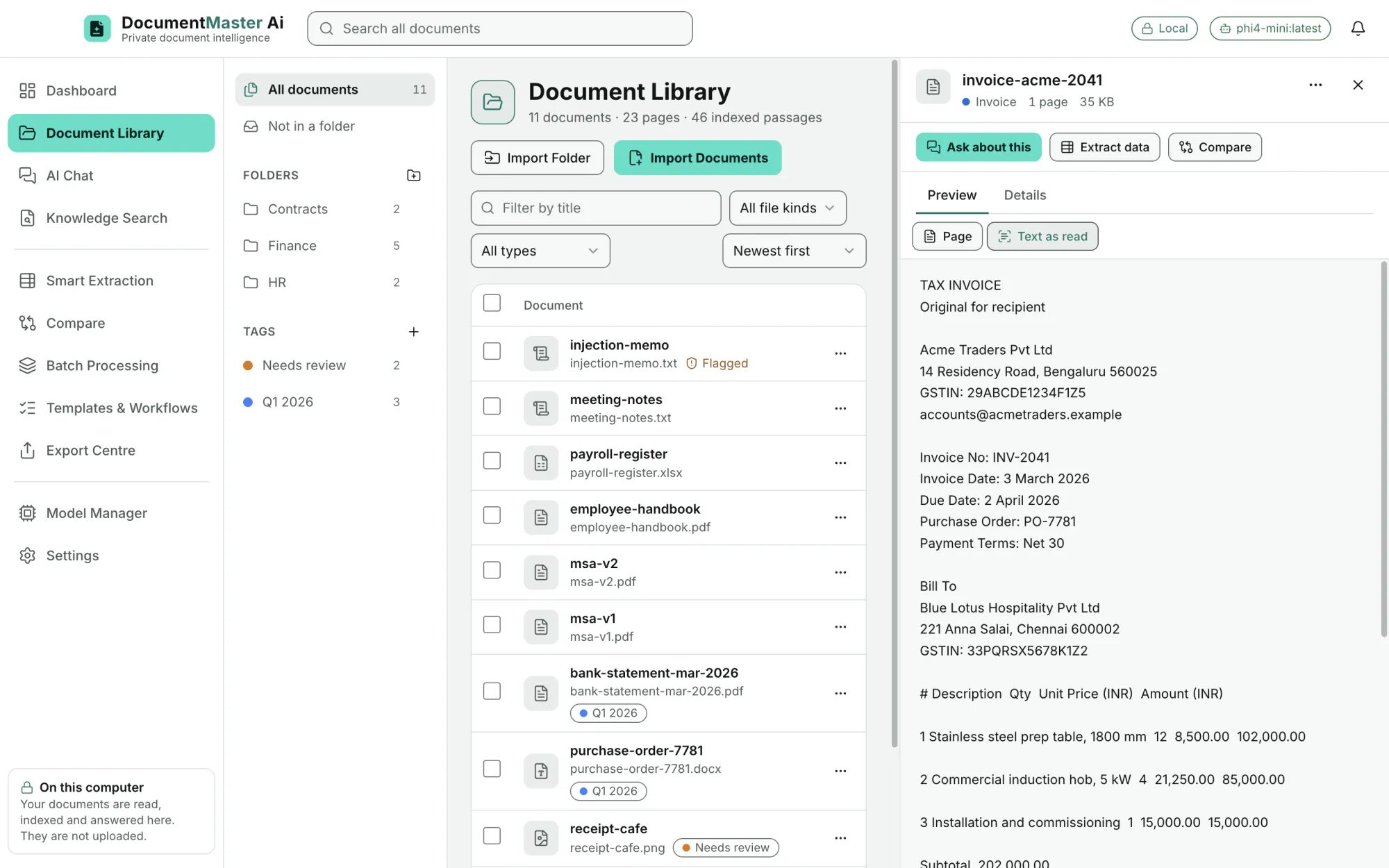
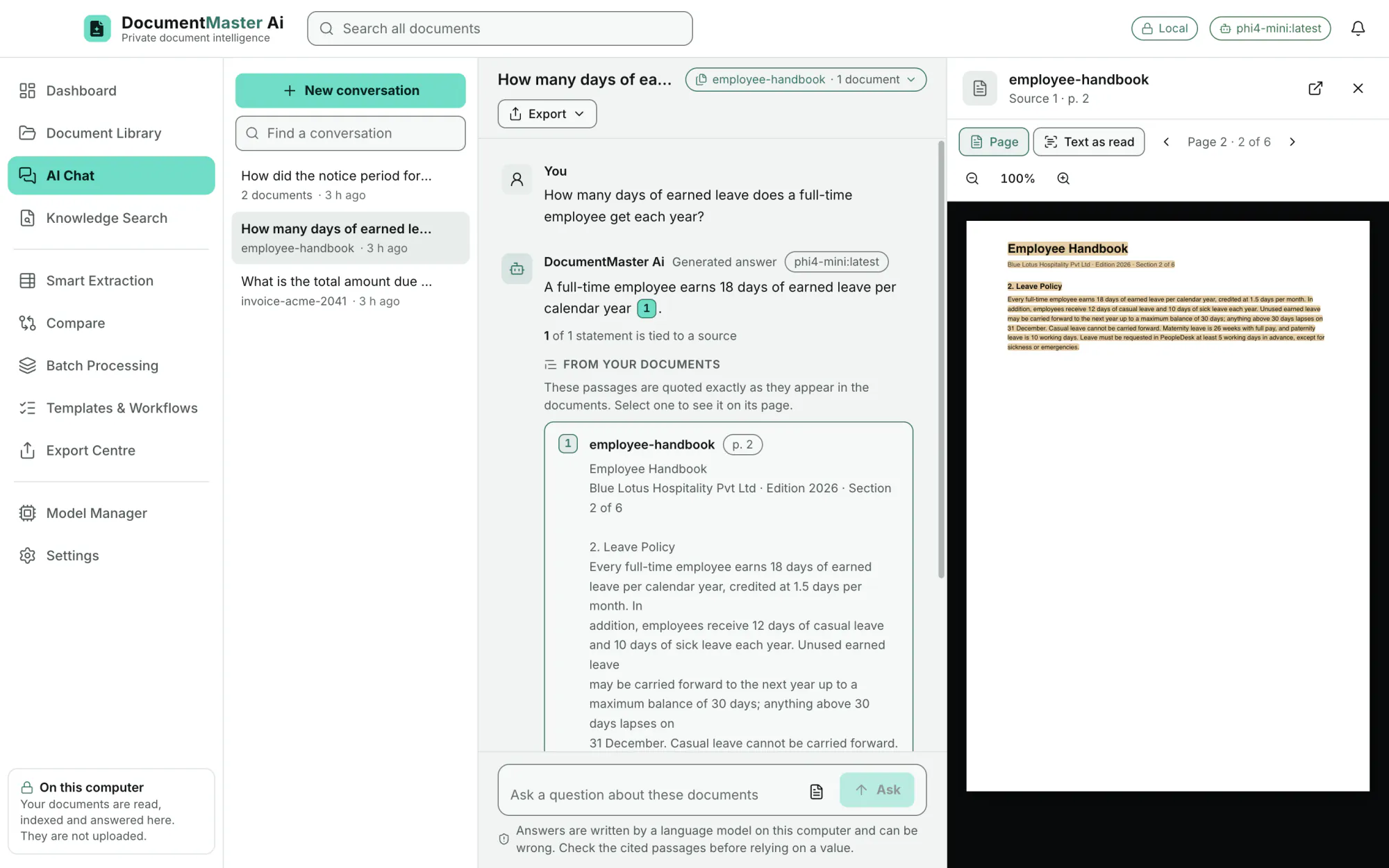
Preview shows PDF pages, Word as formatted text, Excel as grids and images, with zoom. "Text as read" shows exactly the text the app read.
EditionAll
File name, kind, type, folder, tags, size, words, passages, import date, where it came from, a checksum, and how it was read (text recognition used or not, indexed for search by meaning). A Summarise button writes a short summary on this computer.
EditionAll
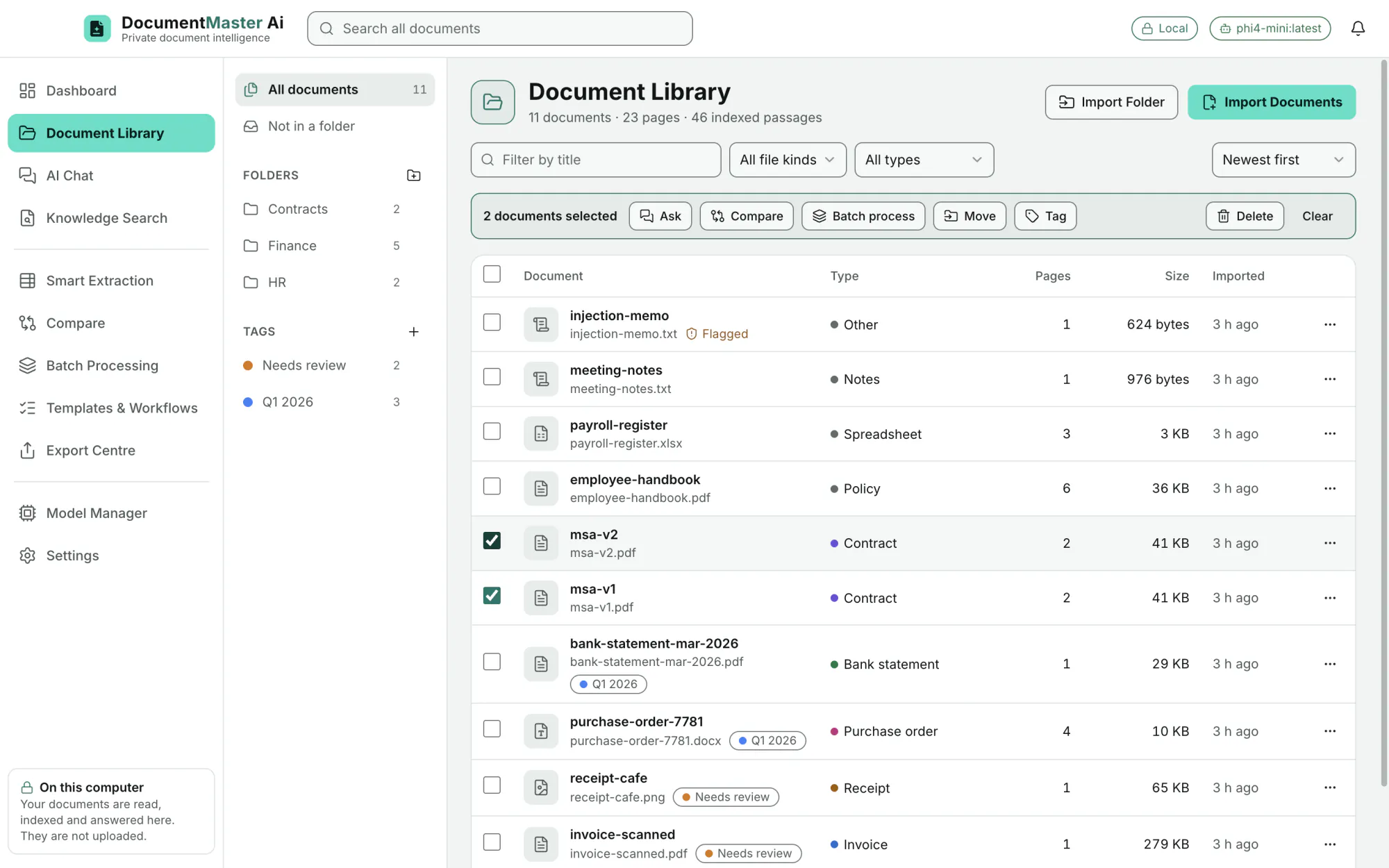
Tick documents, then Ask, Compare, Batch process, Move, Tag or Delete. Clear lets go of the selection.
EditionAll
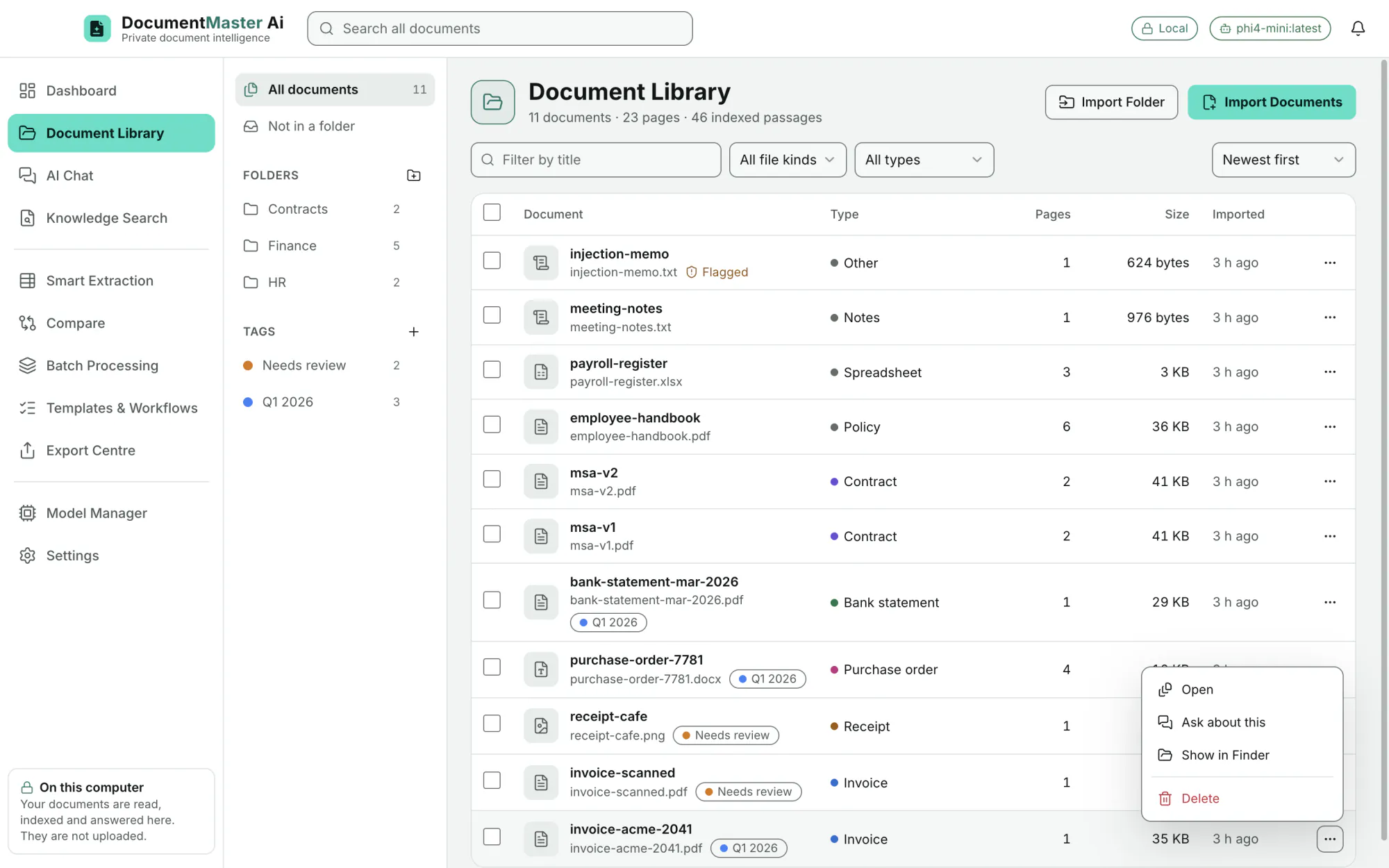
Open, Ask about this, Show in Finder, Delete. Documents can also be renamed and read again with text recognition.
EditionAll
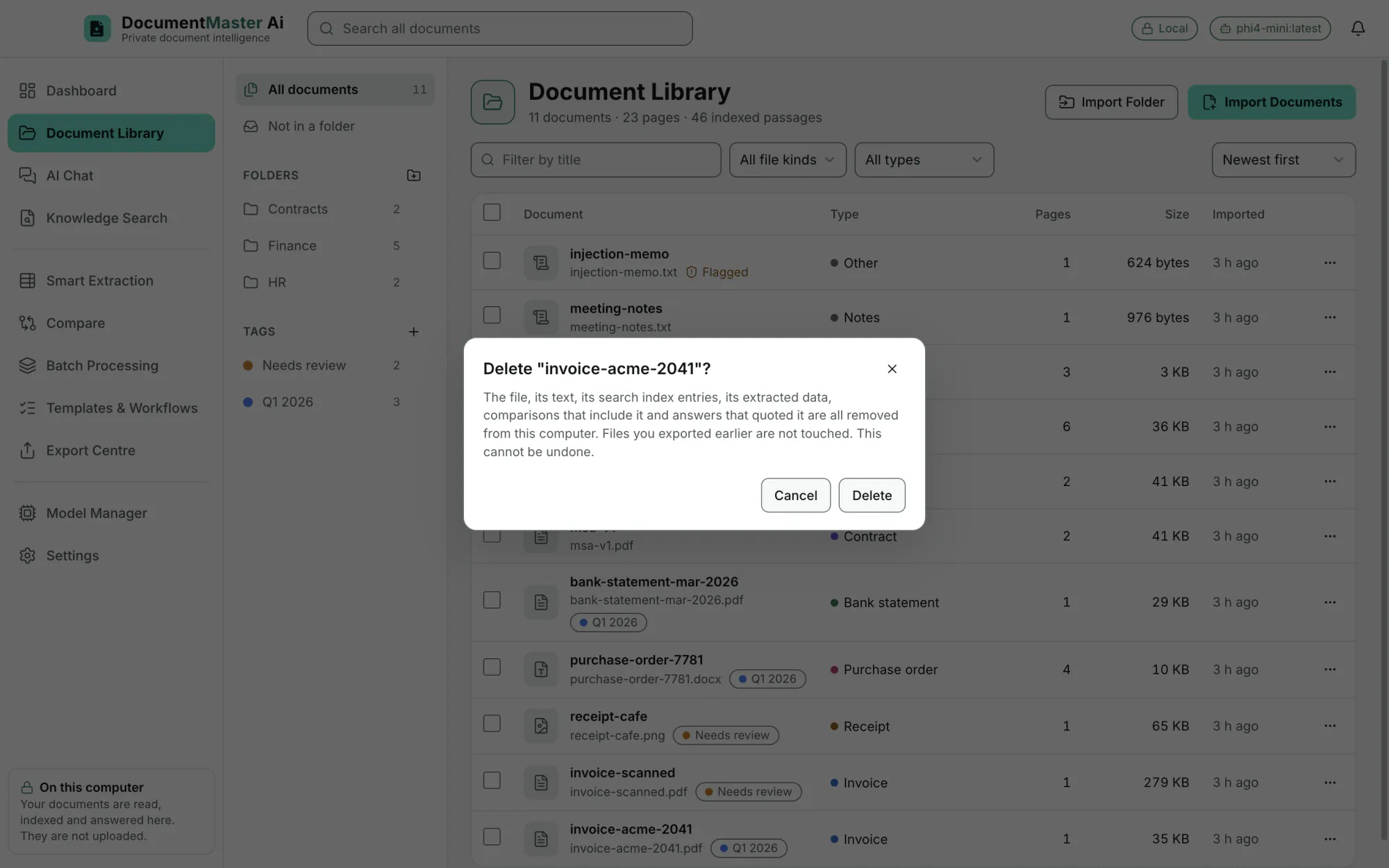
The dialog says what is removed: the file, its text, its search index entries, its extracted data, comparisons that include it and answers that quoted it. Files exported earlier are not touched.
EditionAll
AI Chat
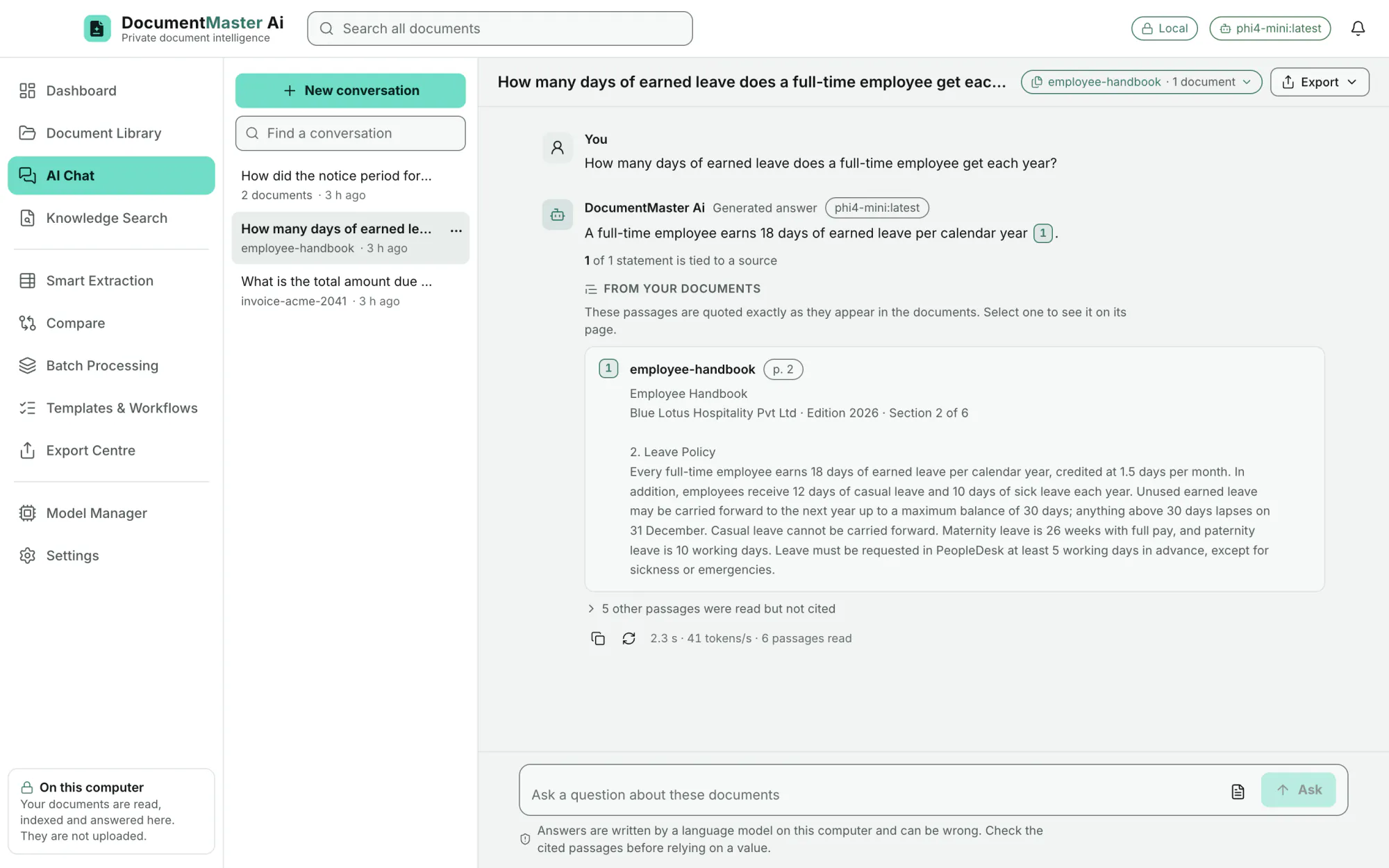
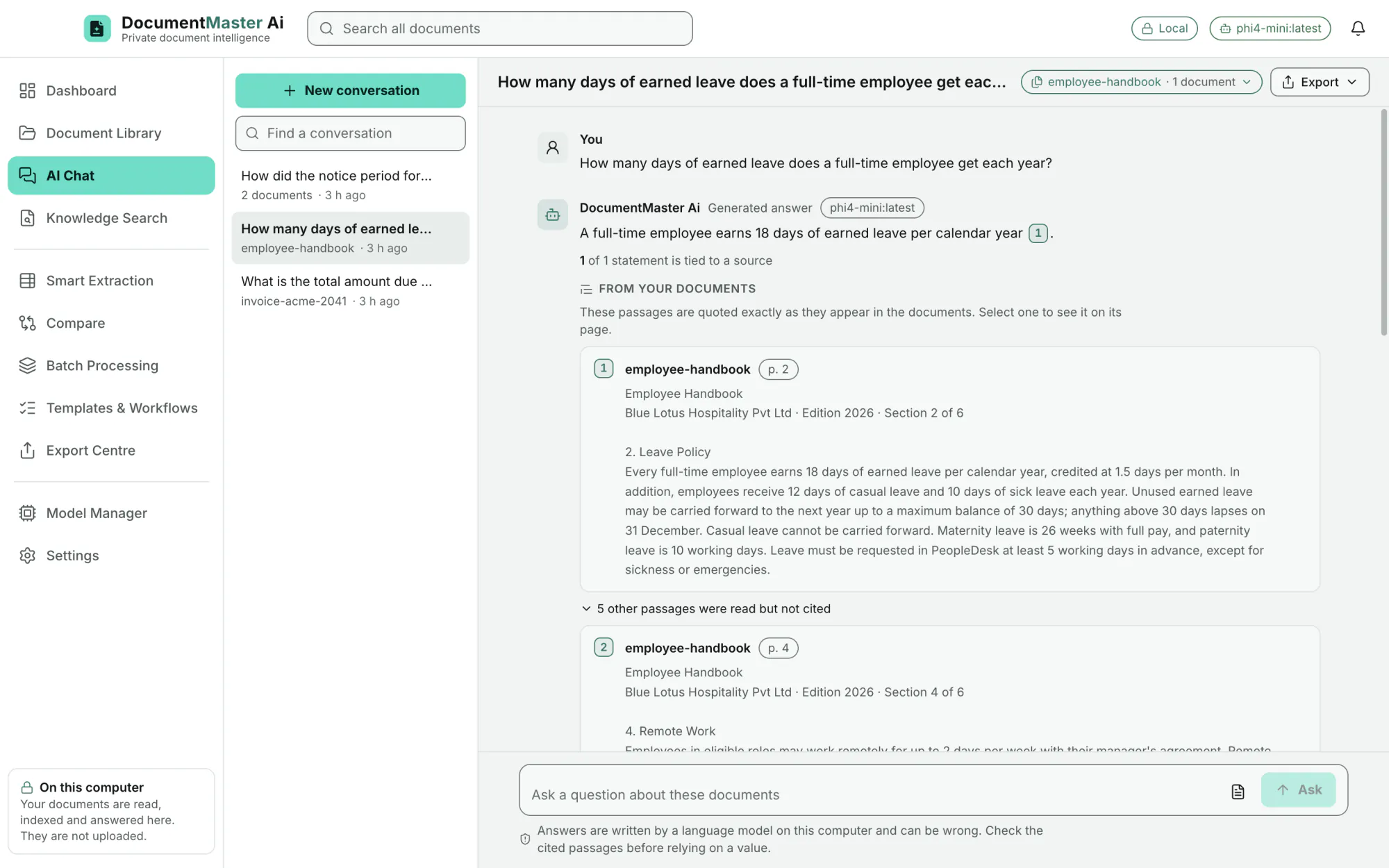
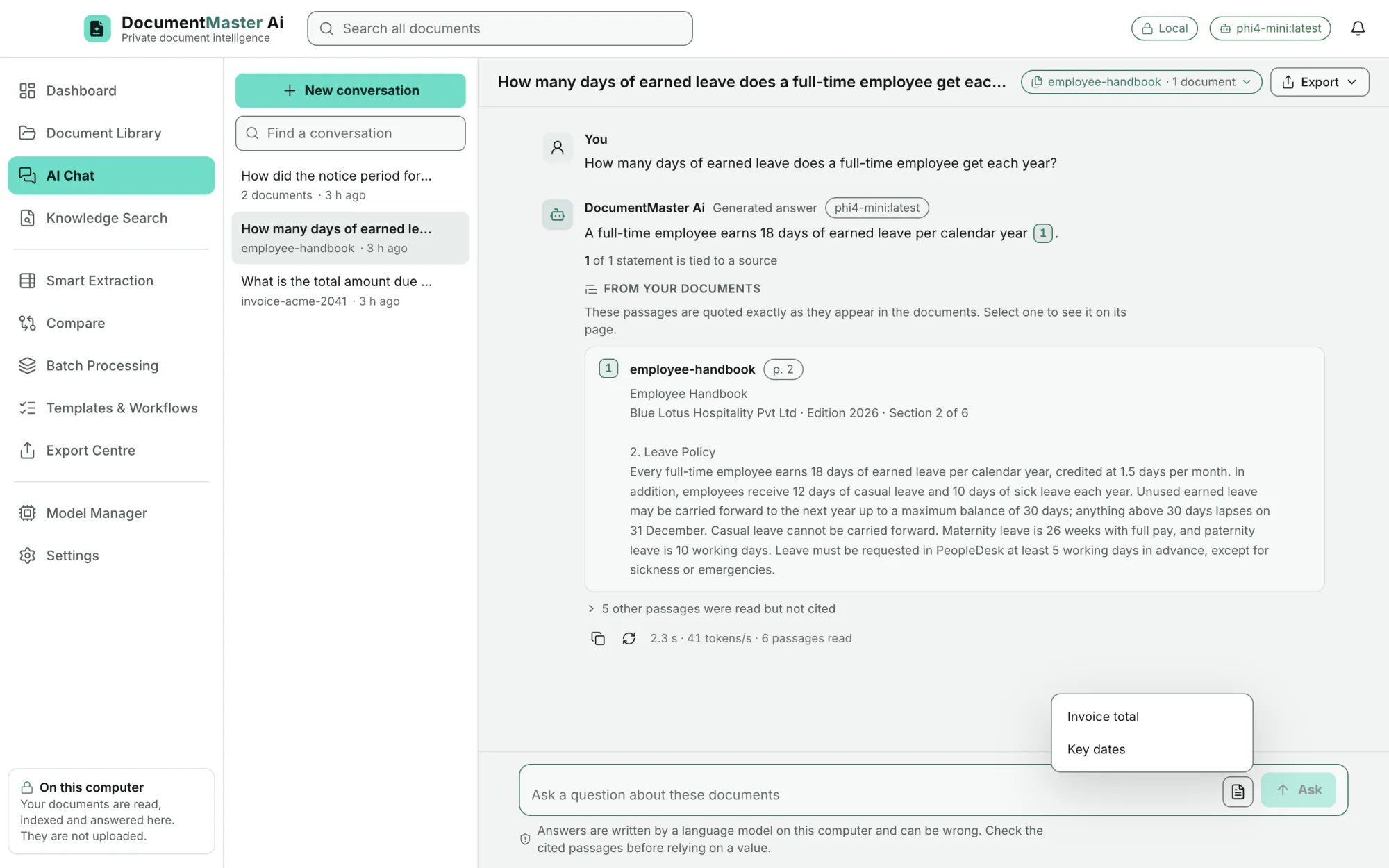
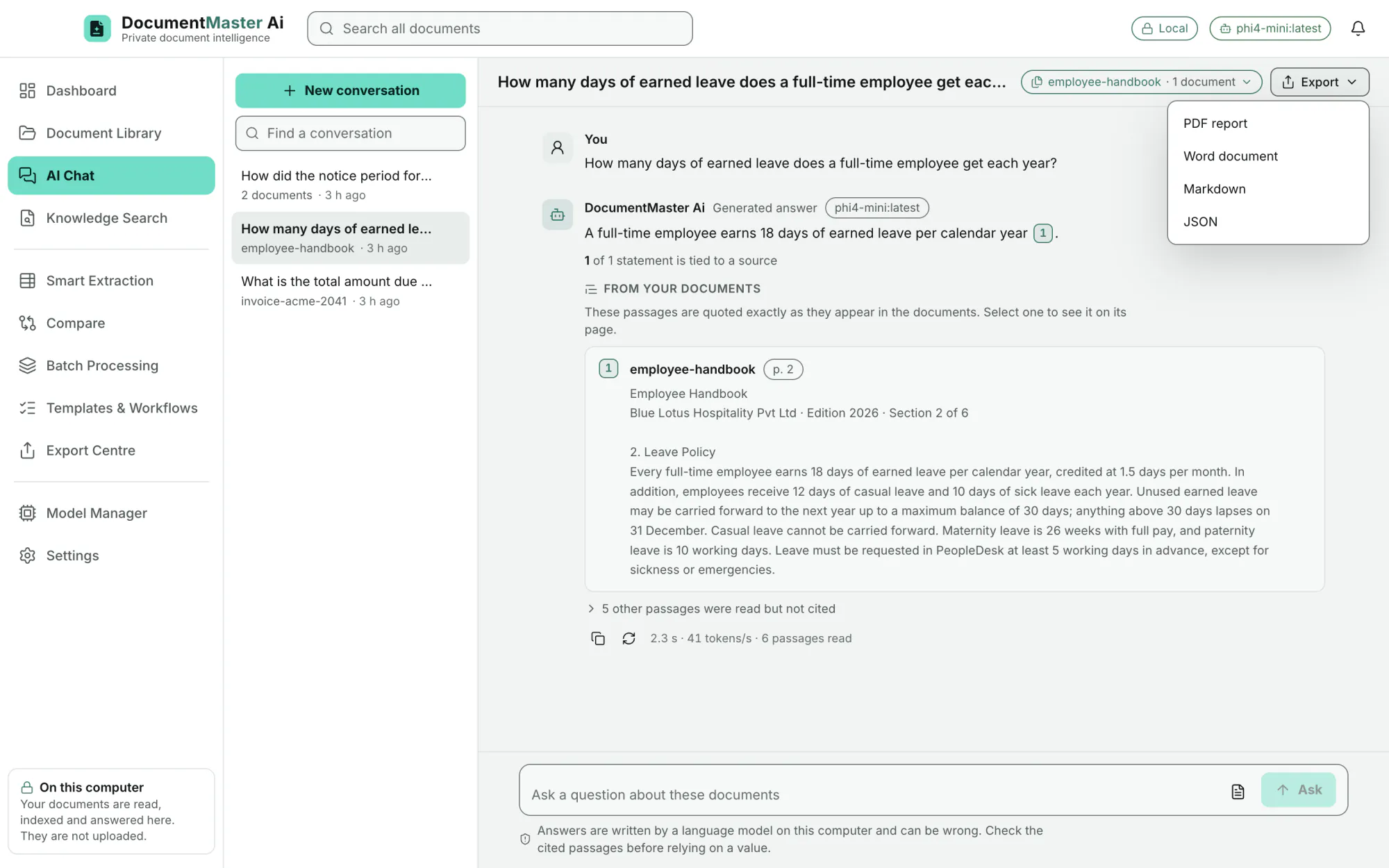
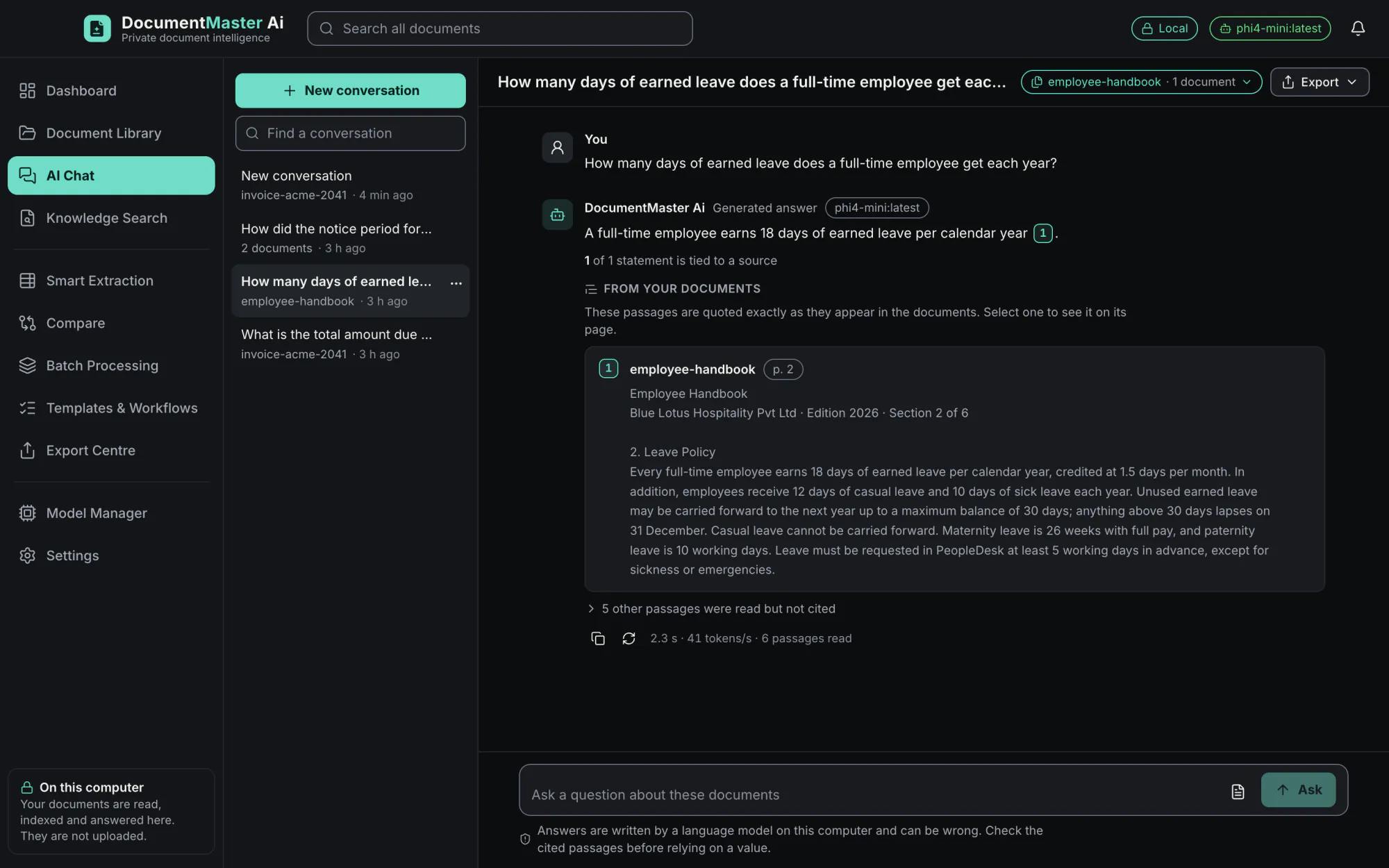
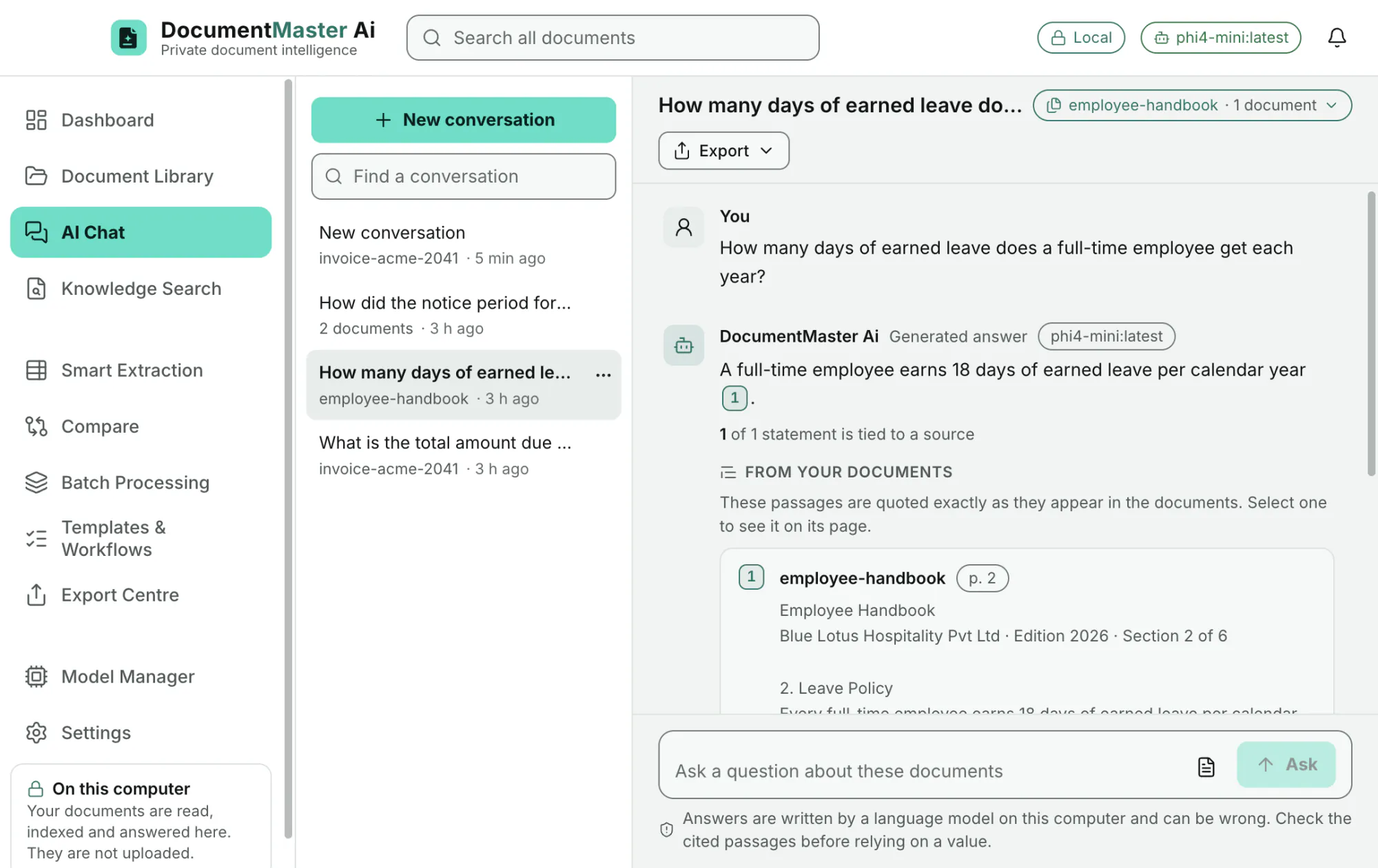
Answers stream as they are written. Stop at any time, copy the answer, or "Answer again".
EditionAll
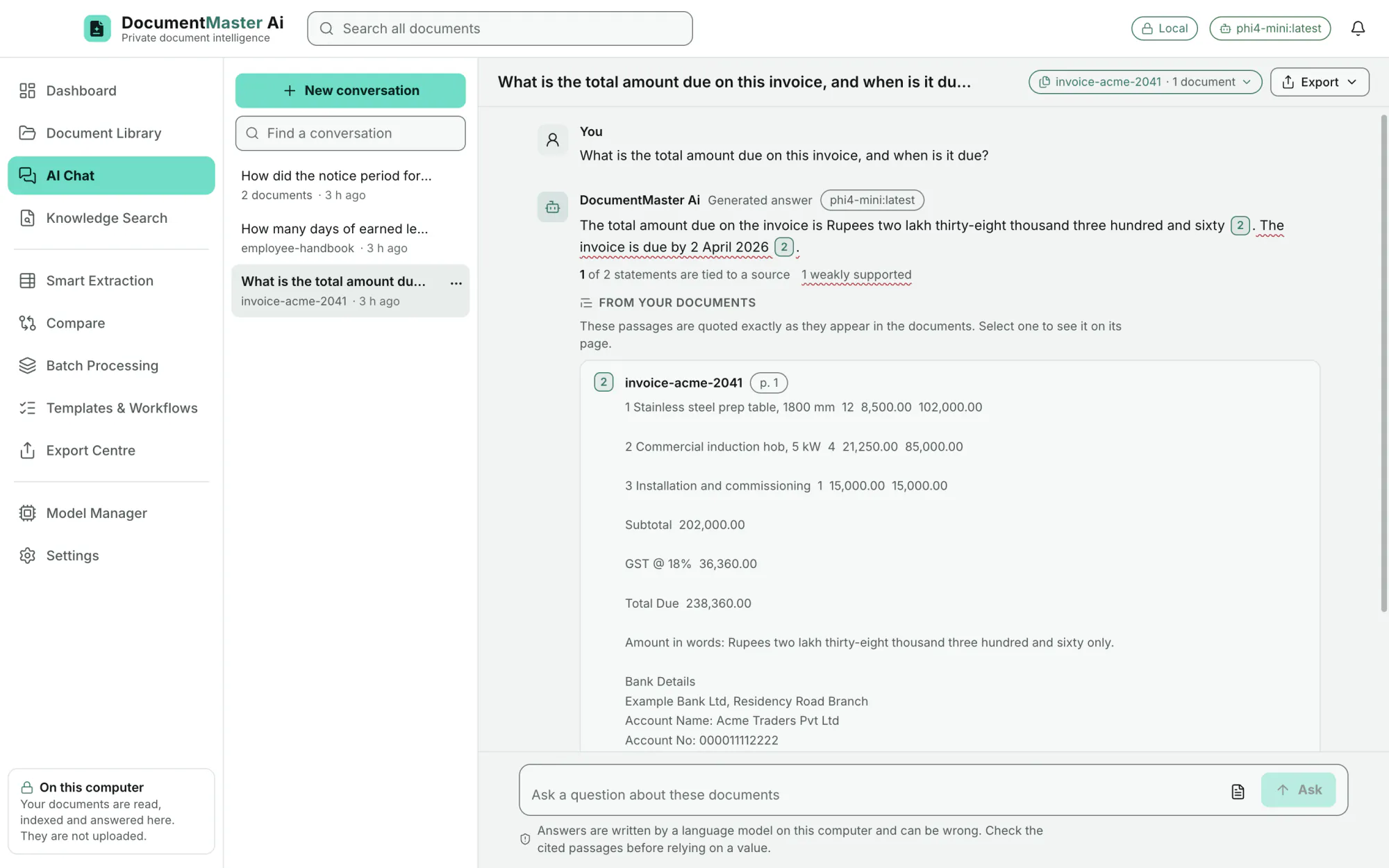
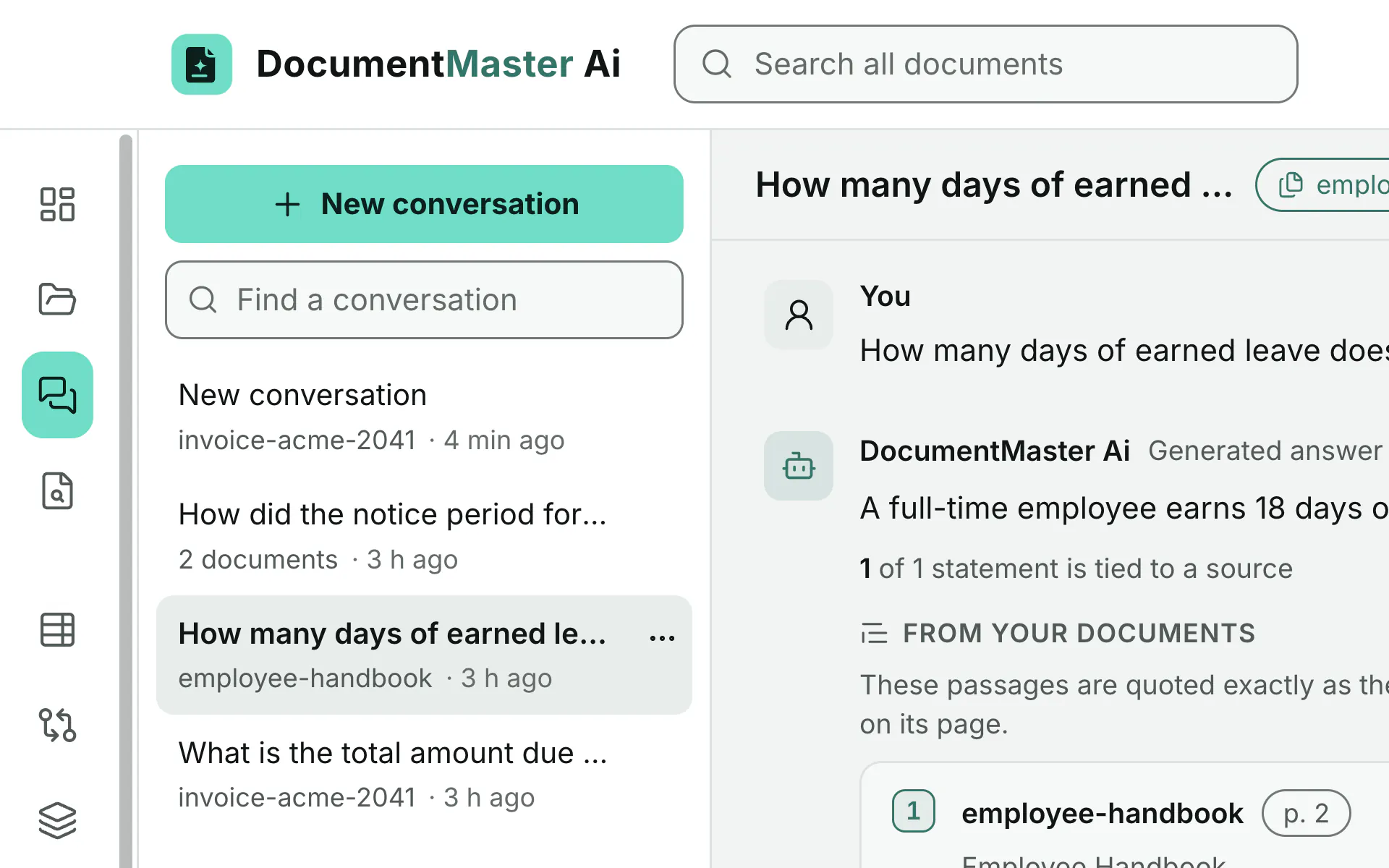
Numbered citations show the document, the page, the section heading and the passage, quoted exactly as it appears: "These passages are quoted exactly as they appear in the documents. Select one to see it on its page."
EditionAll
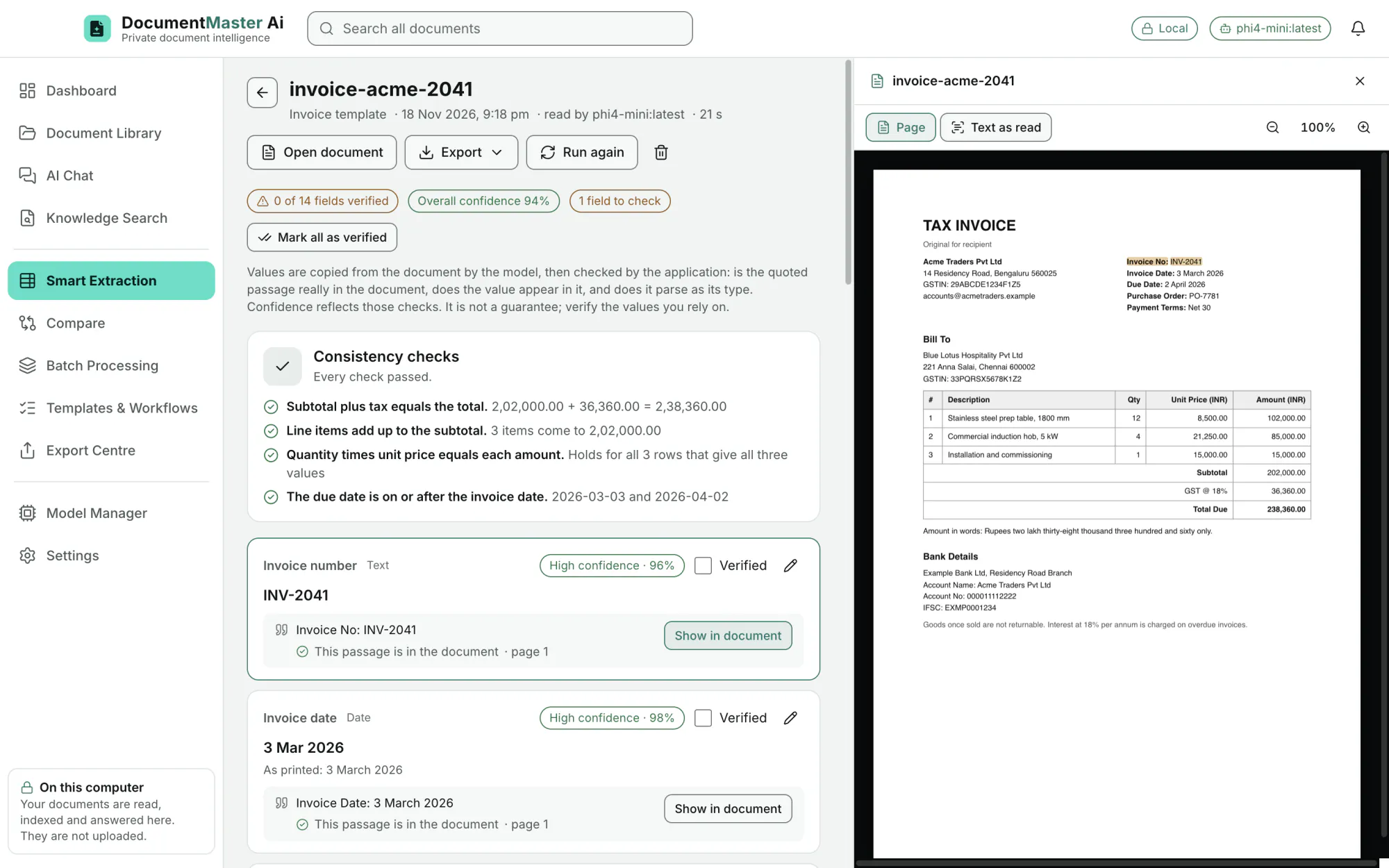
Click a source and the original page opens beside the answer with the passage highlighted.
EditionAll
Each statement is marked as tied to a source, in the model's own words, or weakly supported ("1 of 1 statement is tied to a source"). When the documents do not hold the answer, the assistant says so.
EditionAll
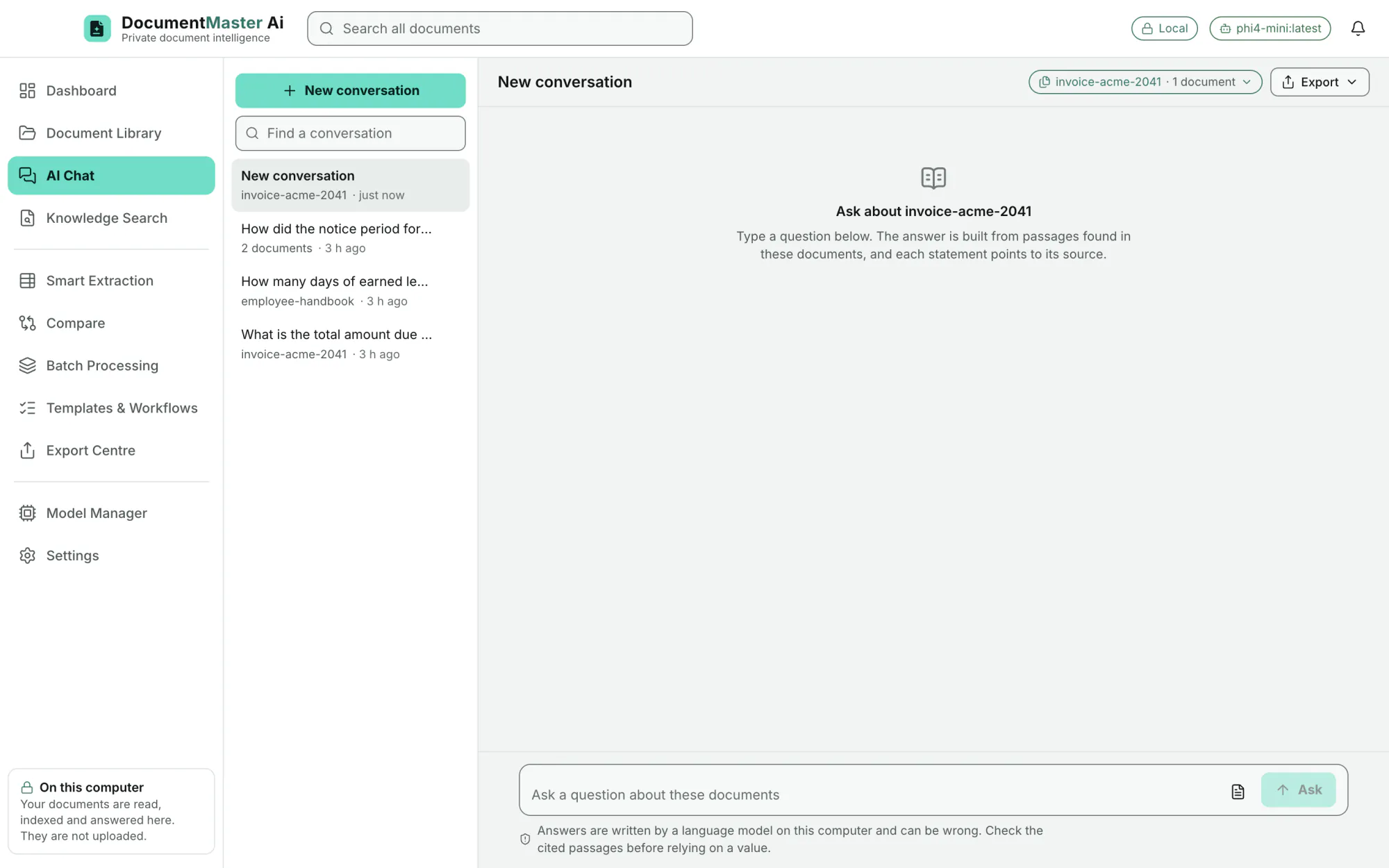
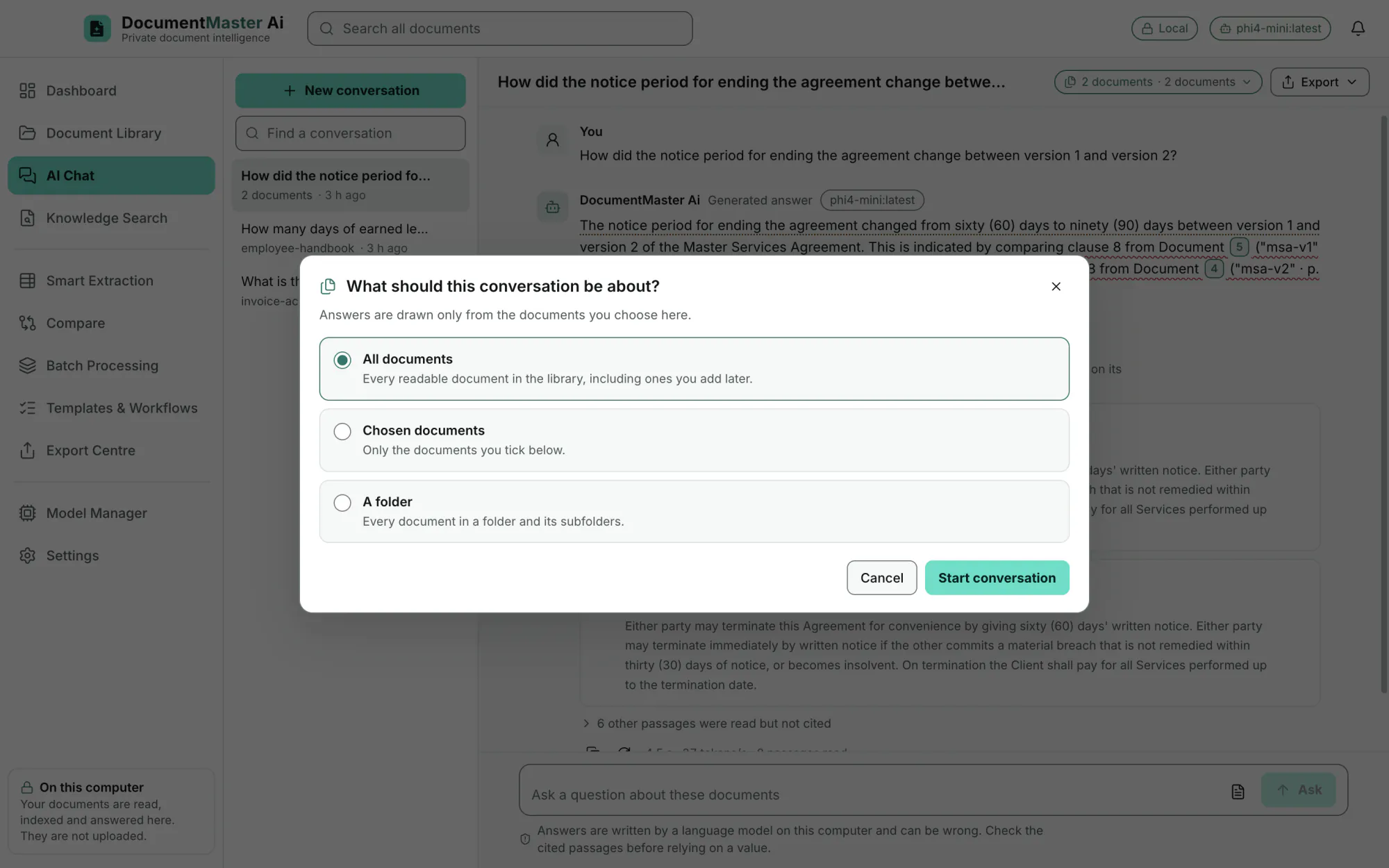
All documents (including ones added later), chosen documents, or a folder with its subfolders. A one-document chat starts straight from the library ("Ask about this").
EditionAll
The app turns a follow-up such as "and the second one?" into a complete question before it searches. This can be switched off.
EditionAll
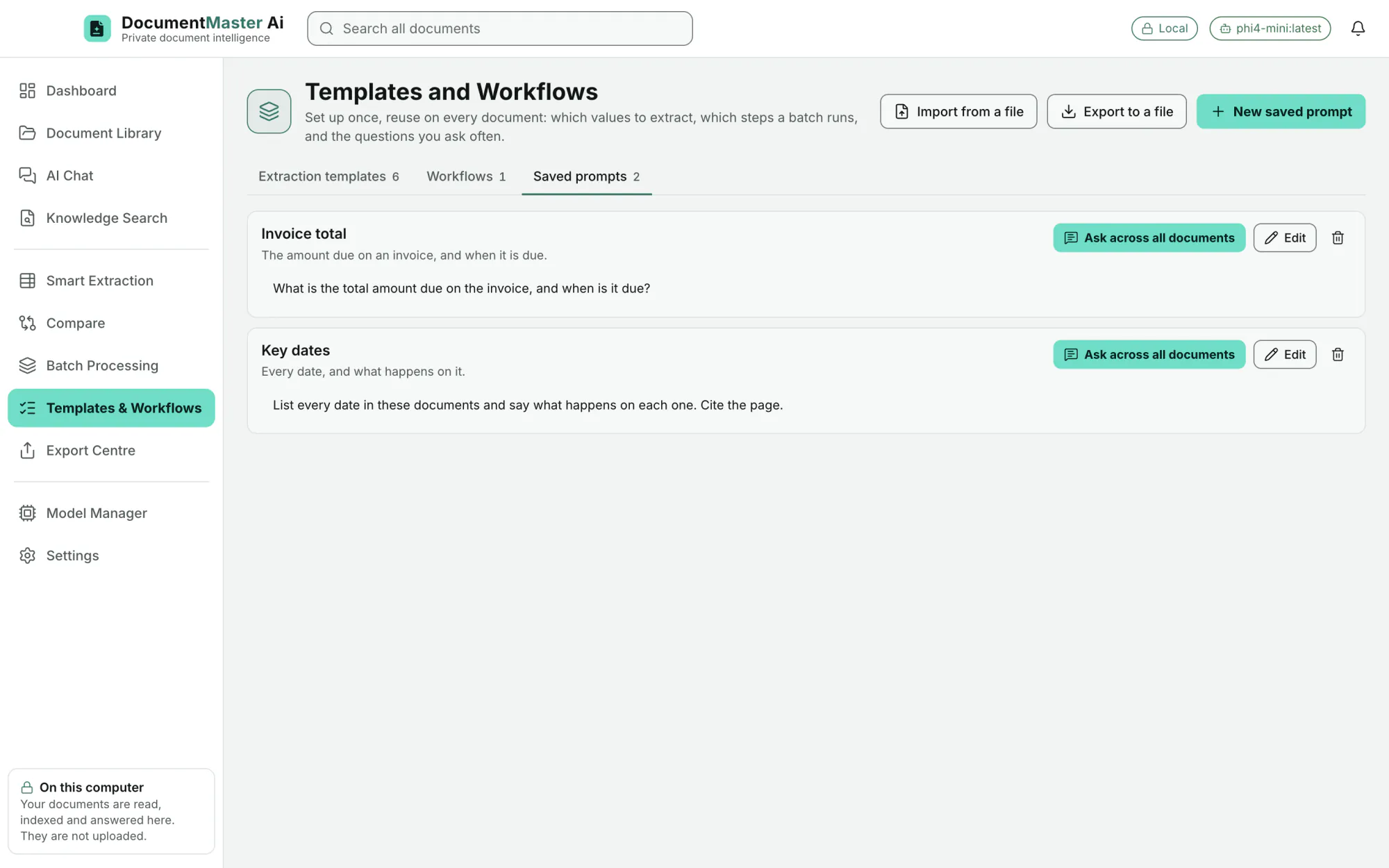
Keep the questions you ask often, and insert one from the chat box. Examples in the demo: "Invoice total" and "Key dates".
EditionAll
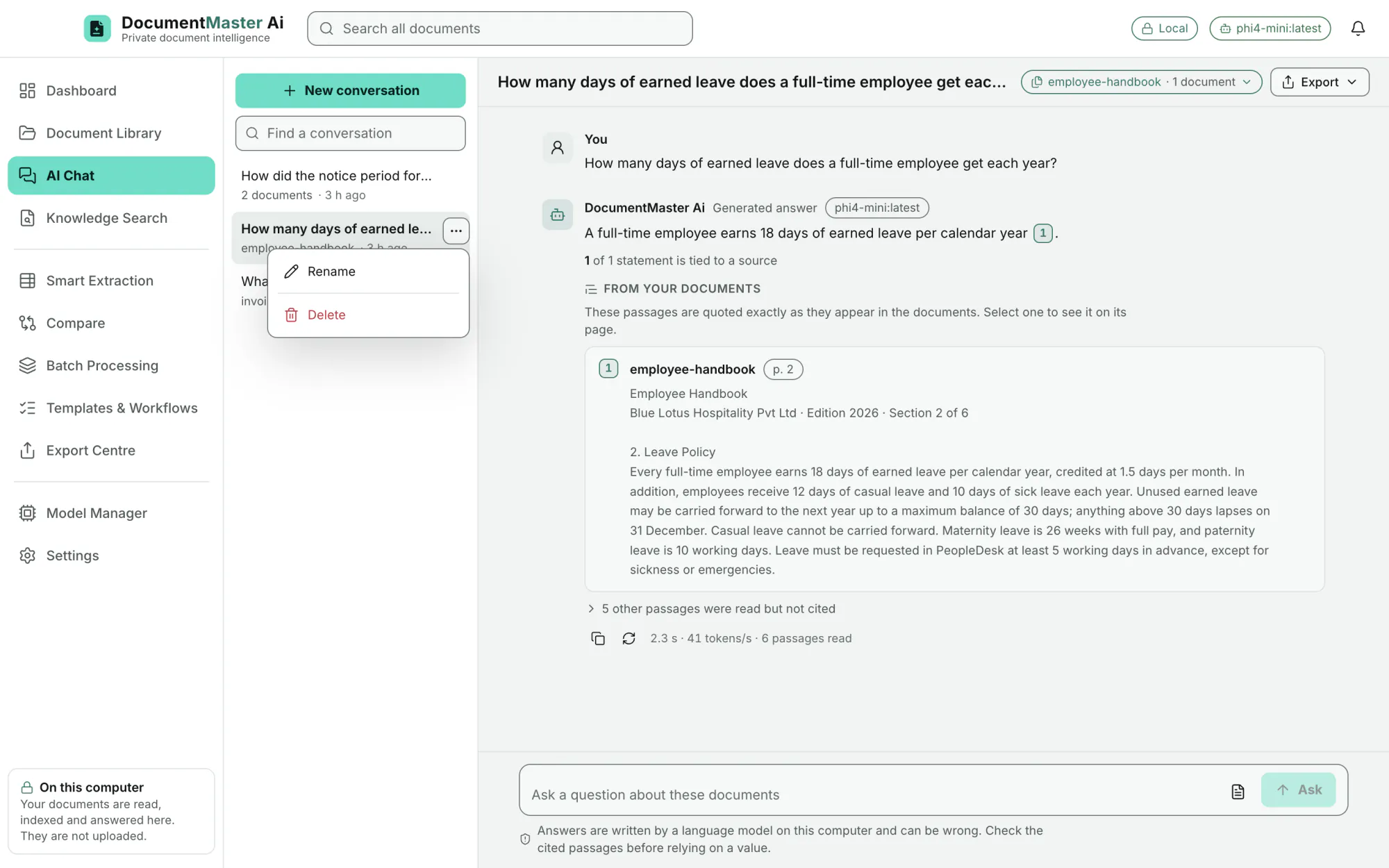
Listed with the documents they cover and when. Find one by name, open it where you left off, rename it or delete it.
EditionAll
Choose the answer language: same as the question, English, Hindi, Tamil, Telugu, Kannada, Malayalam, Marathi, Bengali, Gujarati, Spanish, French, German or Arabic. How well a model writes a language depends on the model (section 14).
EditionAll
Choose how numbers and dates are written: English (India) 12,34,567.00 · 3 Mar 2026, or United States, United Kingdom, German or French. The demo invoice reads 2,02,000.00 + 36,360.00 = 2,38,360.00.
EditionAll
Knowledge Search
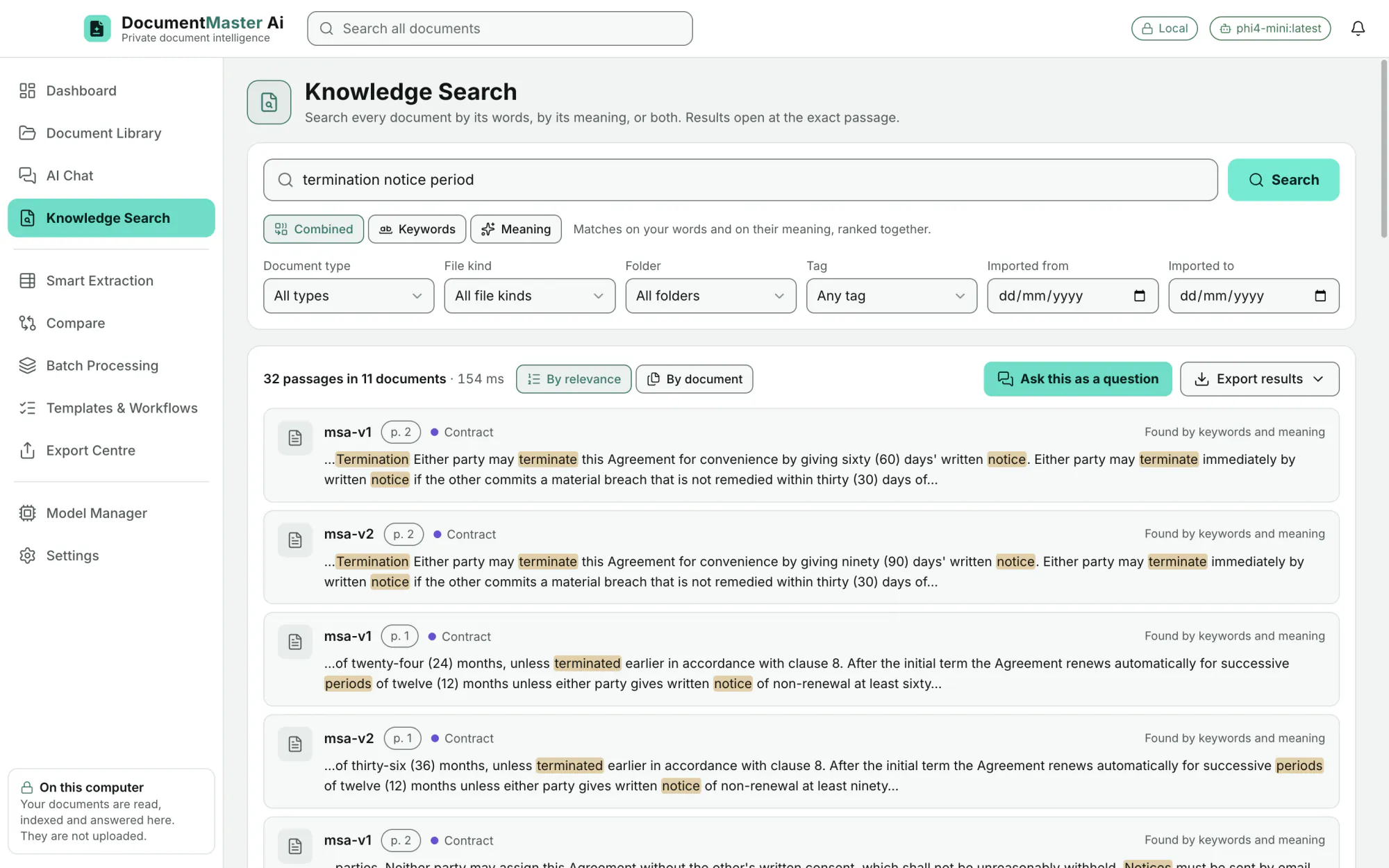
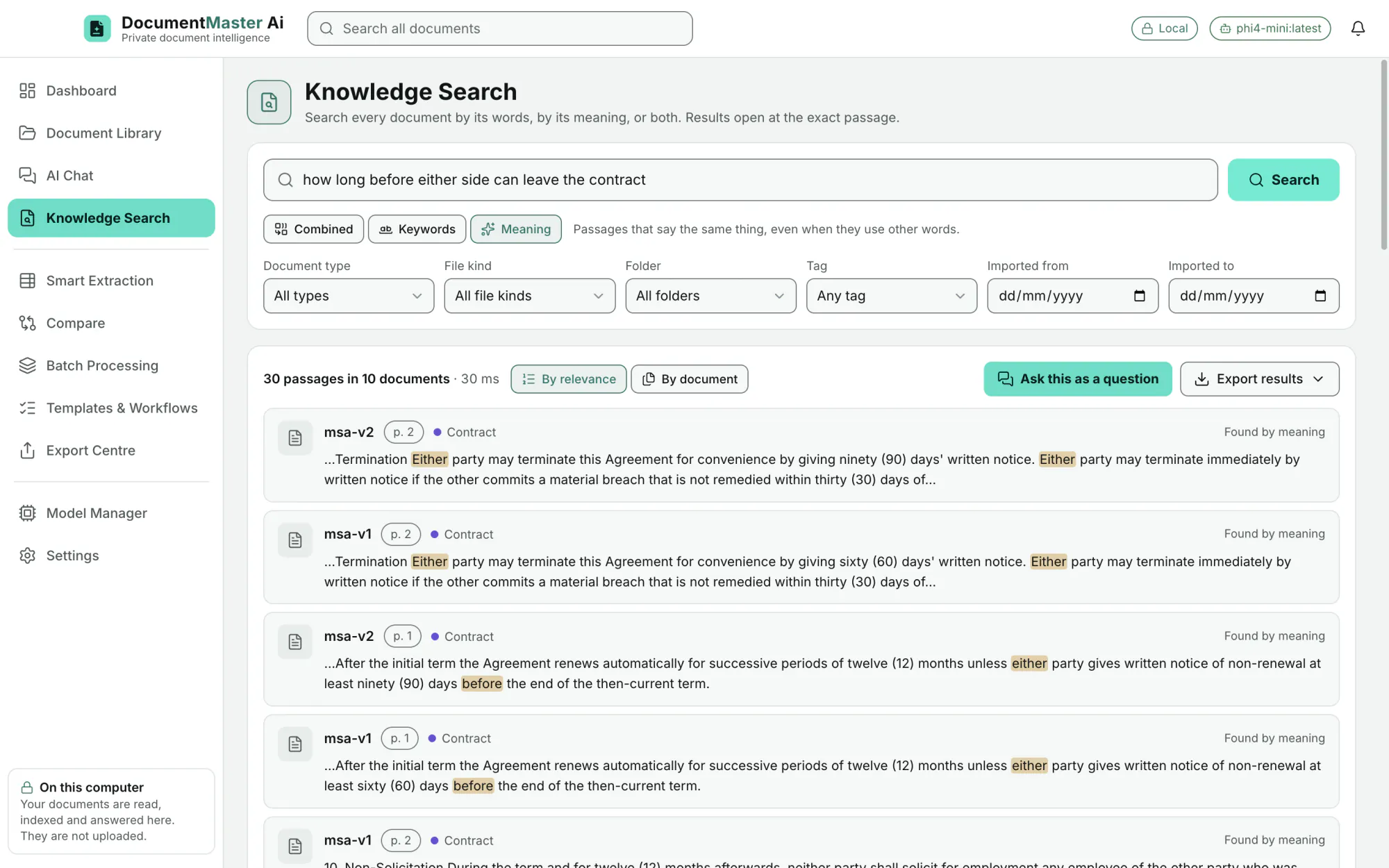
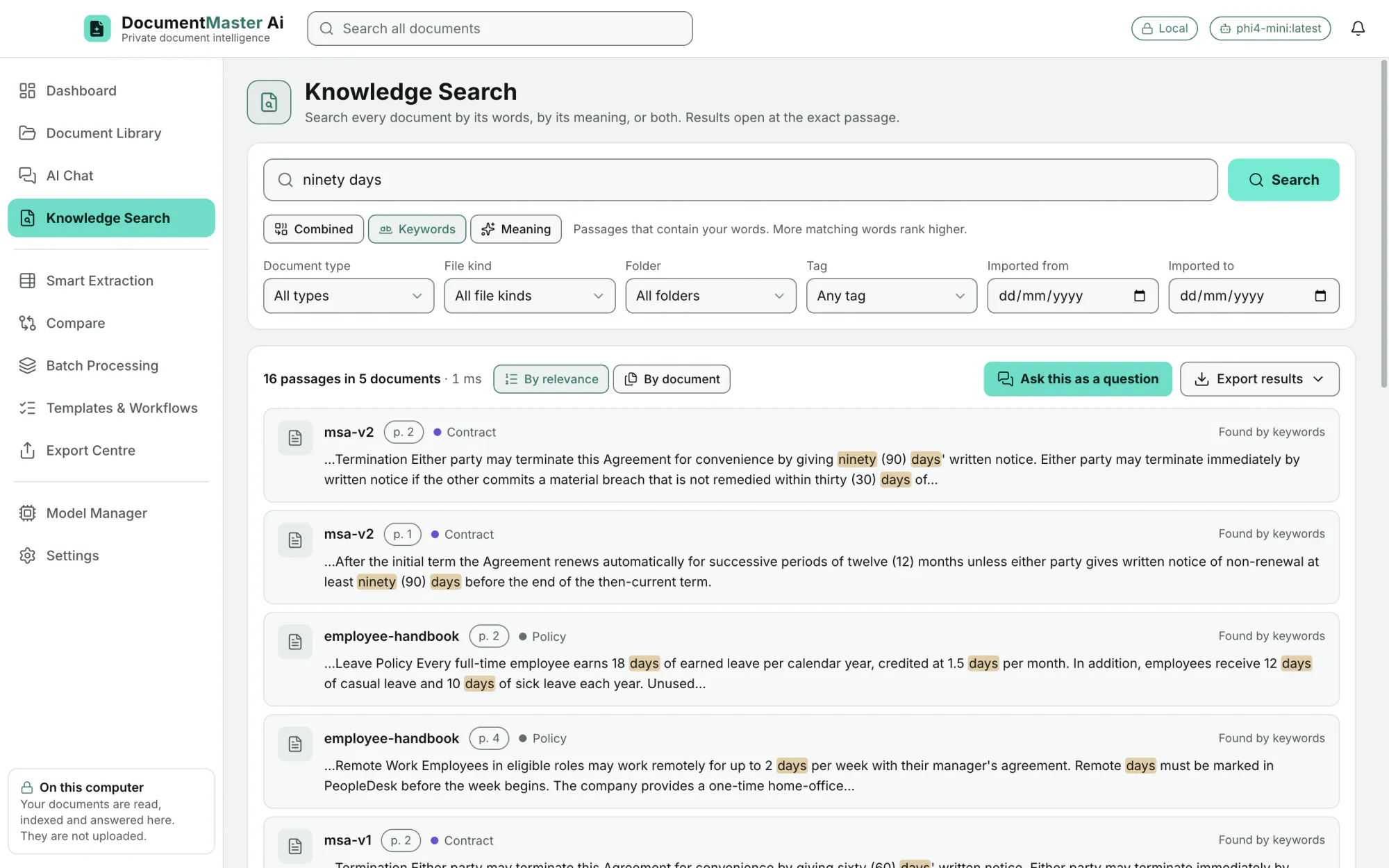
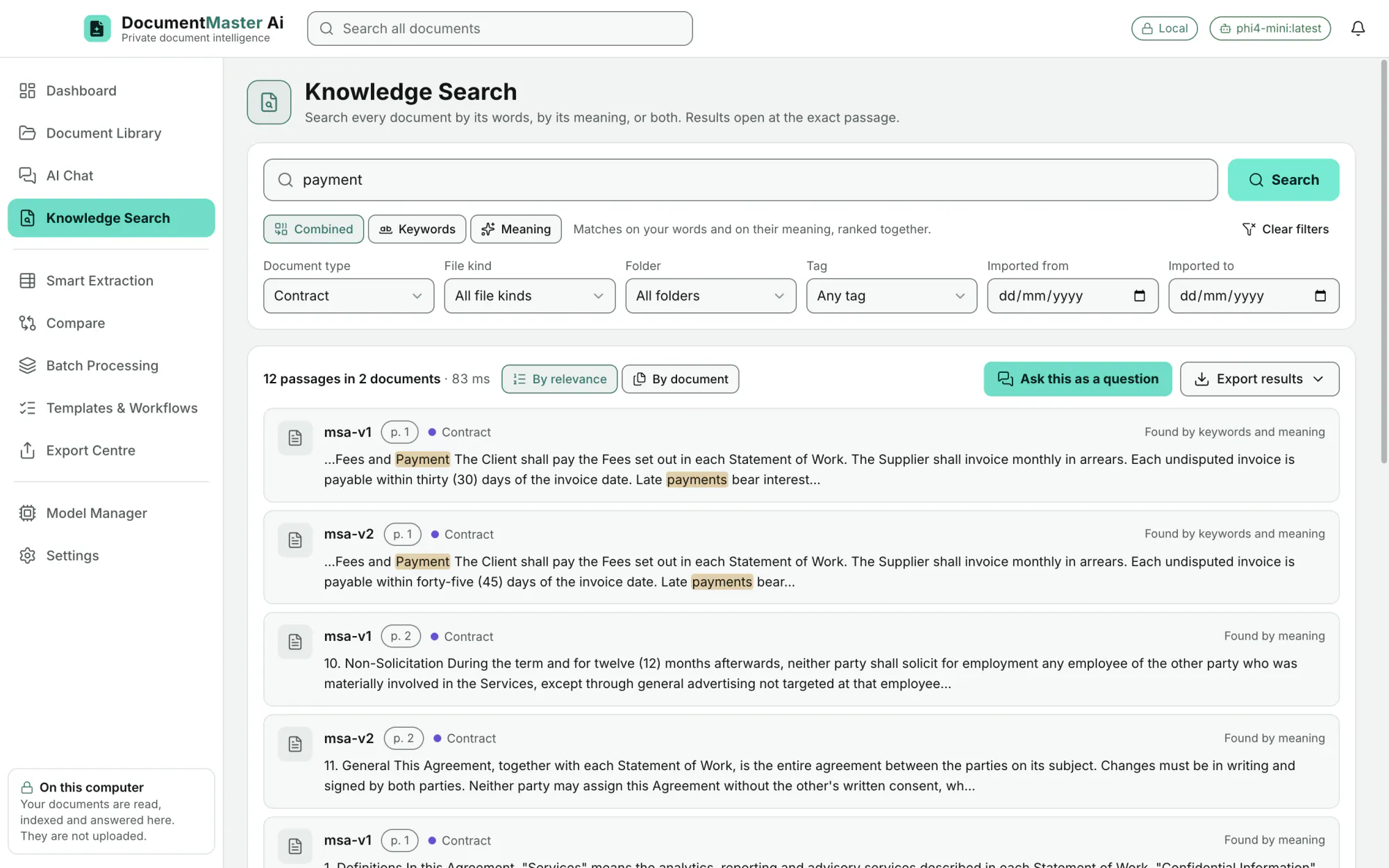
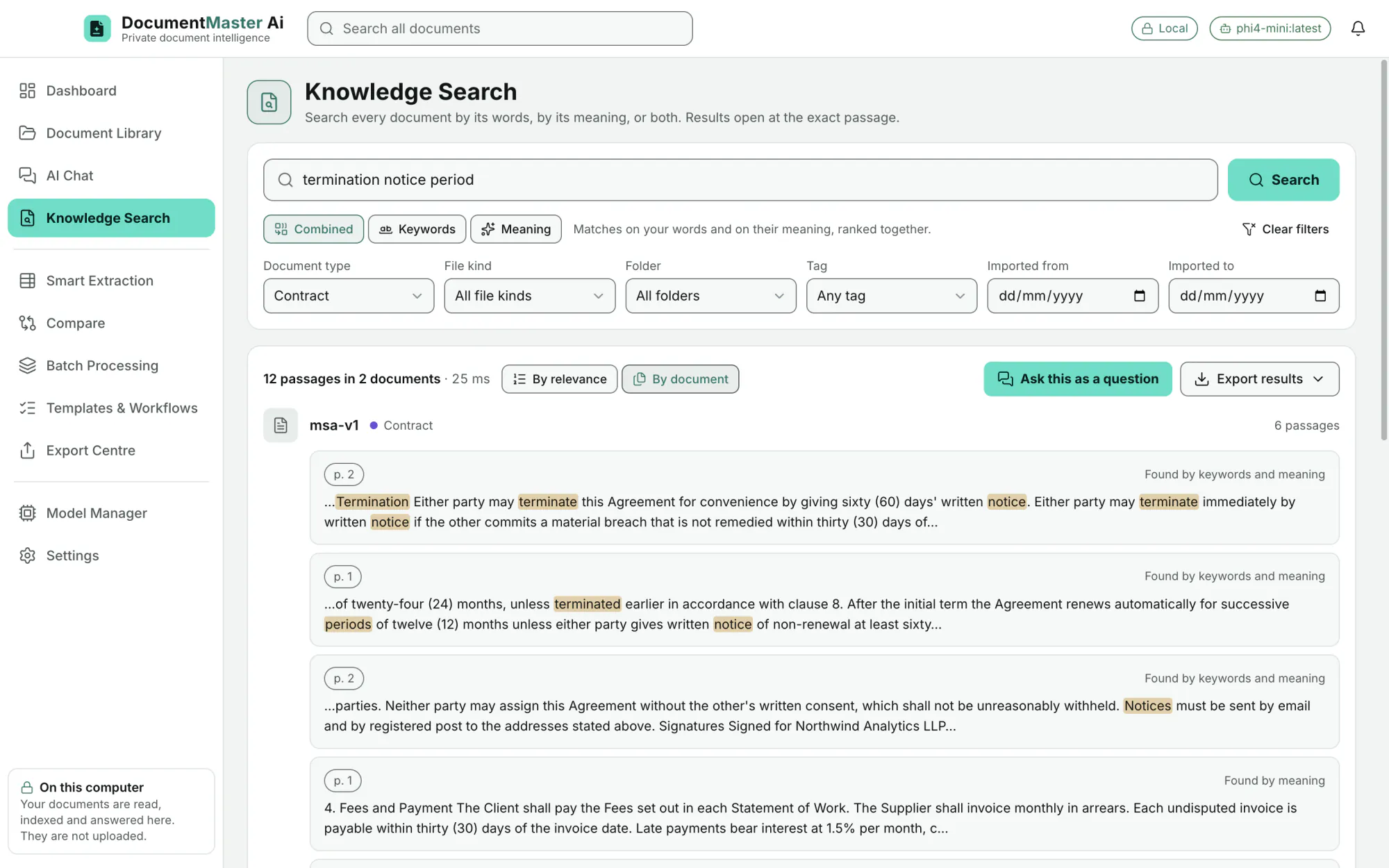
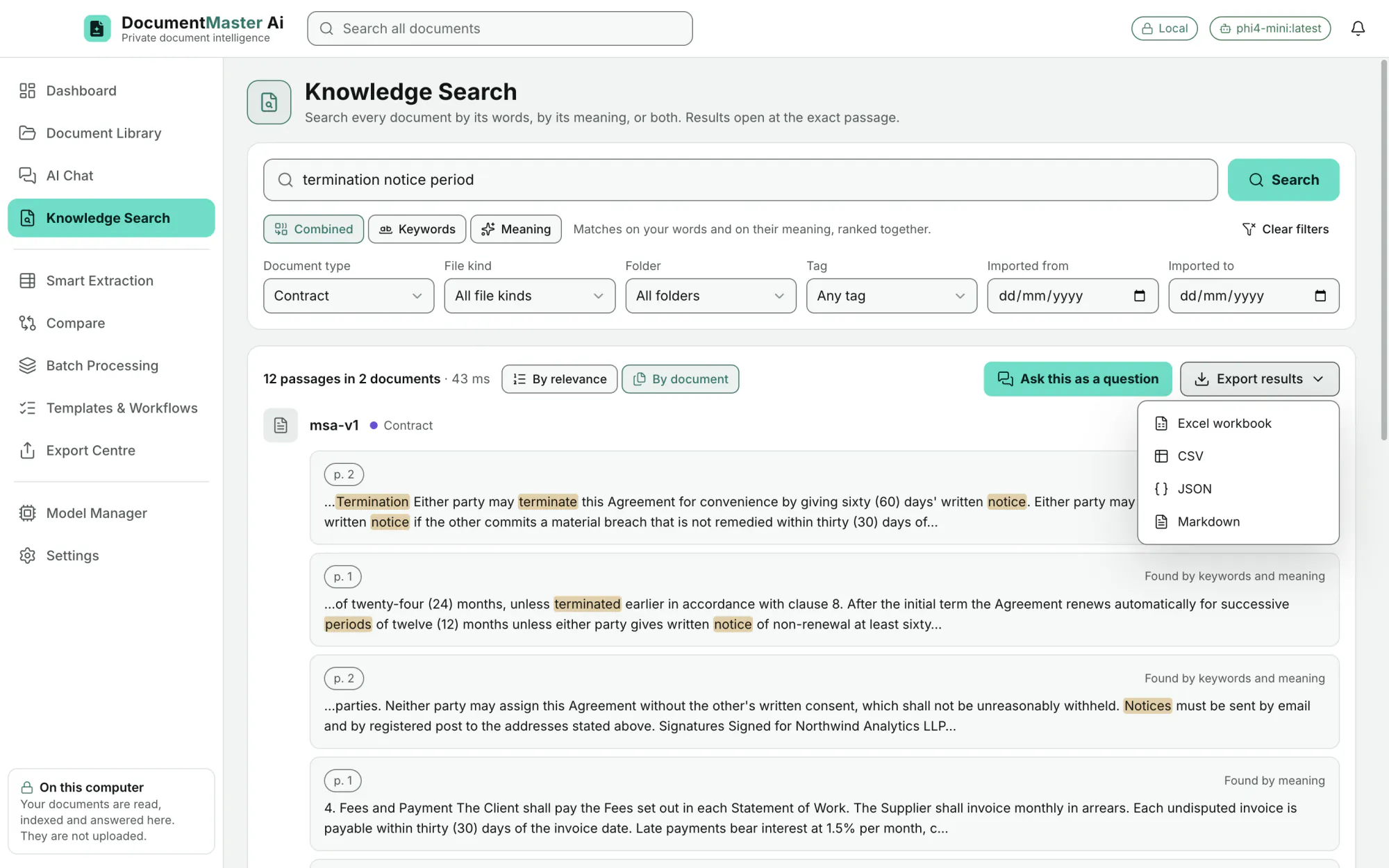
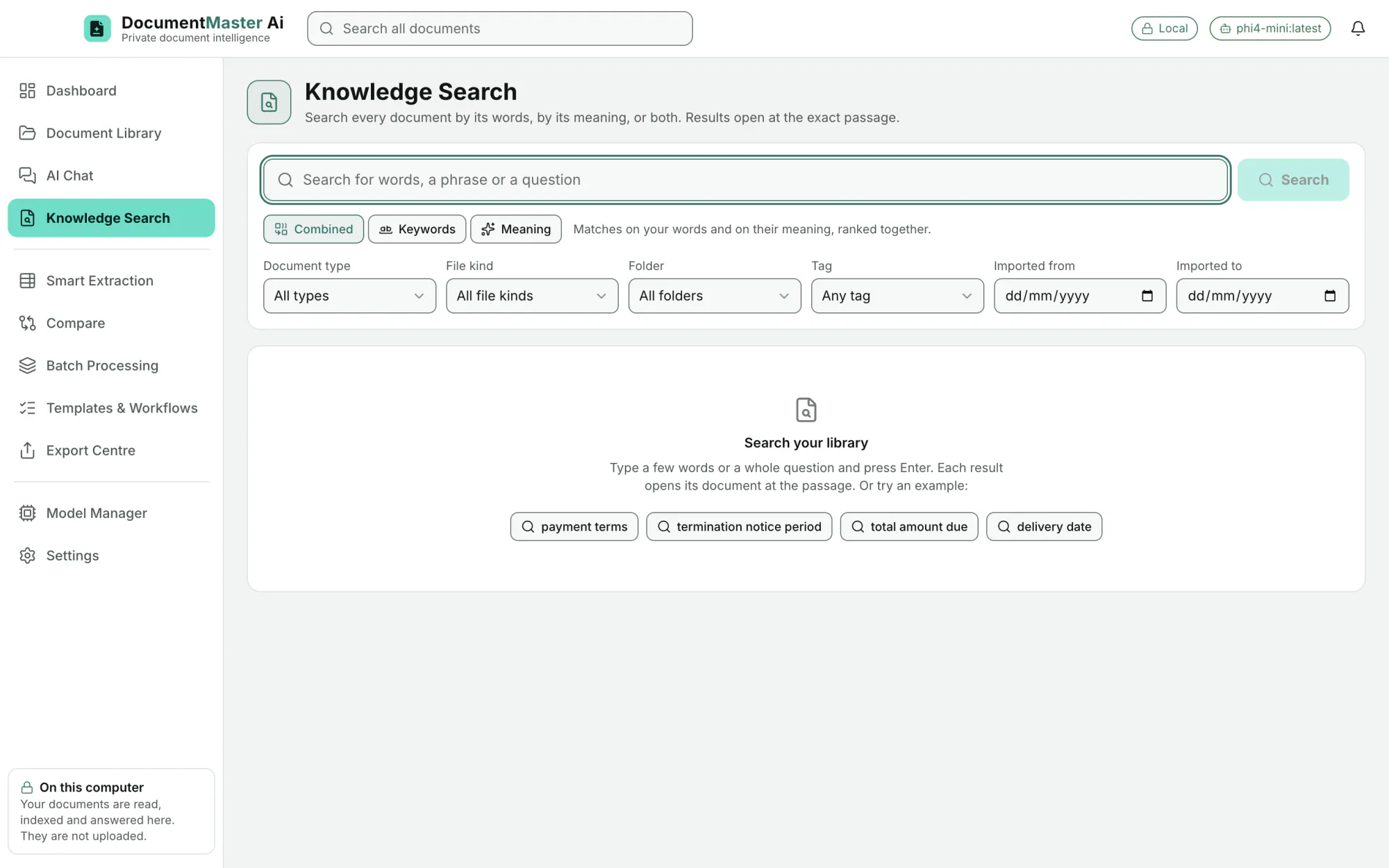
Combined is the default. Keywords match the exact words. Meaning finds passages that say the same thing in other words.
EditionAll
Matched words are highlighted, and each result says how it was found (by keywords, by meaning, by relevance).
EditionAll
Filter by document type, file kind, folder, tag and import dates (from and to). "Clear filters" resets.
EditionAll
"Ask this as a question" starts a conversation about the best-matching documents (or about all documents when nothing is filtered), with your search as the first question.
EditionAll
An empty search offers example searches: payment terms, termination notice period, total amount due, delivery date.
EditionAll
A search box sits in the top bar of every screen.
EditionAll
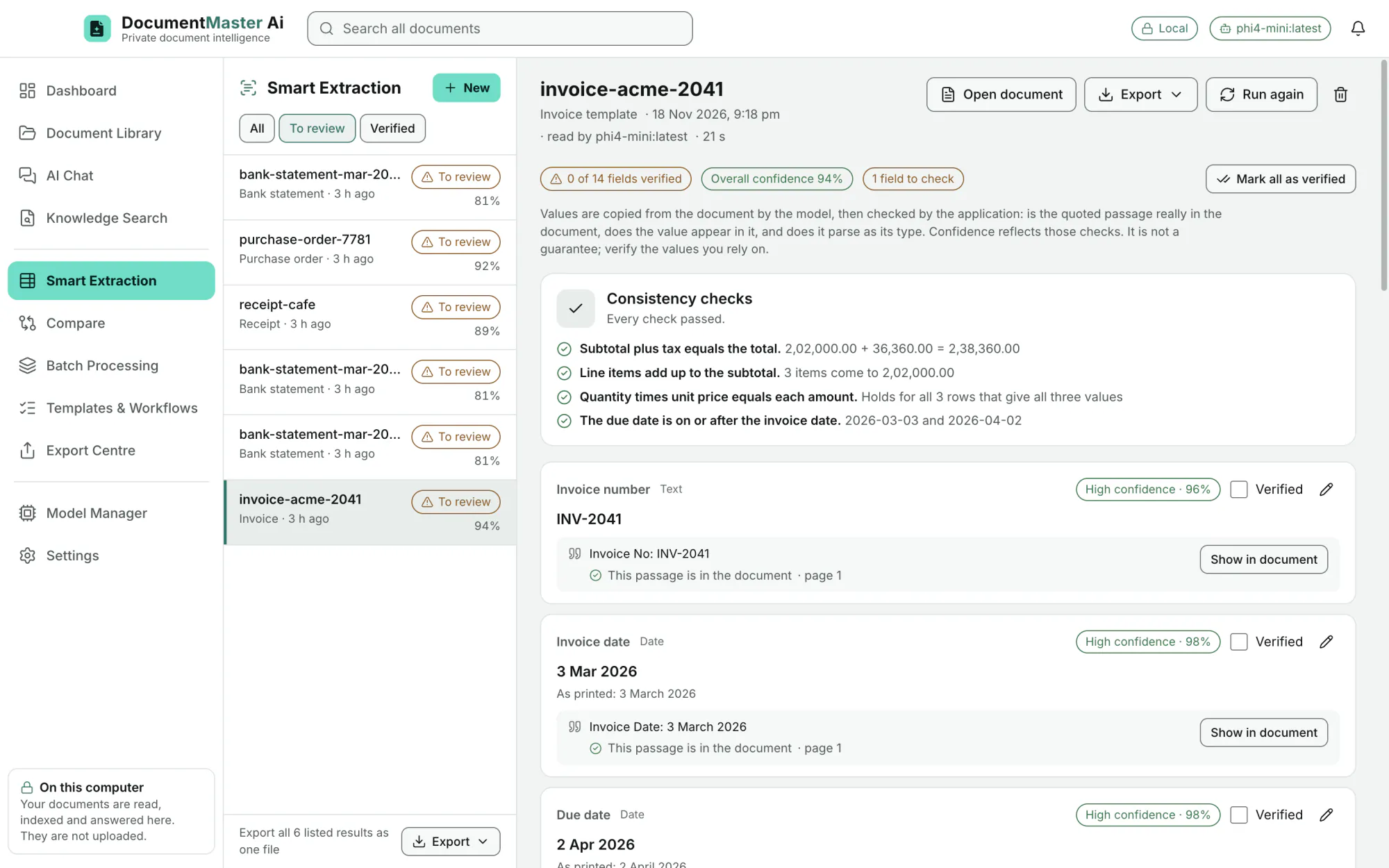
Smart Extraction
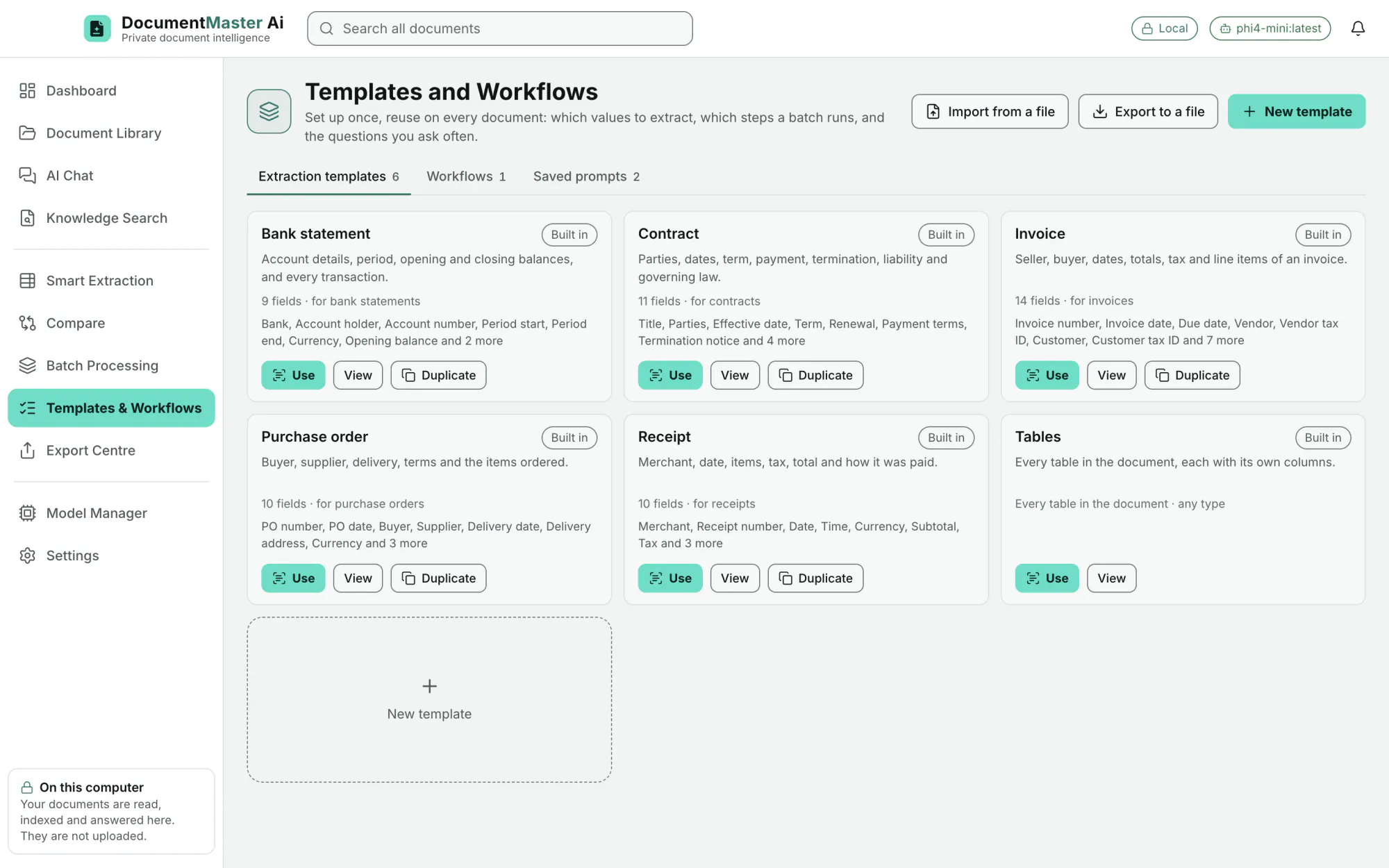
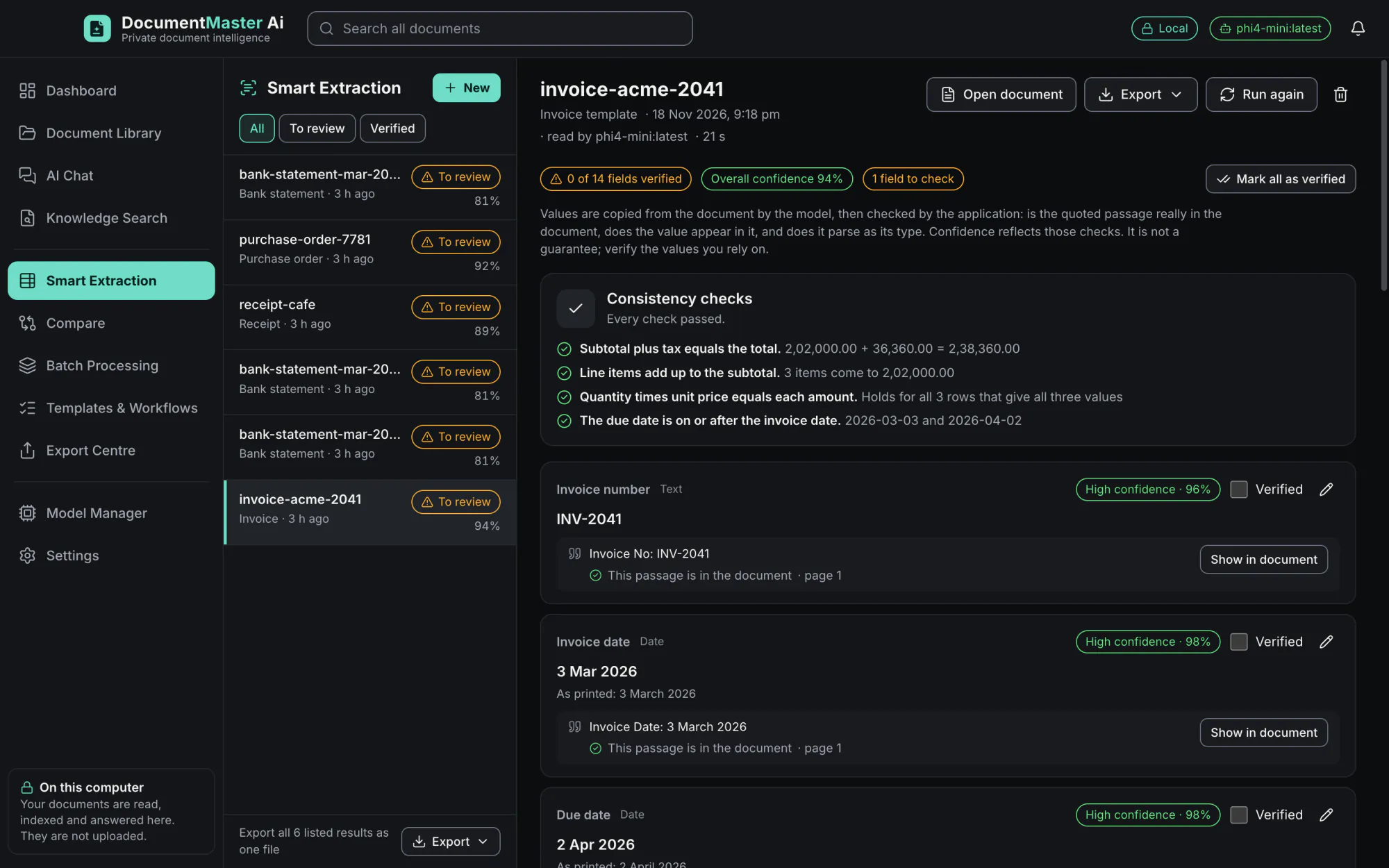
Invoice (14 fields), Receipt (10), Bank statement (9), Contract (11), Purchase order (10), and Tables, which reads every table in a document with its own columns.
EditionAll
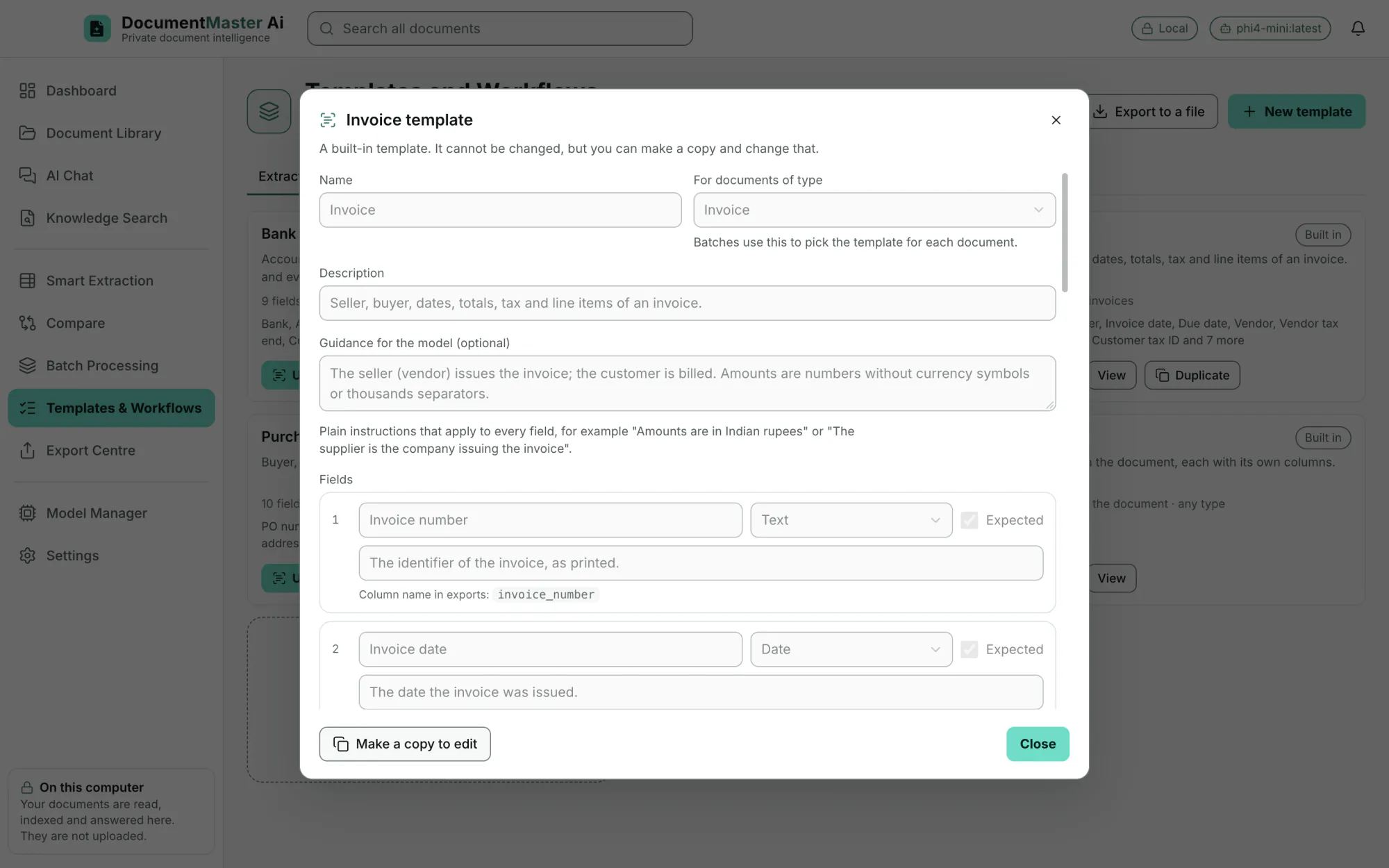
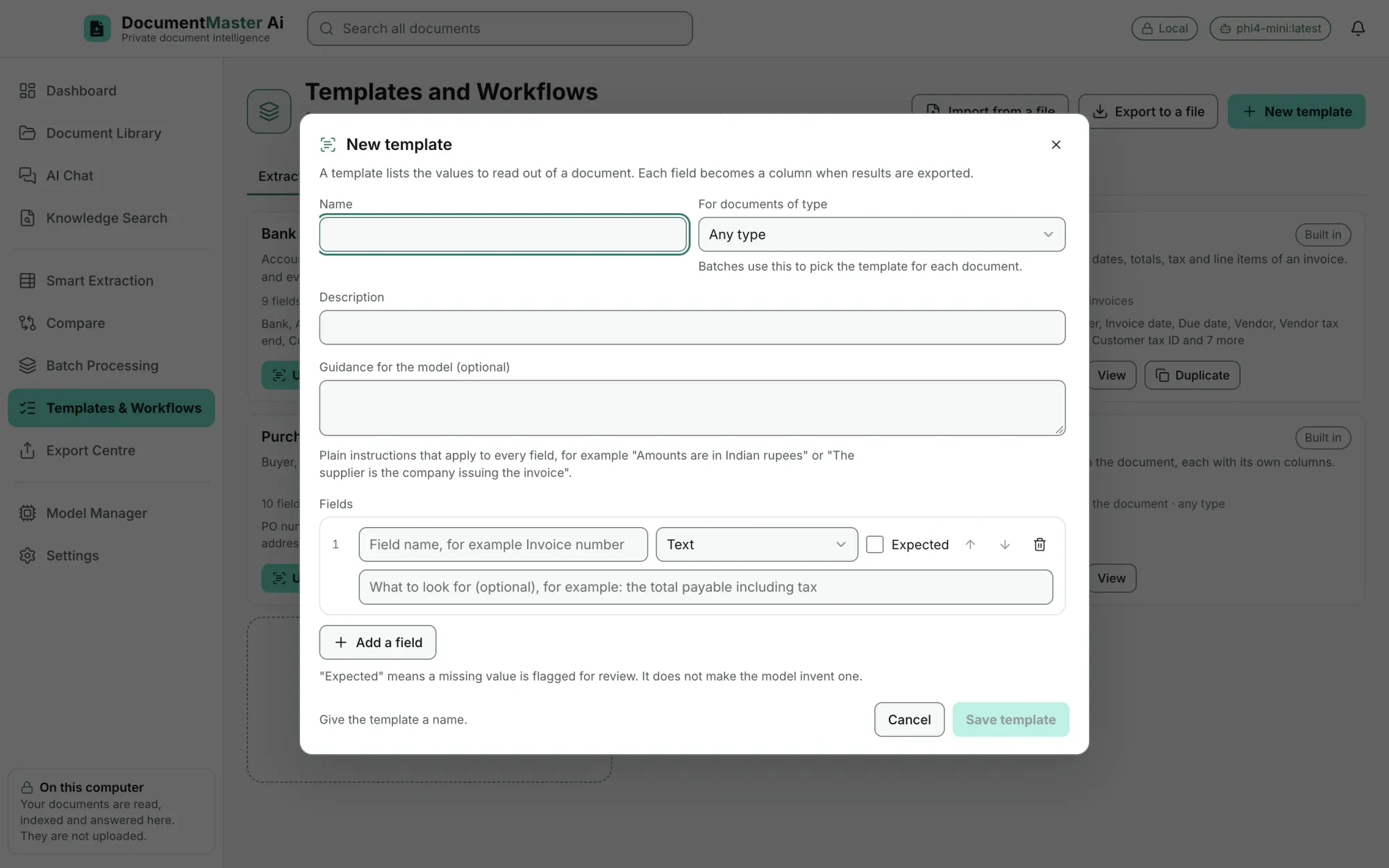
Name, document type, a description, guidance for the model, and any fields, each with a type (text, number, currency, date, yes/no, choice, list or table) and an "expected" tick. Duplicate a built-in template to start.
EditionAll
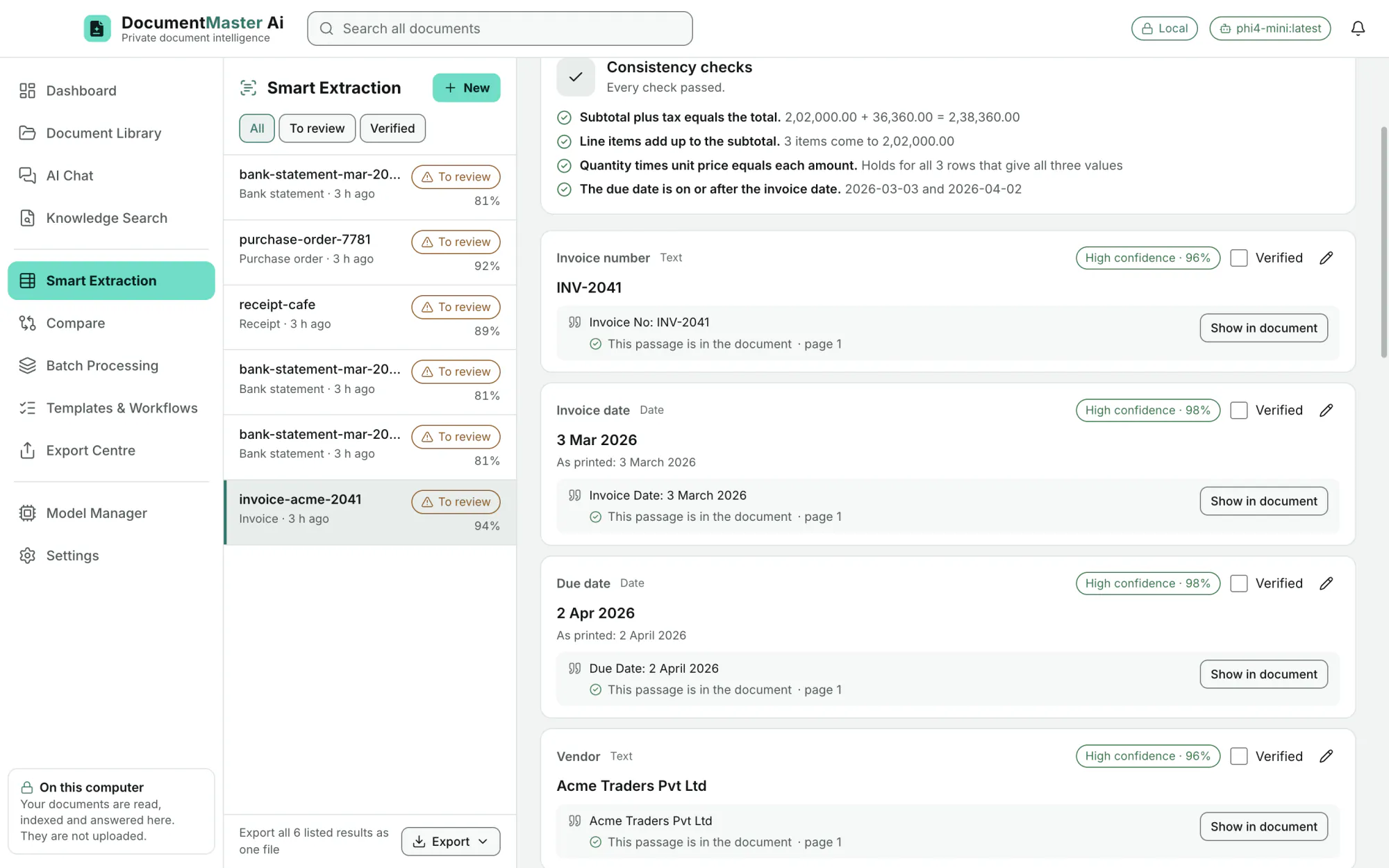
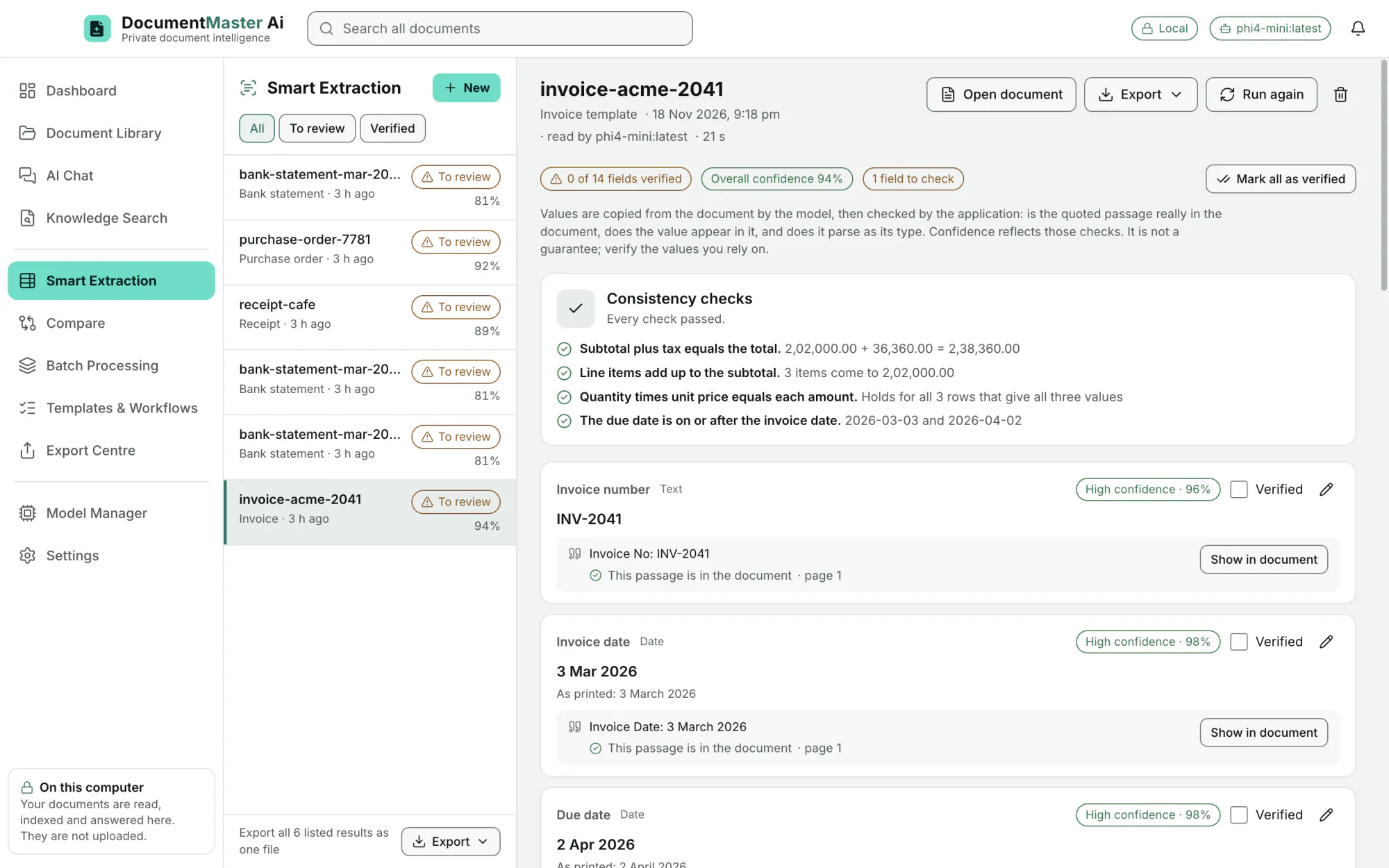
A confidence score ("High confidence · 96%"), the quoted passage, and a check that the passage really is in the document ("This passage is in the document · page 1"). "Show in document" opens the page.
EditionAll
Subtotal plus tax equals the total. Line items add up to the subtotal. Quantity times unit price equals each amount. The due date is on or after the invoice date. Running balances for bank statements. The panel says "Every check passed" or shows which did not.
EditionAll
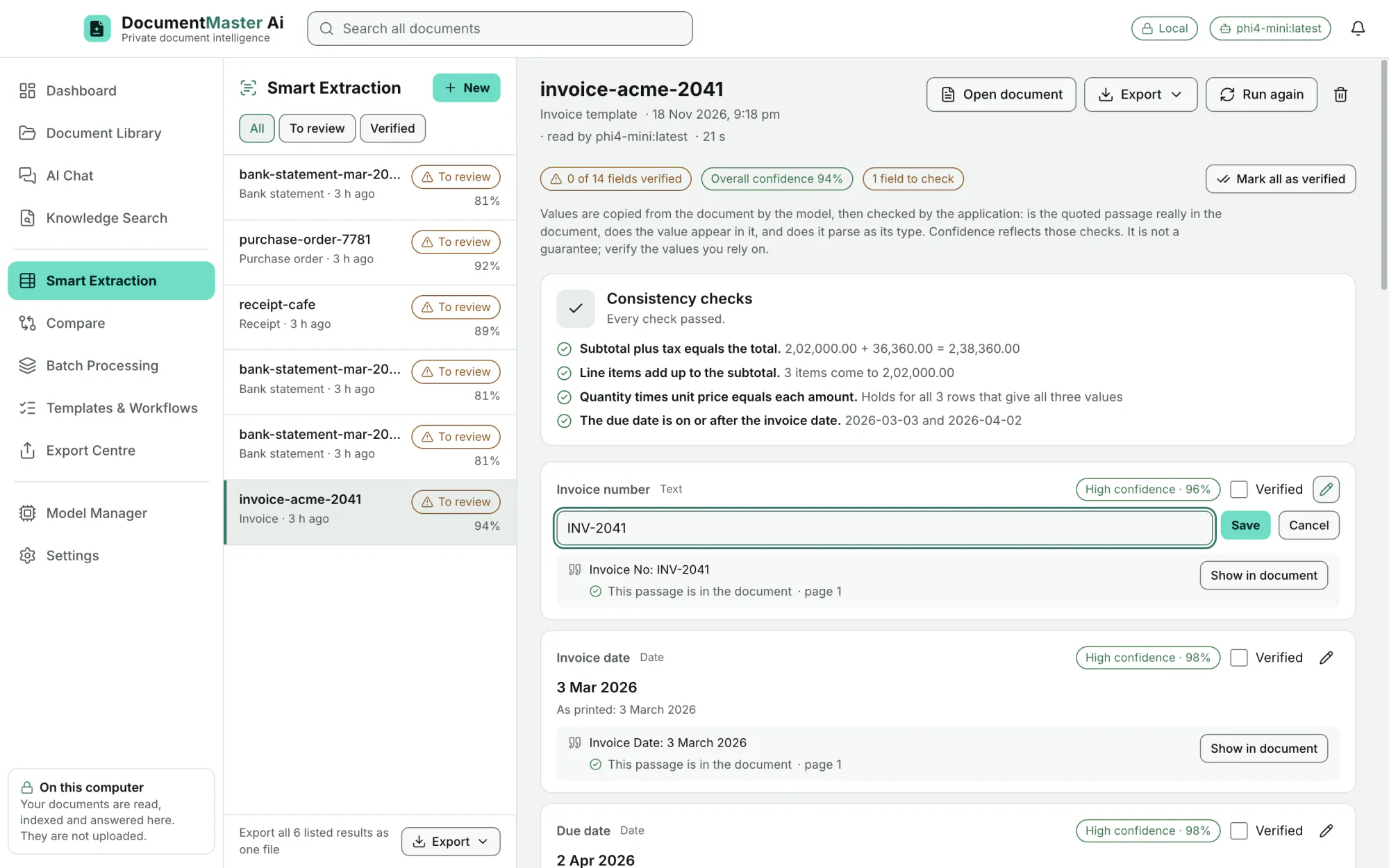
Edit any value, tick Verified for a field or "Mark all as verified". Filter the list by All, To review and Verified.
EditionAll
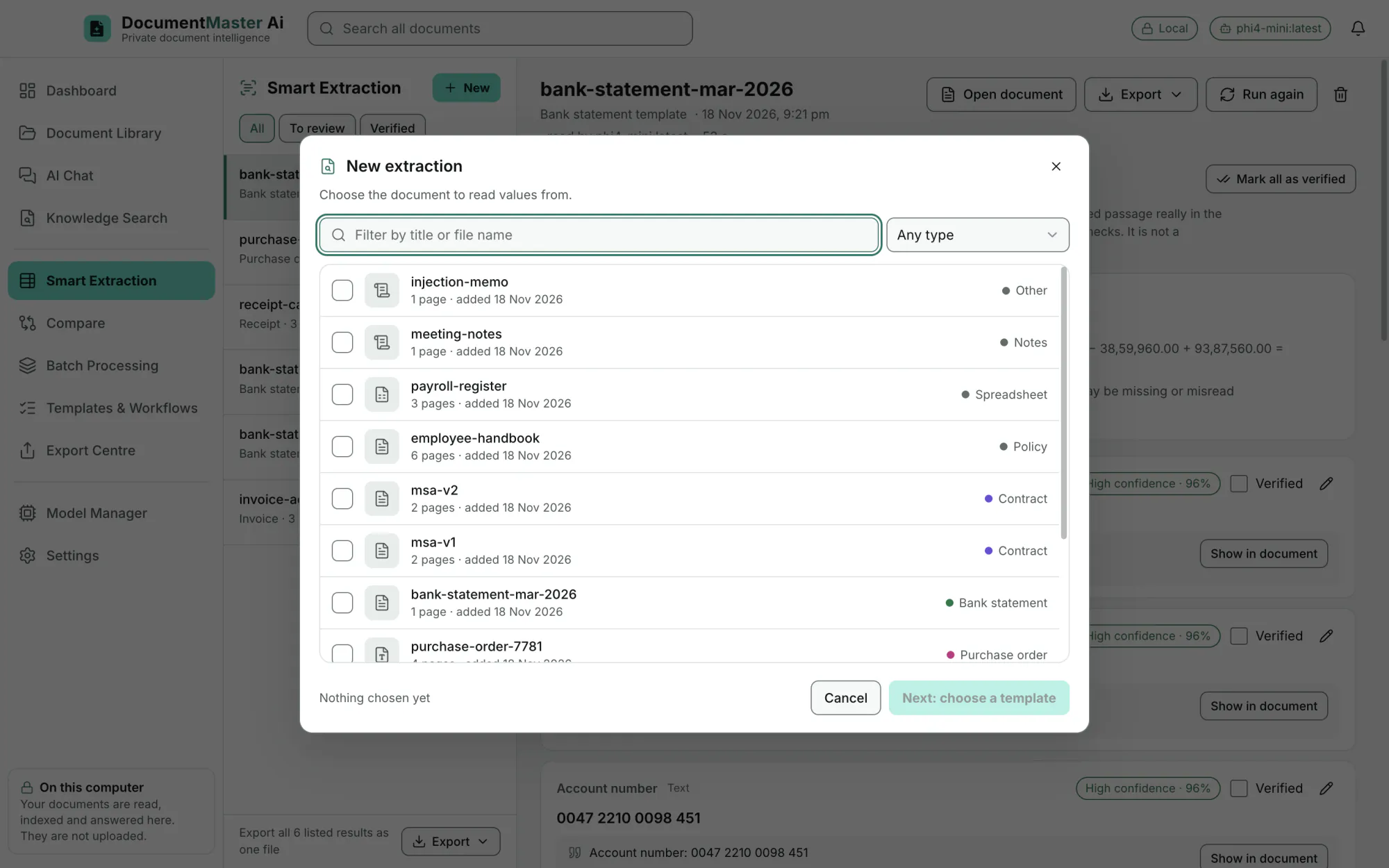
Choose one or more documents, then a template. Run again at any time, open the document, or delete a result.
EditionAll
Compare
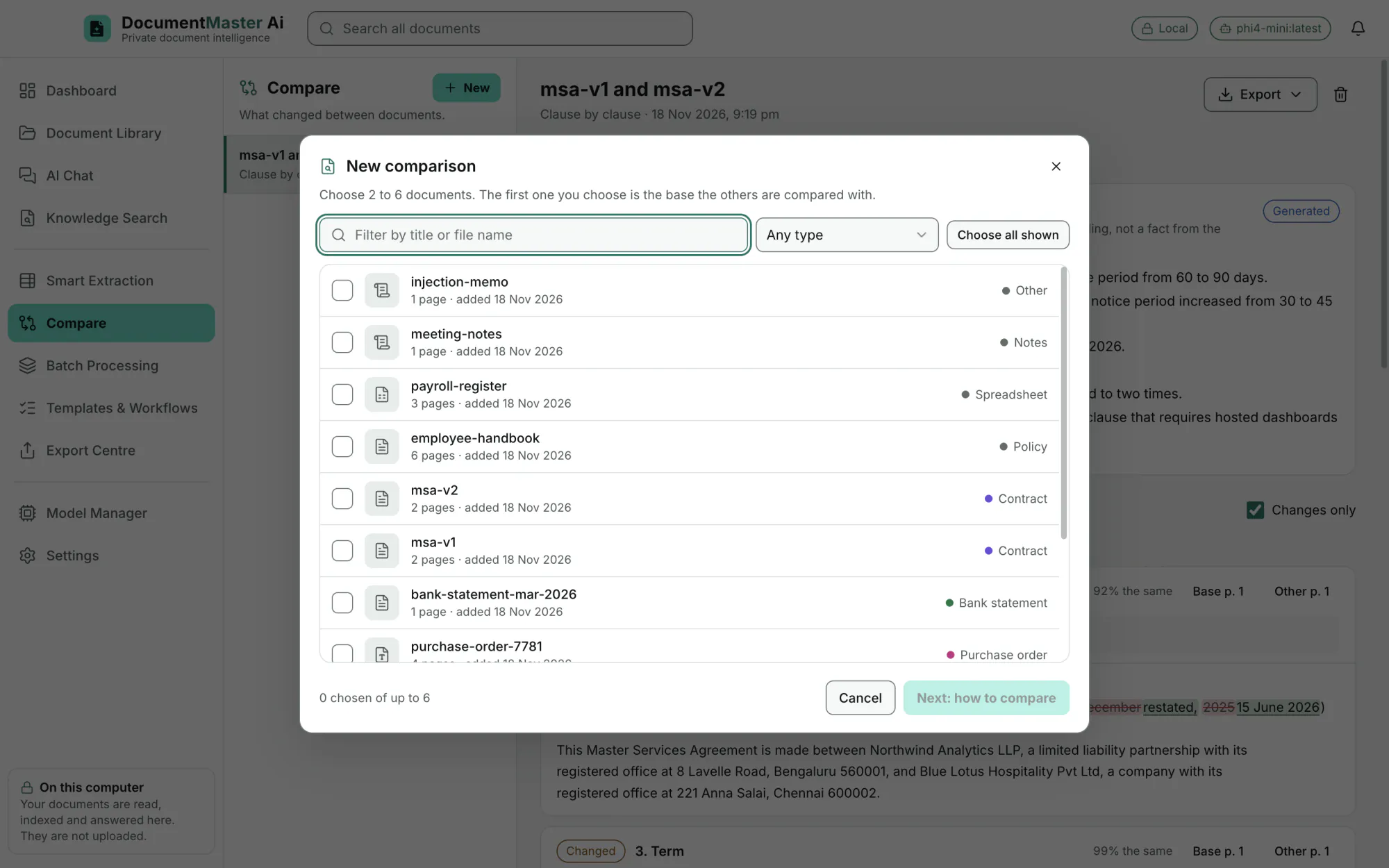
The first one you choose is the base the others are compared with.
EditionAll
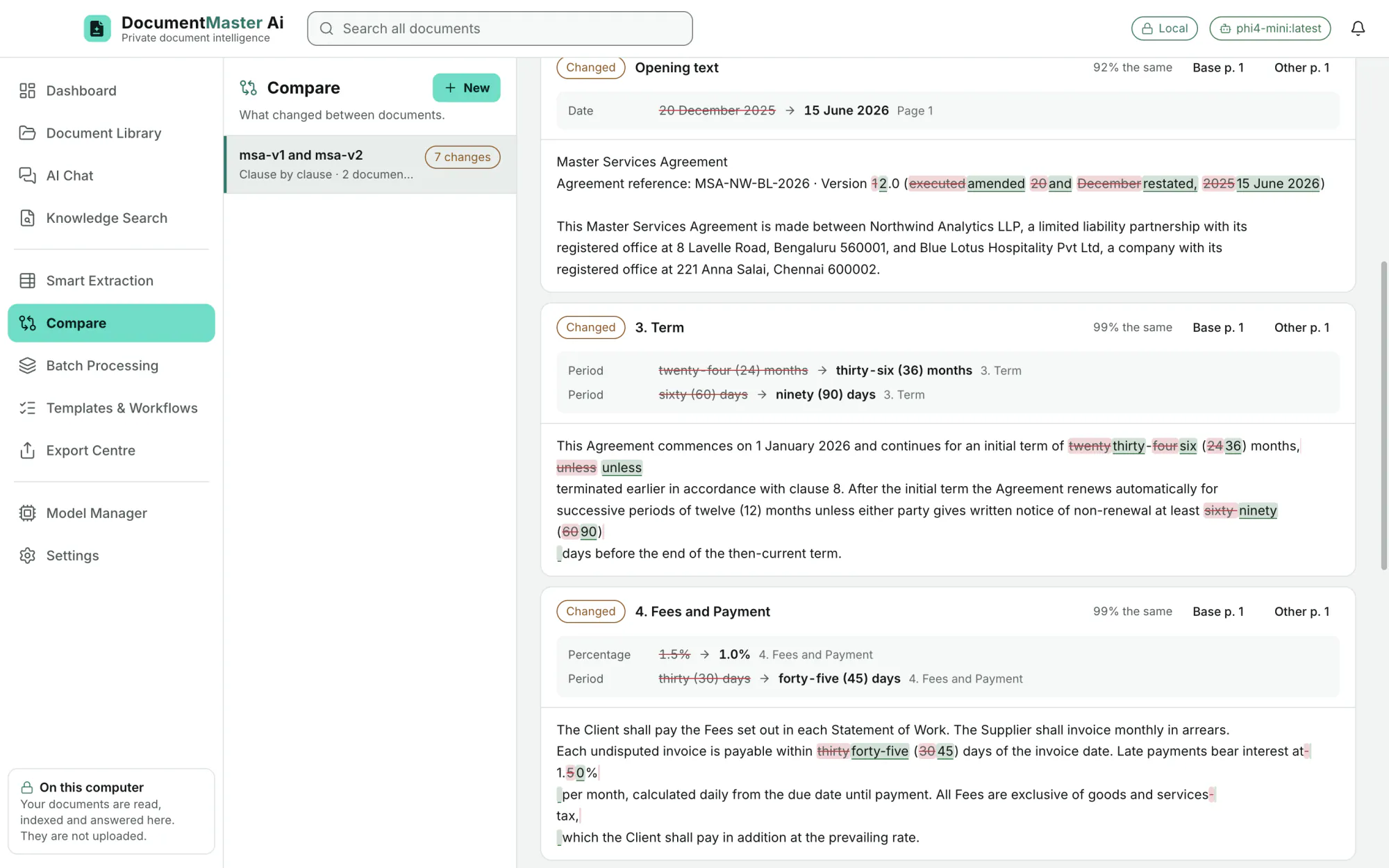
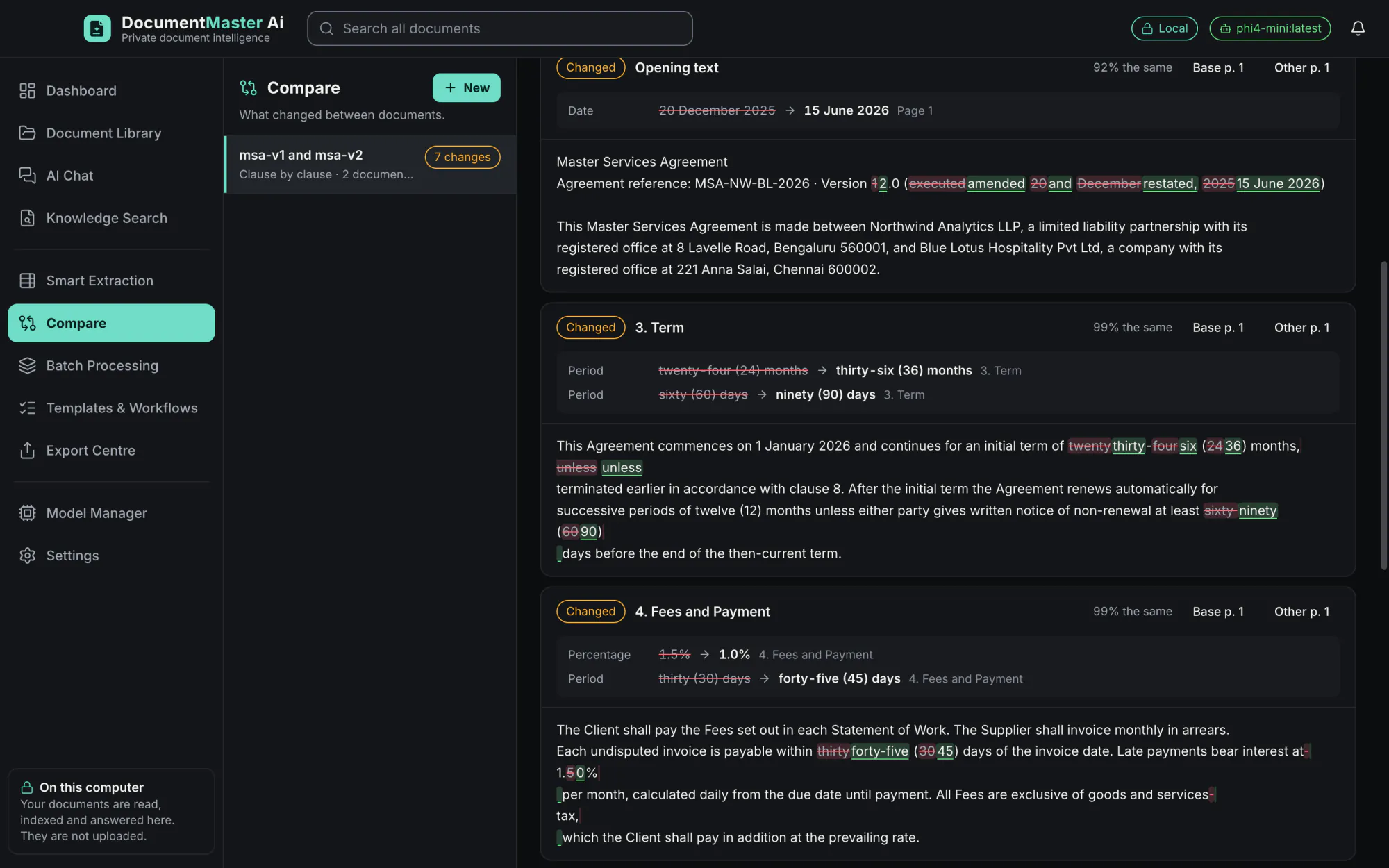
Clause by clause (contracts: clauses are matched by title and meaning, so a renumbered or moved clause is still found), text changes, and field by field (extracted values are compared and anything that differs or is missing is flagged).
EditionAll
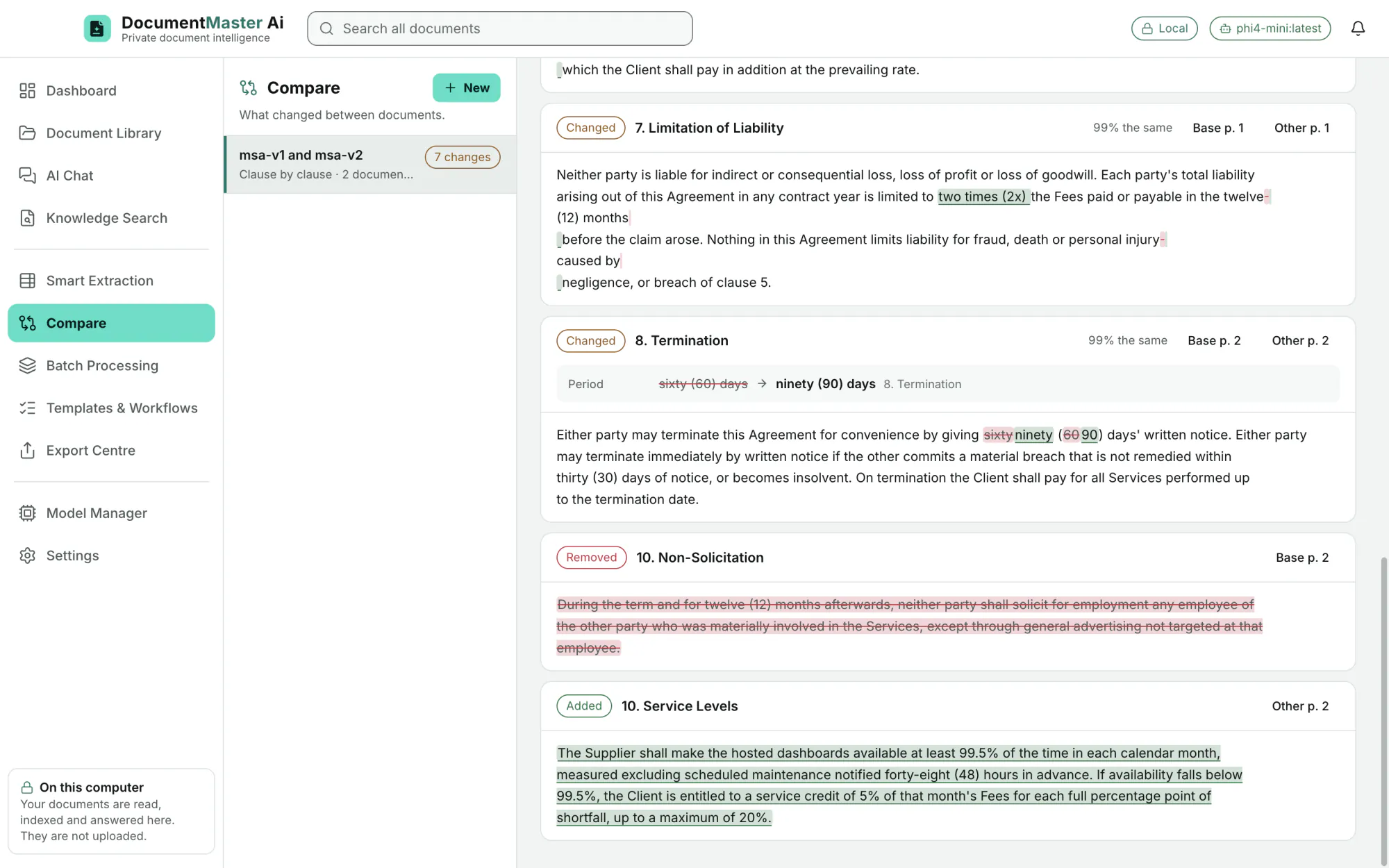
Added, removed and reworded text is marked. Changed amounts, percentages, periods and dates are listed on their own ("twenty-four (24) months → thirty-six (36) months", "1.5% → 1.0%"). "Changes only" hides what is the same.
EditionAll
The differences are computed by the application. An optional summary is written by the model and is labelled "Generated": "It is the model's reading, not a fact from the documents: check it against them."
EditionAll
Batch Processing, workflows, templates, saved prompts
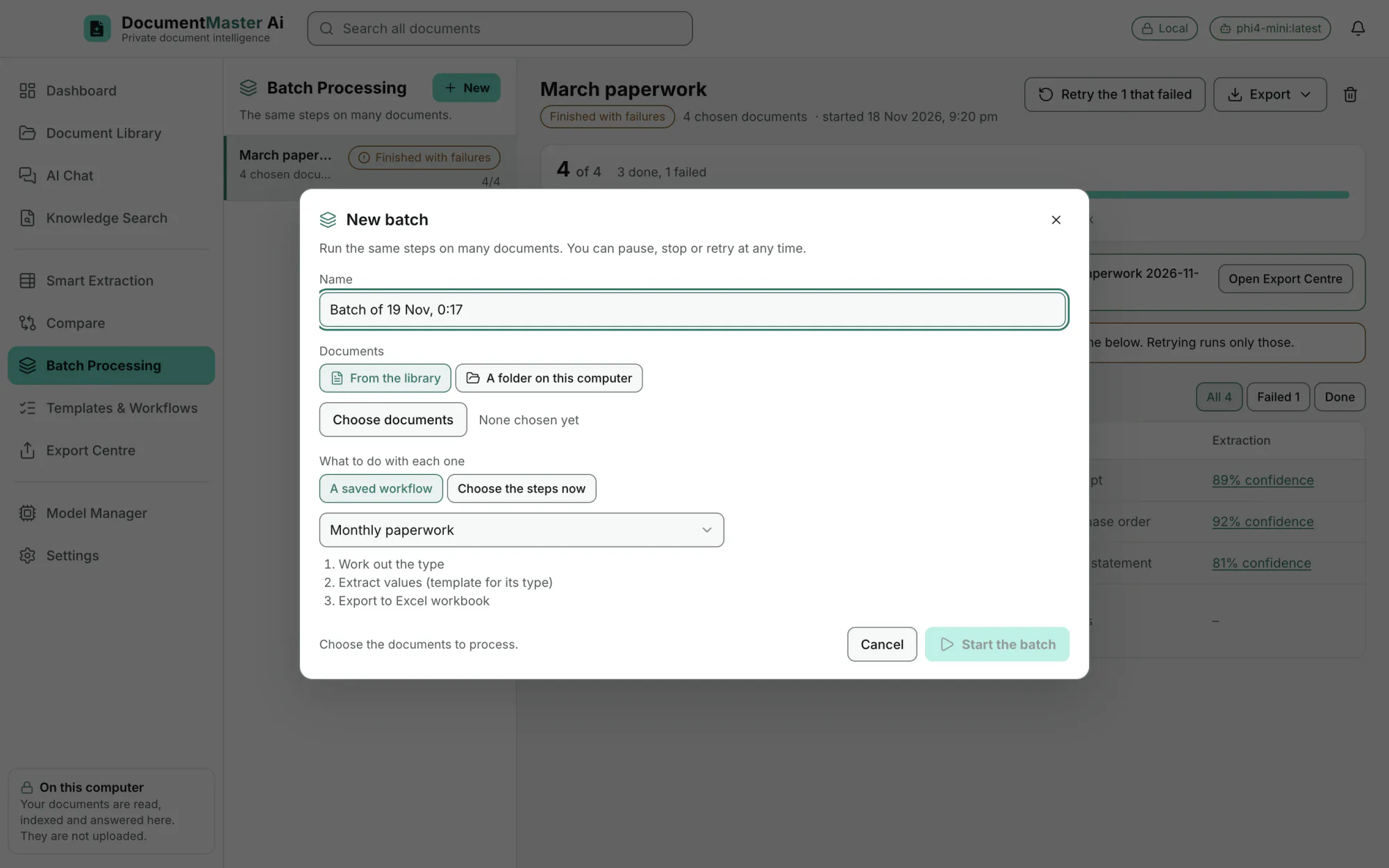
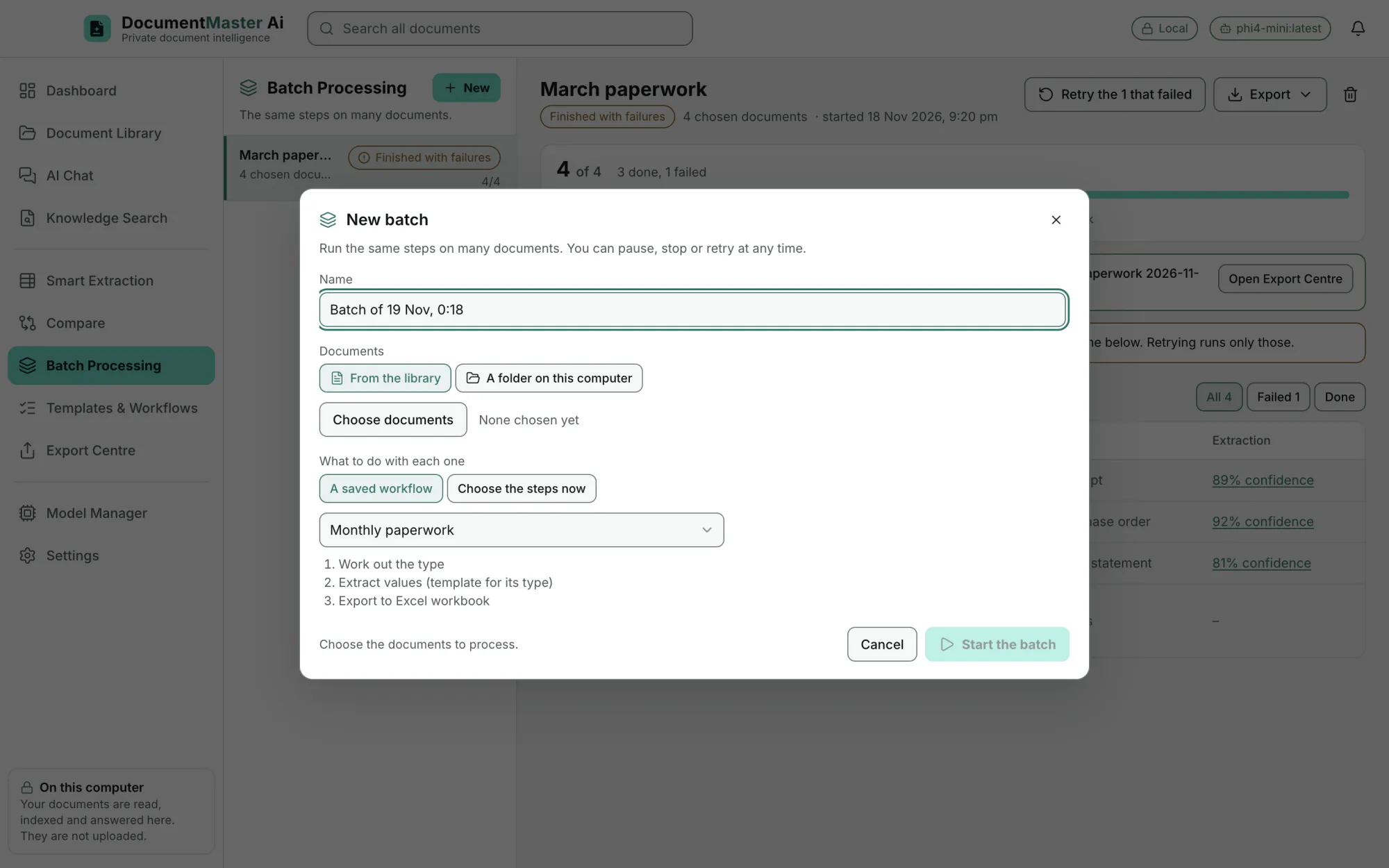
Take documents from the library or from a folder on this computer, name the batch, and start it.
EditionAll
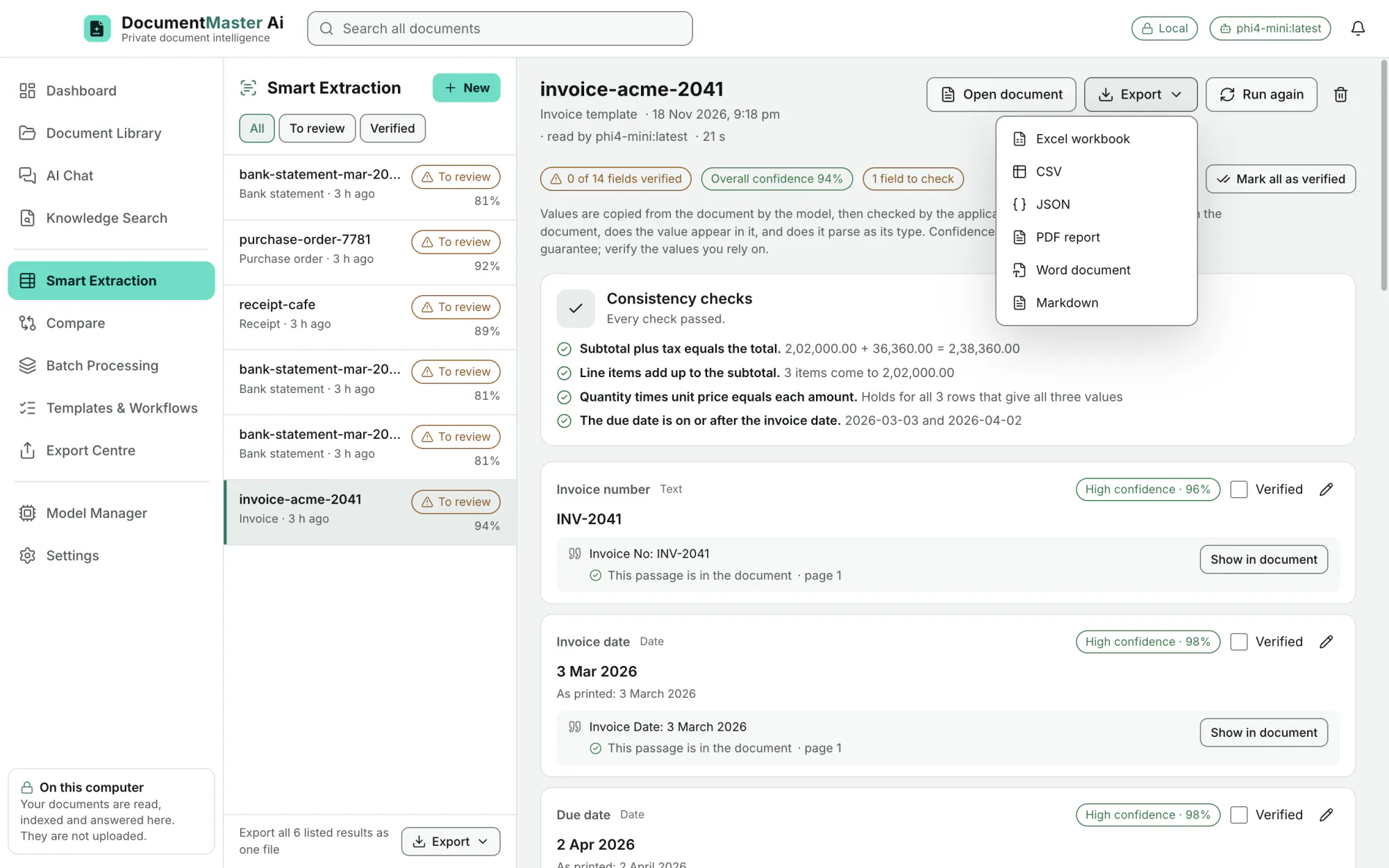
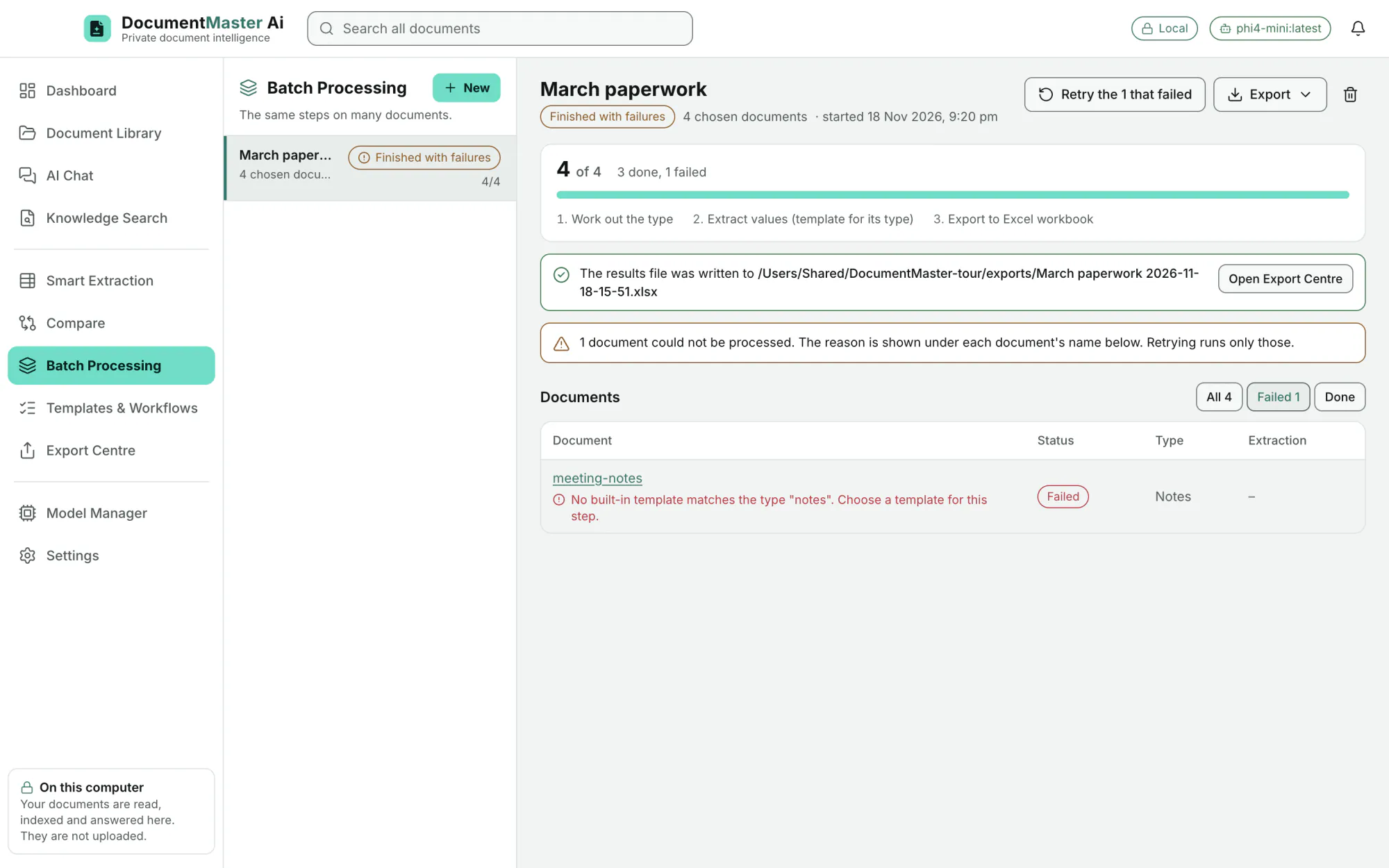
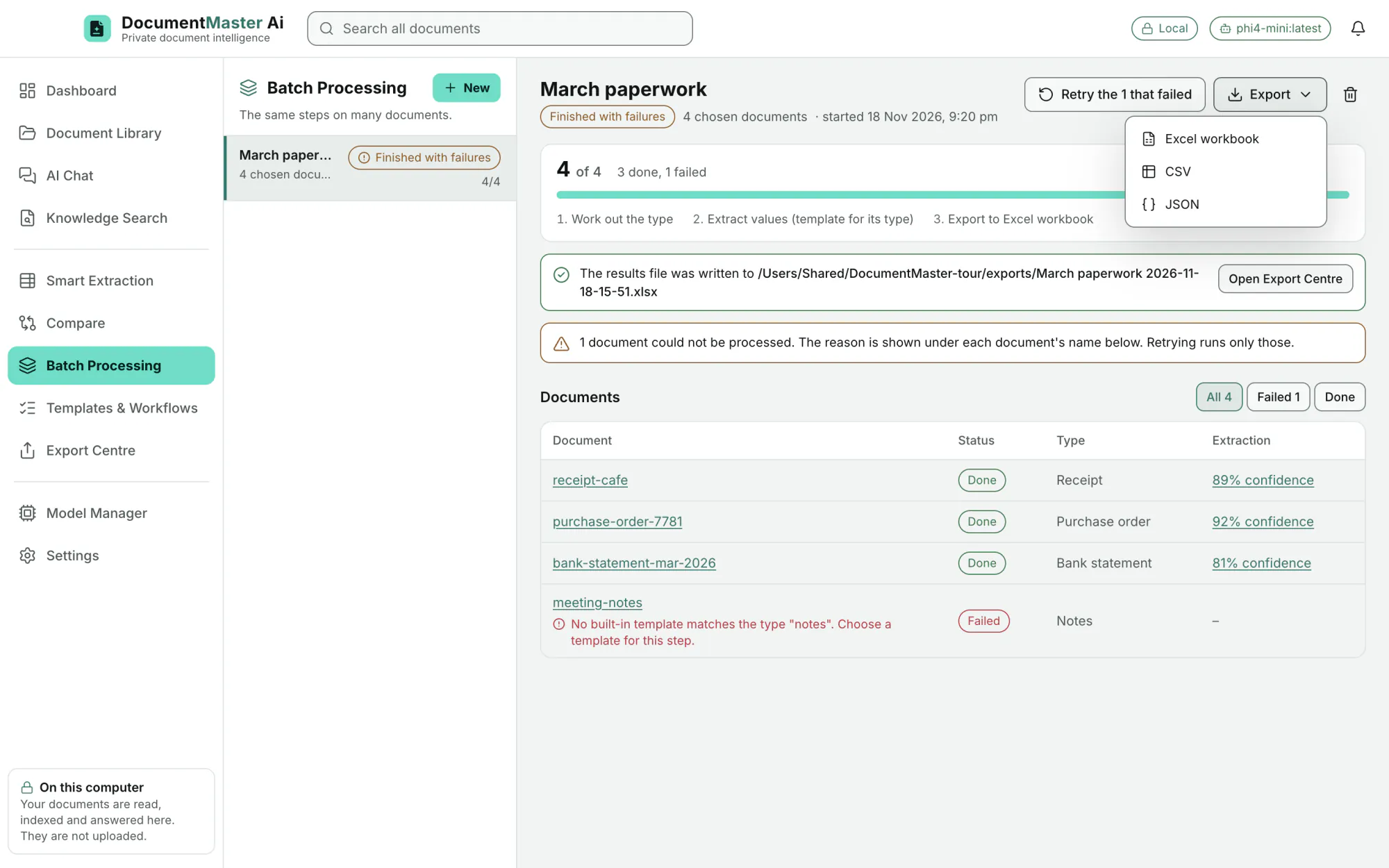
Work out the type, extract values (with one template, or with the template that matches each document's type), summarise, tag, move to a folder, and export (Excel, CSV or JSON).
EditionAll
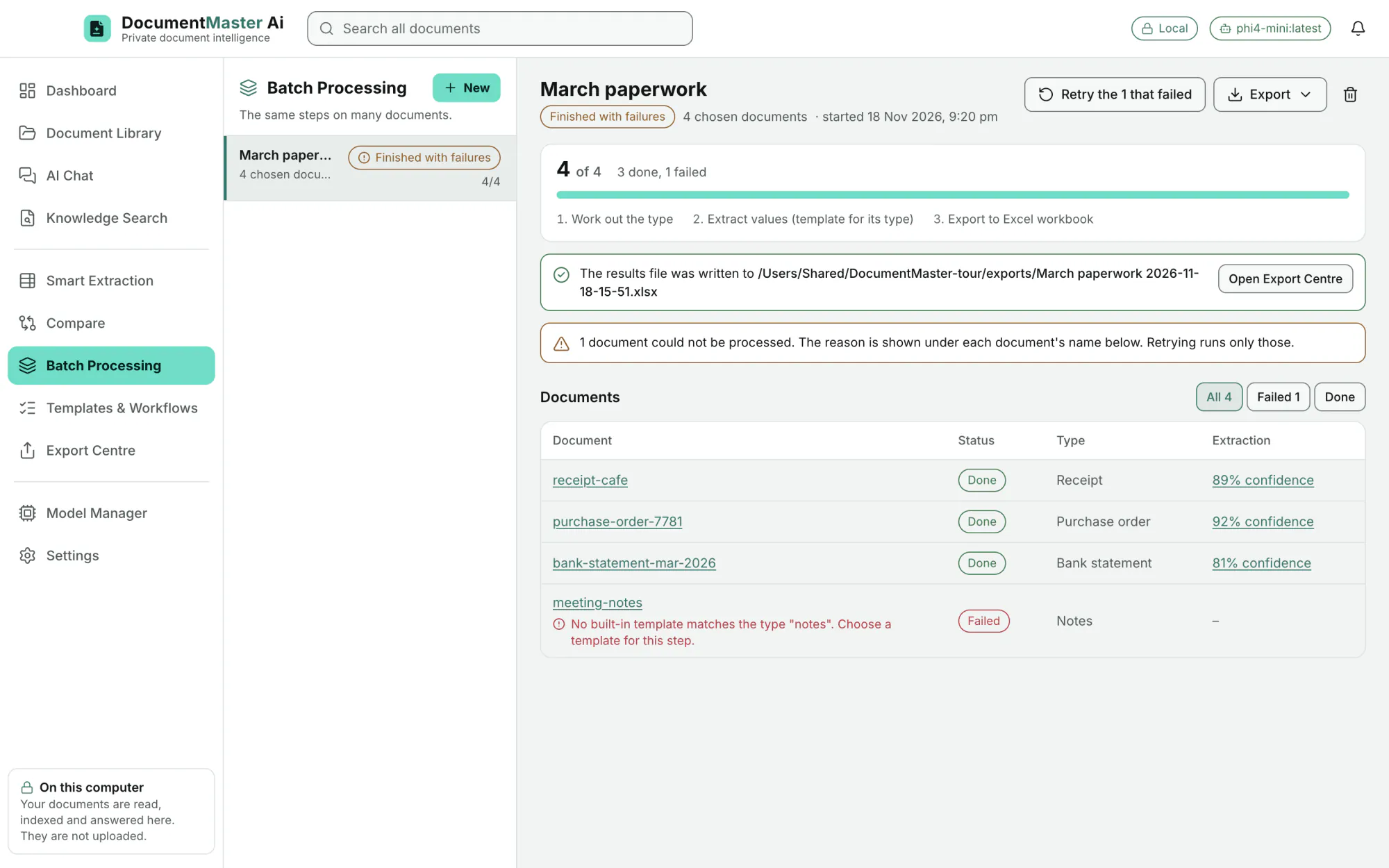
Progress for every document. Pause, resume or stop. A batch interrupted by quitting resumes on the next start.
EditionAll
A document that cannot be processed shows its reason under its name. "Retry the 1 that failed" runs only that one.
EditionAll
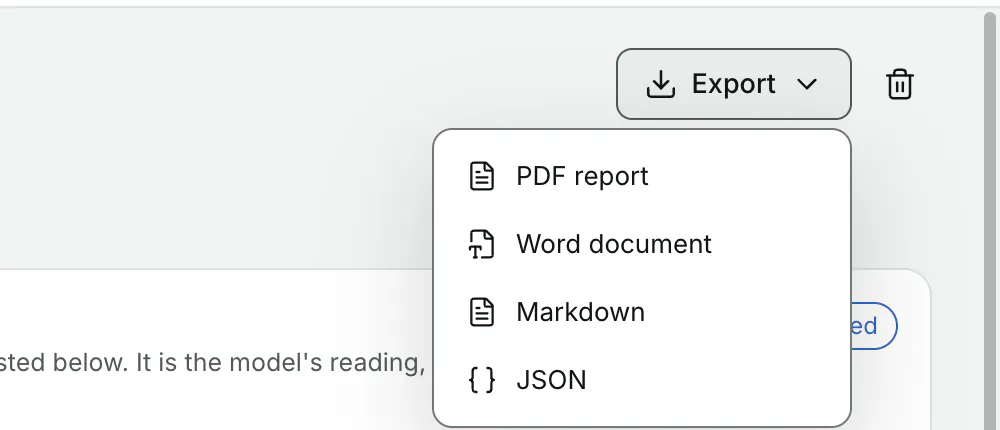
Export it as an Excel workbook, CSV or JSON, then open the Export Centre.
EditionAll
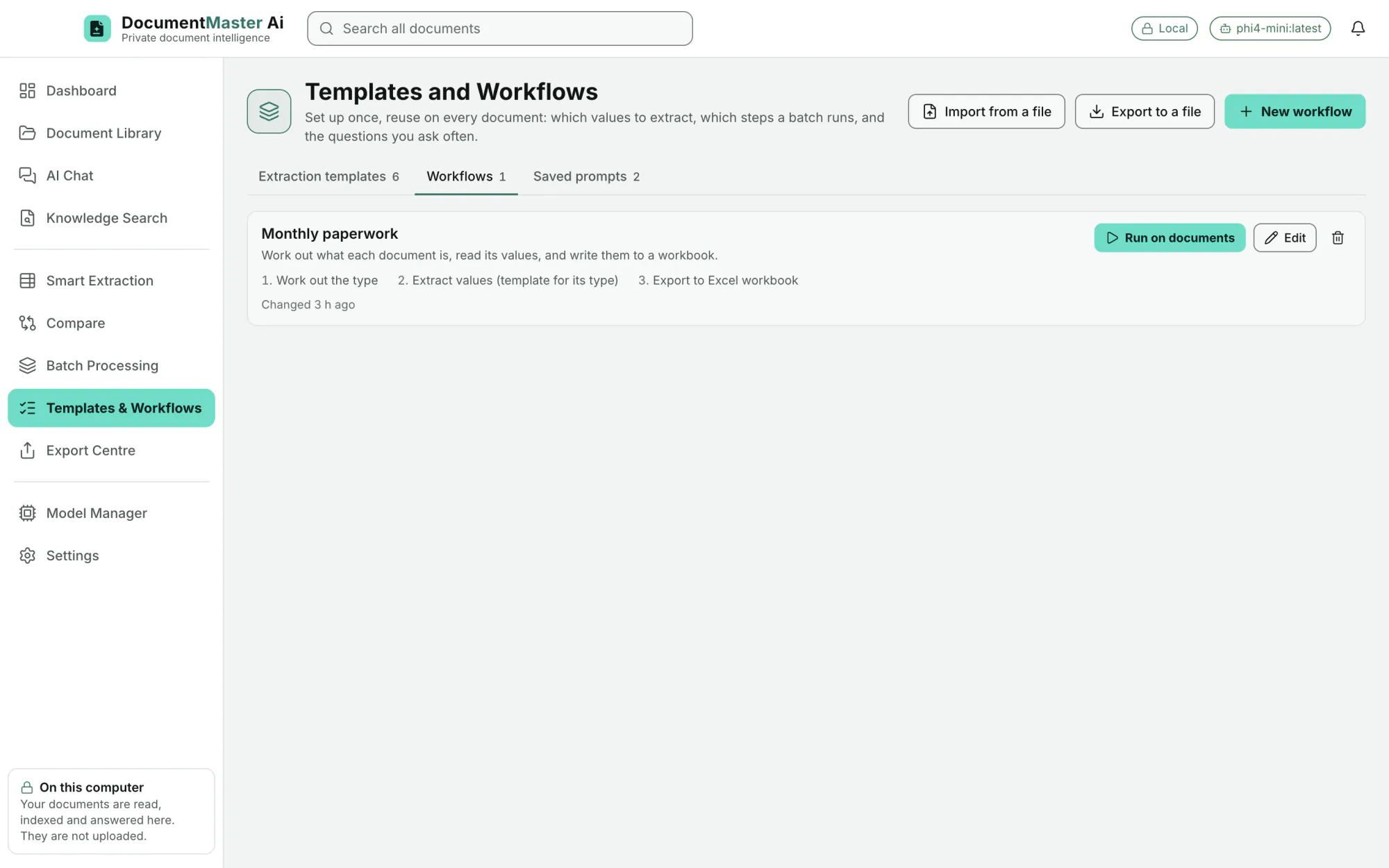
Give a list of steps a name and run it on any documents later.
EditionAll
Export templates, workflows and saved prompts to a file and import them on another computer.
EditionAll
Export Centre
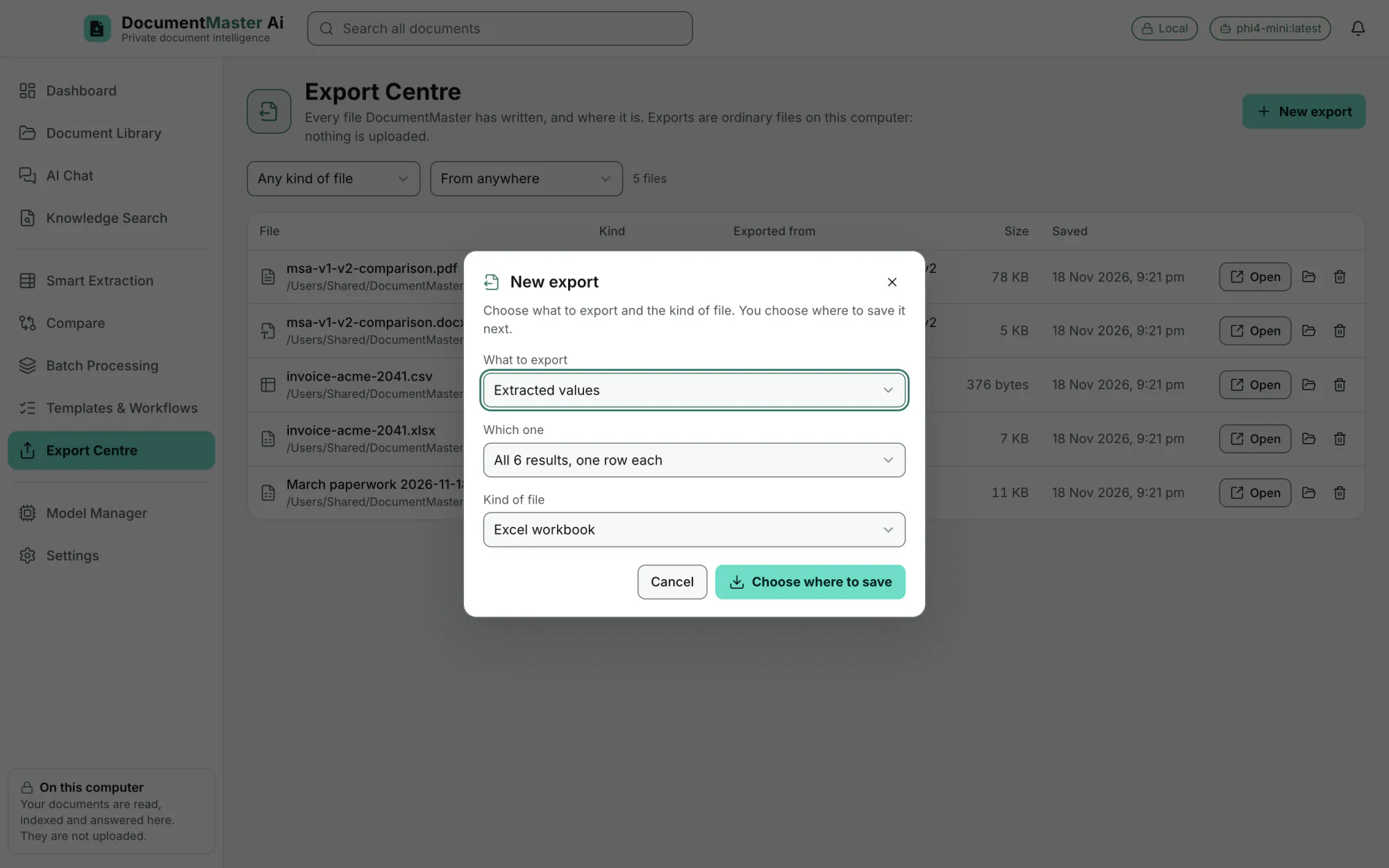
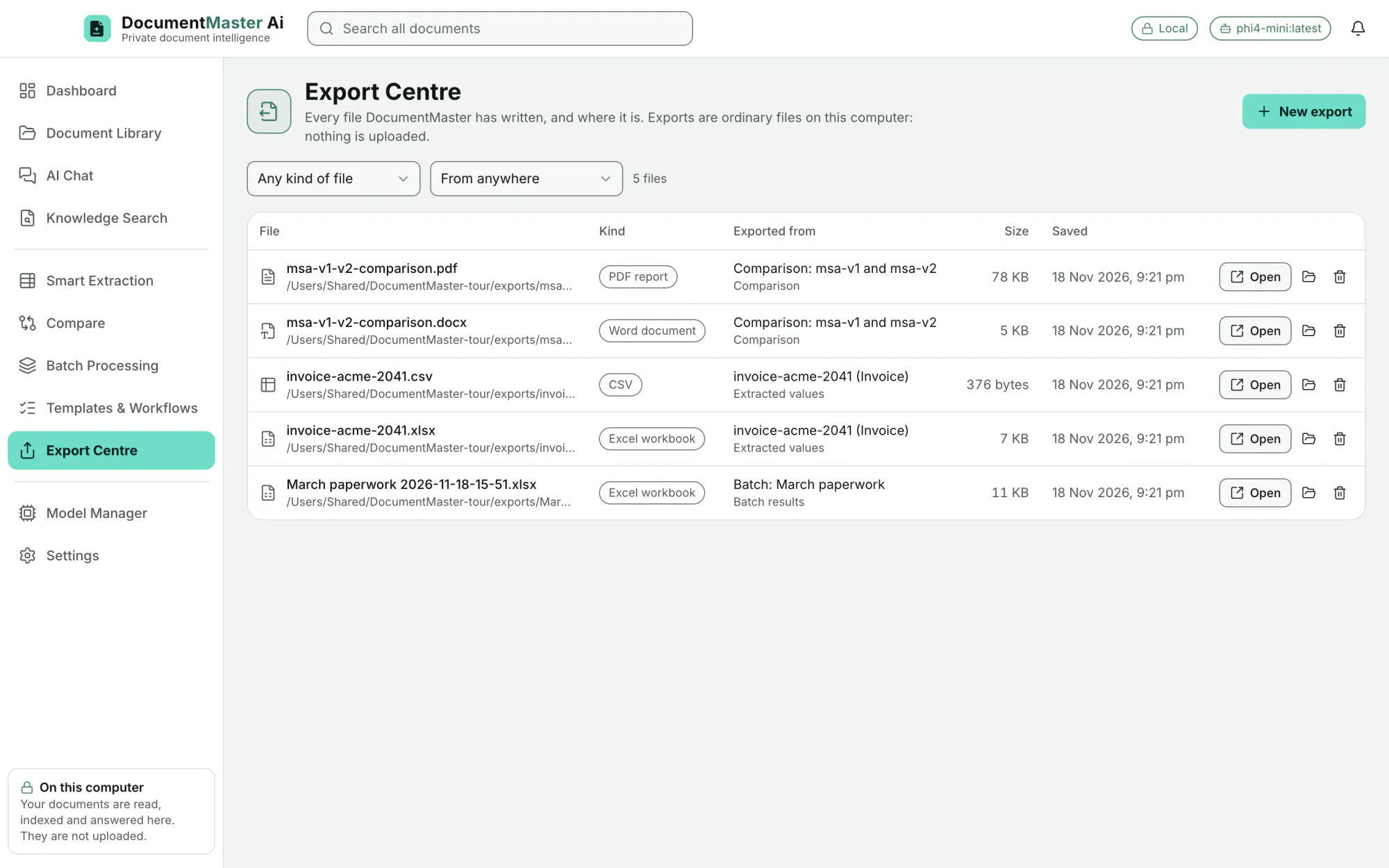
Kind, where it came from, size and date. Open it, show it in Finder, or remove it from the list.
EditionAll
by kind of file and by where it was exported from.
EditionAll
Choose what to export (extracted values), which one or all, and the kind of file. You choose where to save it next.
EditionAll
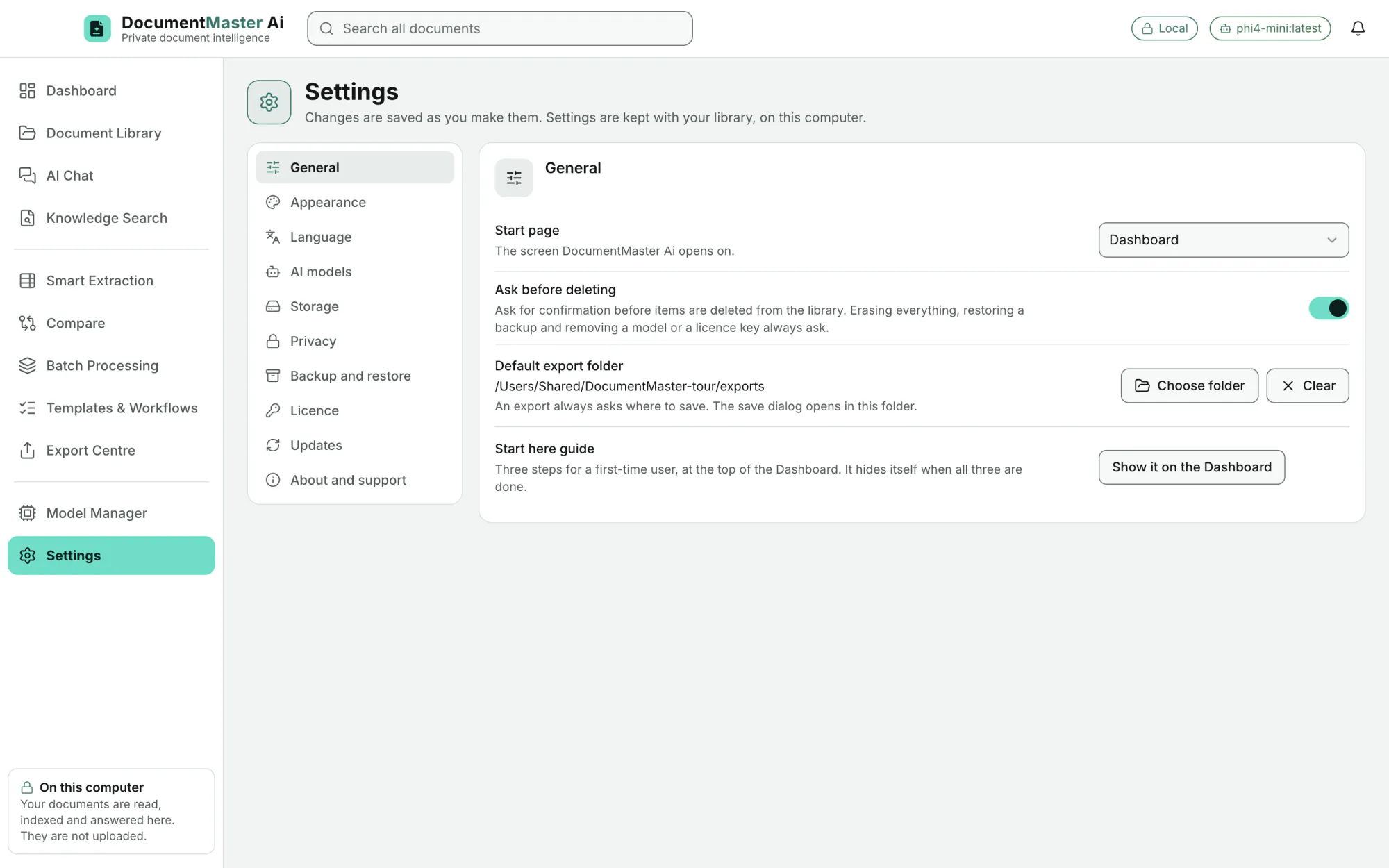
Every export asks where to save. A default export folder can be set.
EditionAll
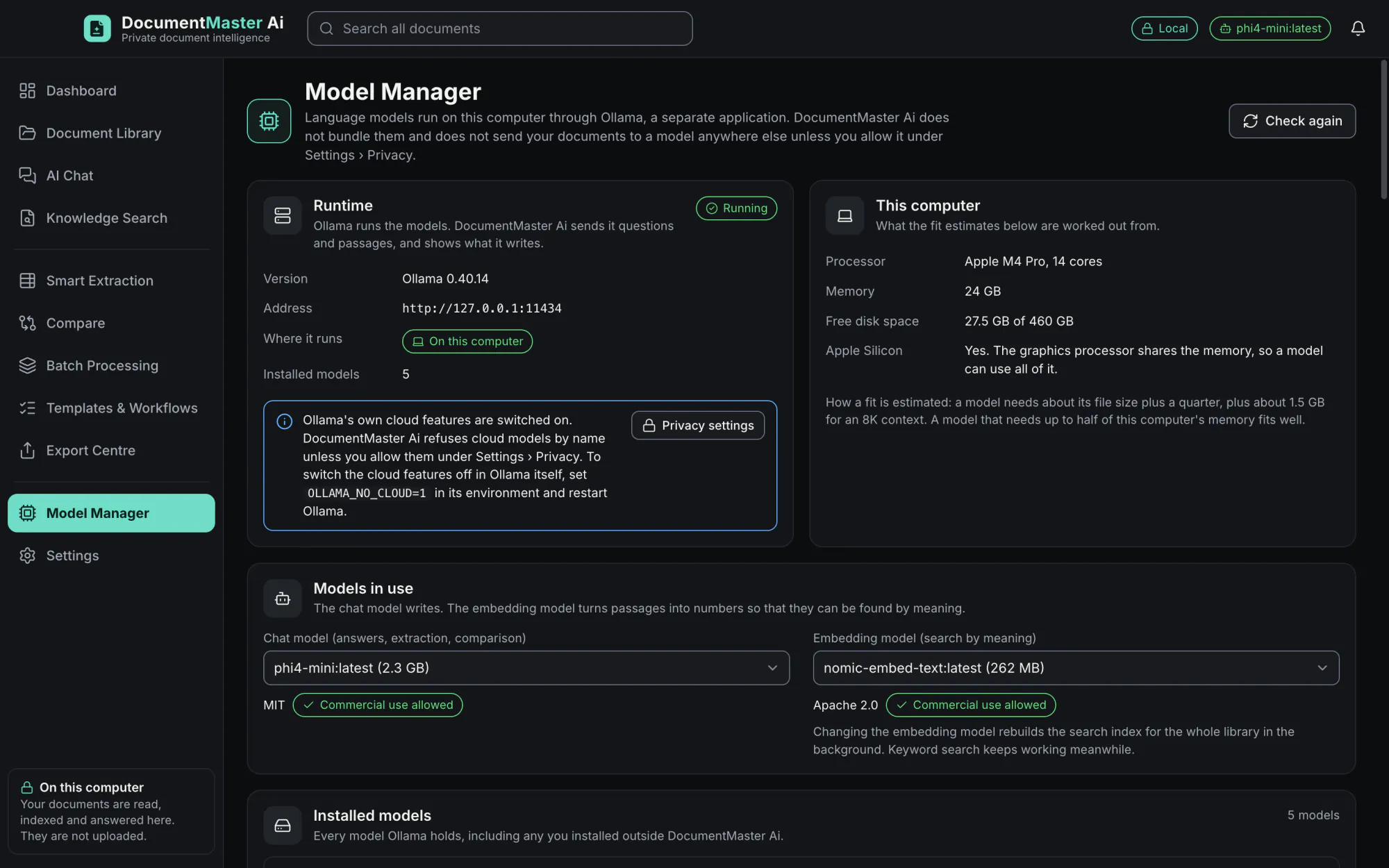
Model Manager
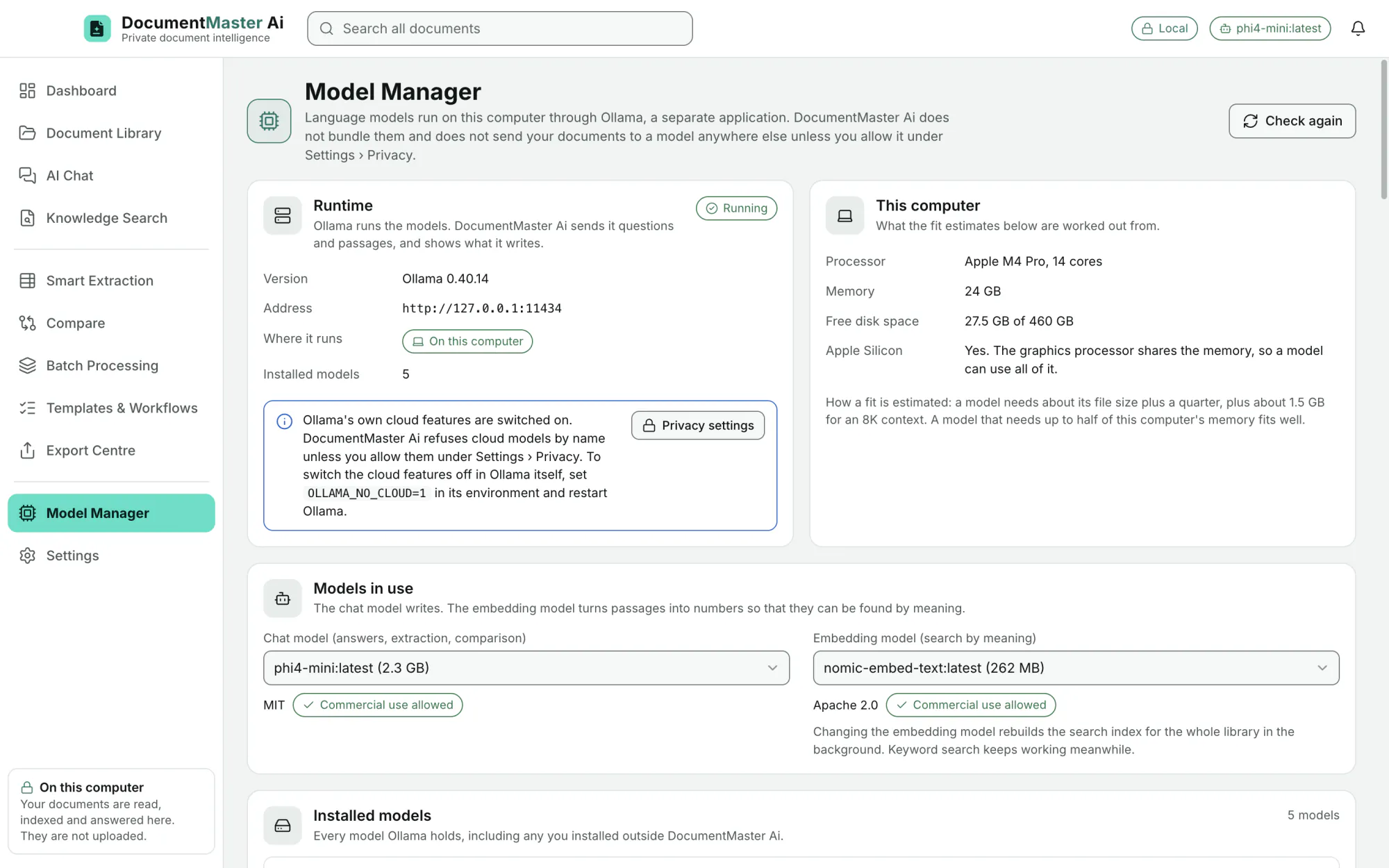
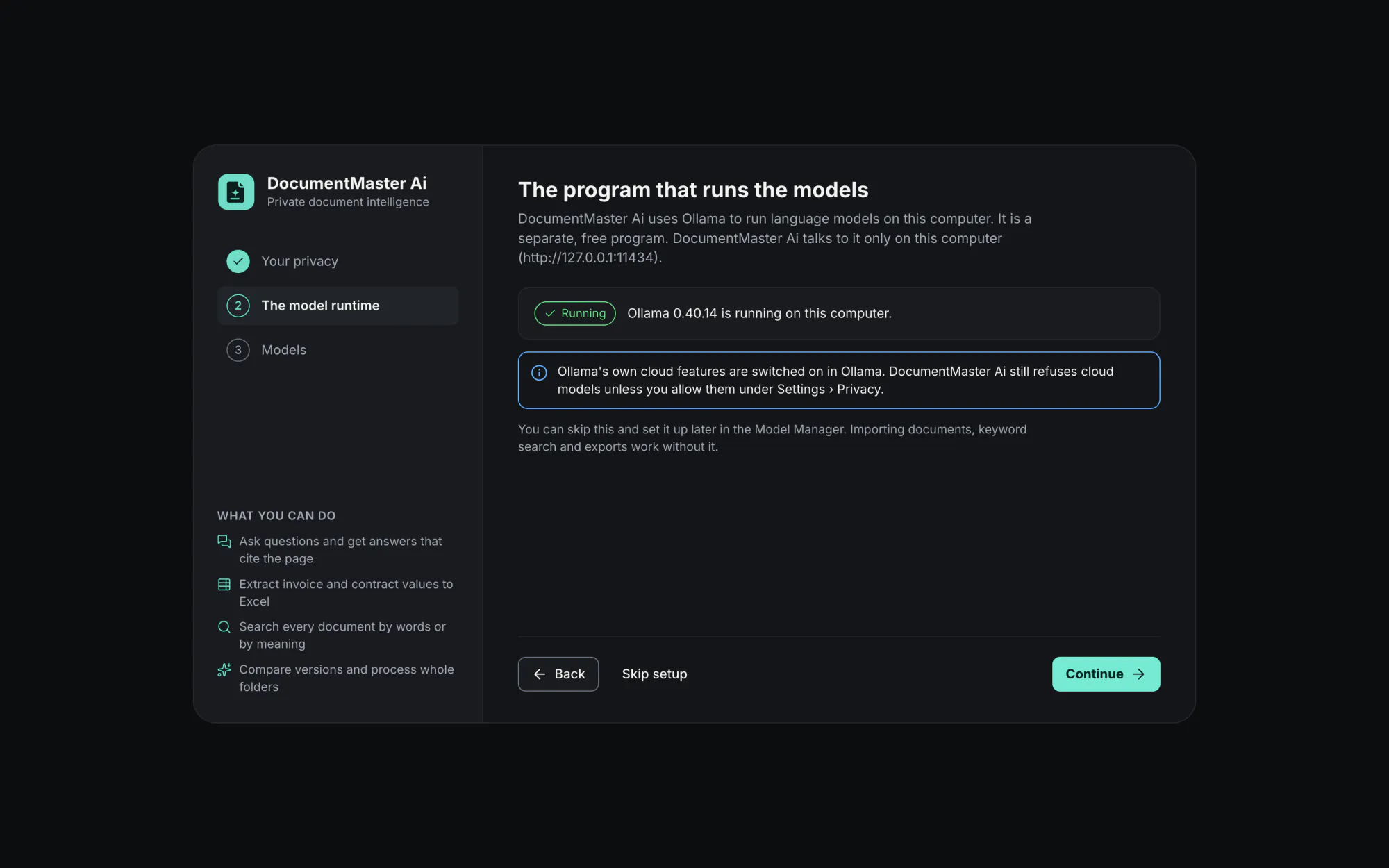
The Model Manager shows whether Ollama is running, its version and address, and "On this computer". No model is bundled in the installer.
EditionAll
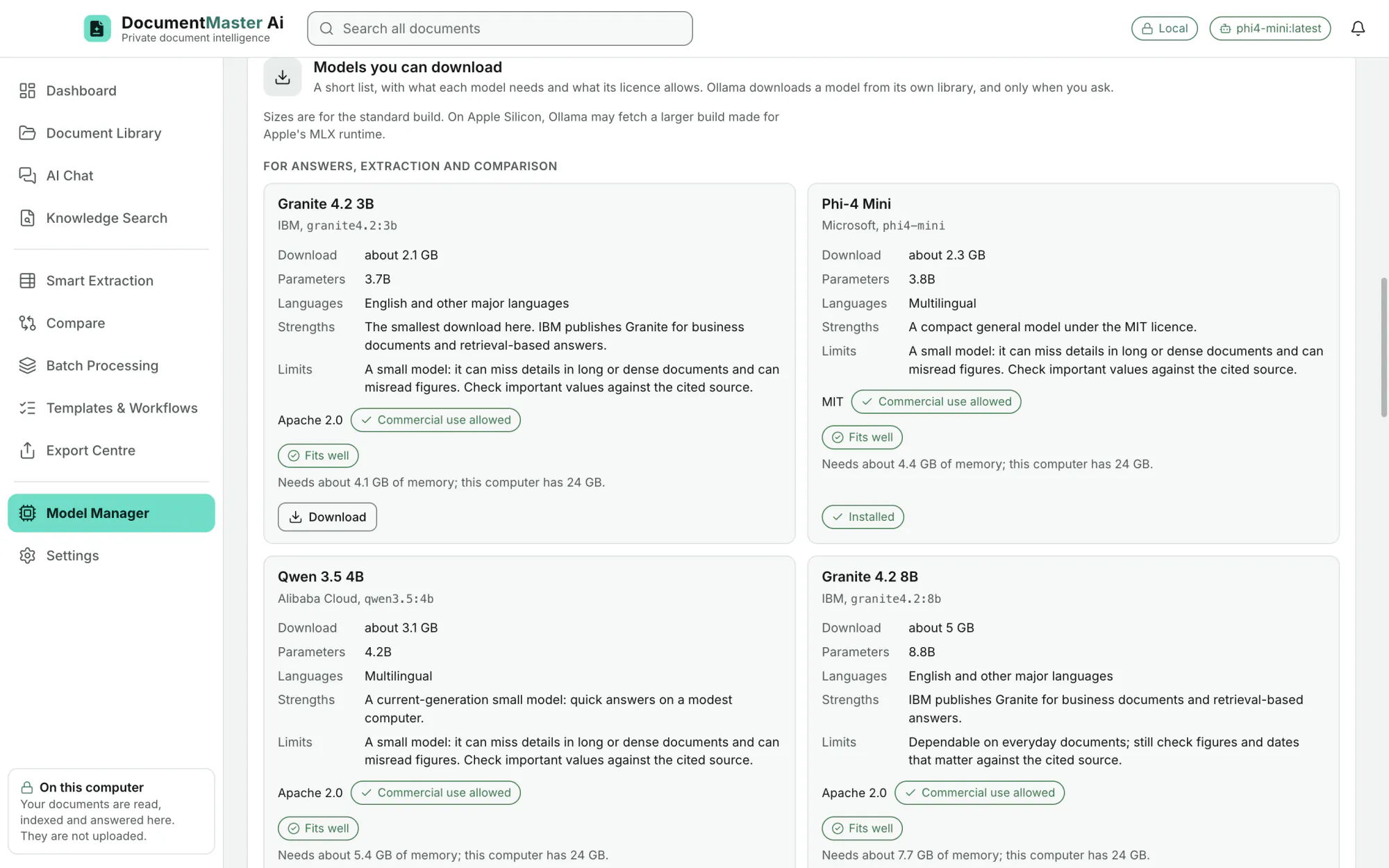
Shows the processor, memory, free disk and Apple Silicon, and says which models fit ("Fits well: needs about 4.4 GB of memory; this computer has 24 GB").
EditionAll
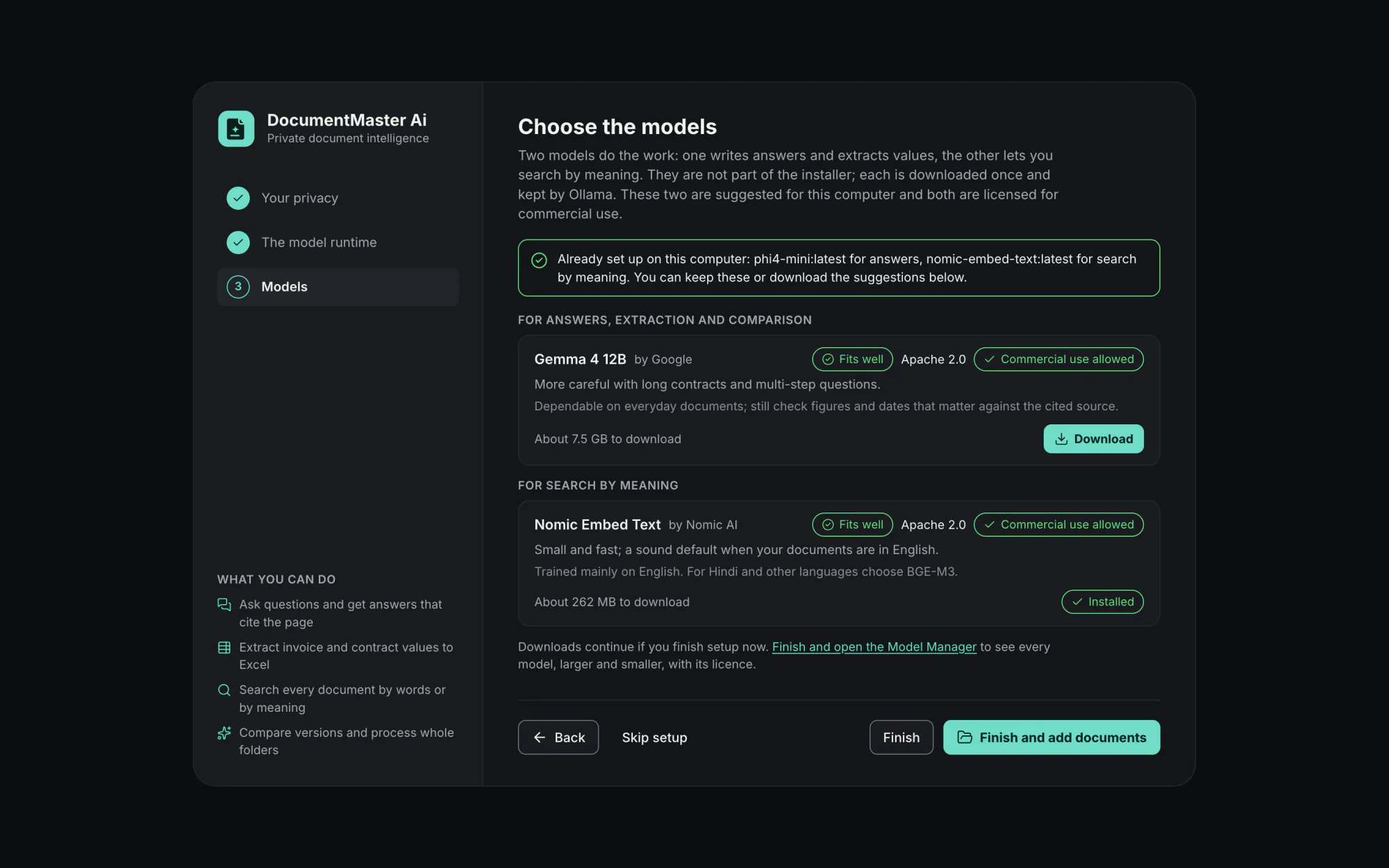
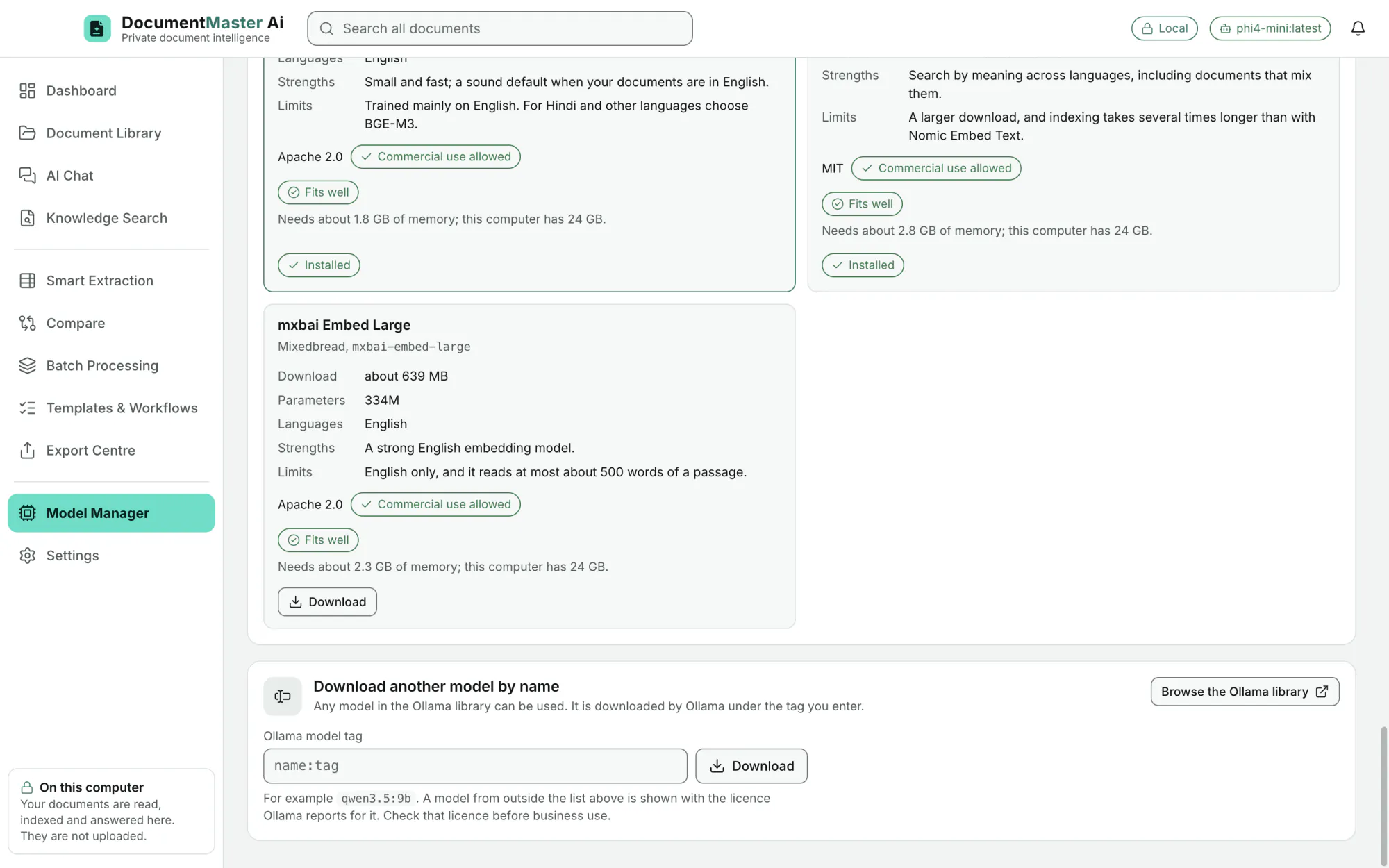
each labelled "Commercial use allowed". Eleven answer, extract and compare: Granite 4.2 3B and 8B (IBM), Phi-4 Mini (Microsoft), Qwen 3.5 4B and 9B and Qwen 3.8 27B (Alibaba Cloud), Gemma 4 E4B, 12B and 26B (Google), gpt-oss 20B (OpenAI), Mistral Small 3.2 24B (Mistral AI). Three search by meaning: Nomic Embed Text, BGE-M3, mxbai Embed Large. Each card shows publisher, download size, languages, strengths and limits.
EditionAll
Each offered model is pinned to the exact package whose licence text was reviewed. An installed model that matches shows "Reviewed"; one that differs says "Differs from the reviewed file".
EditionAll
Download another model by name (with a link to the Ollama library). Installed models are listed with their licence and a plain verdict, and the app never selects a non-commercial model by itself.
EditionAll
Choose the chat model and the search model. Changing the search model re-indexes the library in the background while keyword search keeps working.
EditionAll
Temperature (more literal or more varied), context window (4,096 to 32,768 tokens), passages per answer (4 to 16), how long a model stays loaded (unload straight away to 60 minutes), and the runtime address.
EditionAll
First run suggests one answering model and one search model that fit the computer, with licence and commercial-use labels.
EditionAll
The setup says Nomic Embed Text is trained mainly on English, and that for Hindi and other languages BGE-M3 is the better choice.
EditionAll
Privacy and security
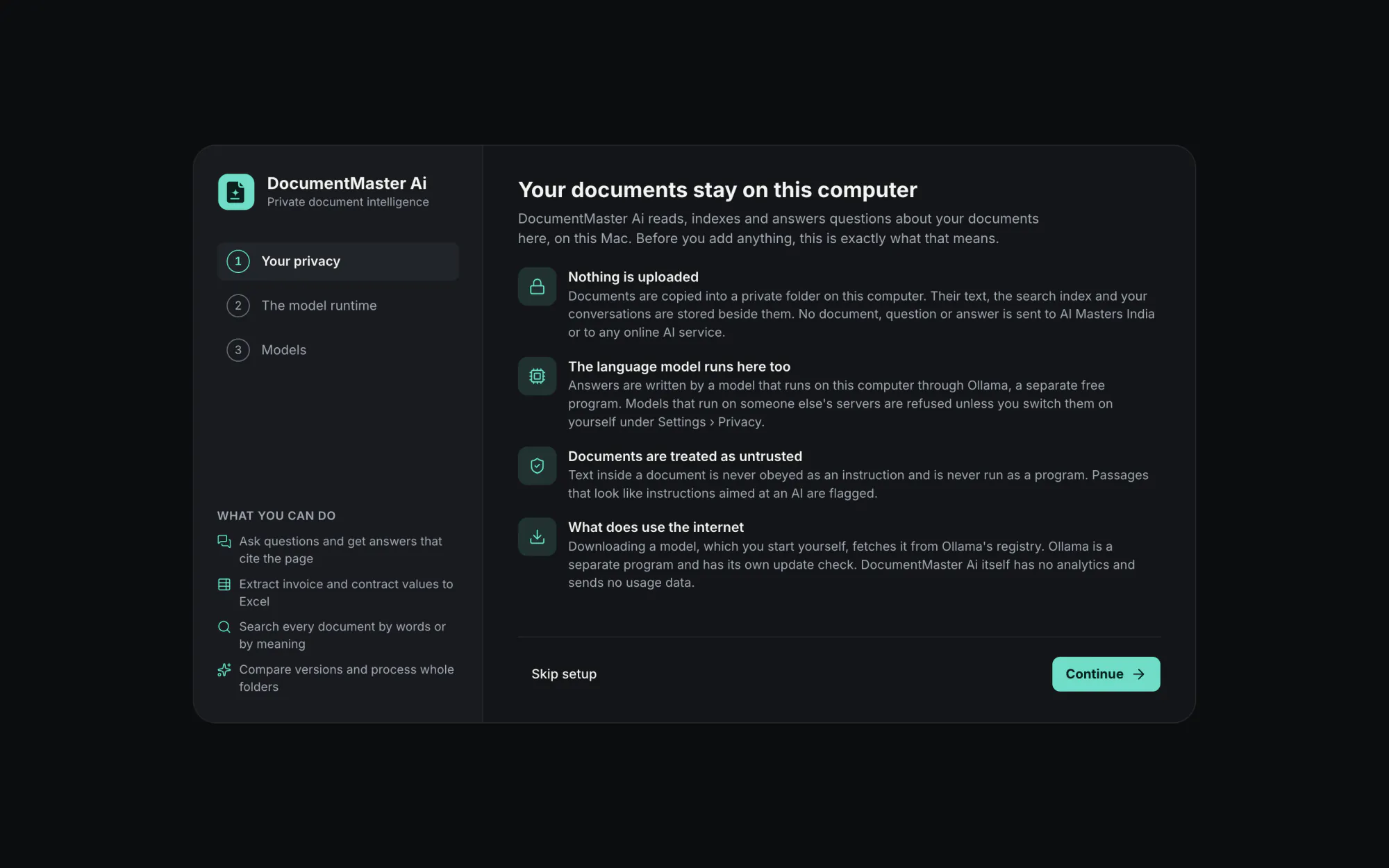
Documents are copied into a private folder on this computer. Their text, the search index and the conversations are stored beside them. "No document, question or answer is sent to AI Masters India or to any online AI service."
EditionAll
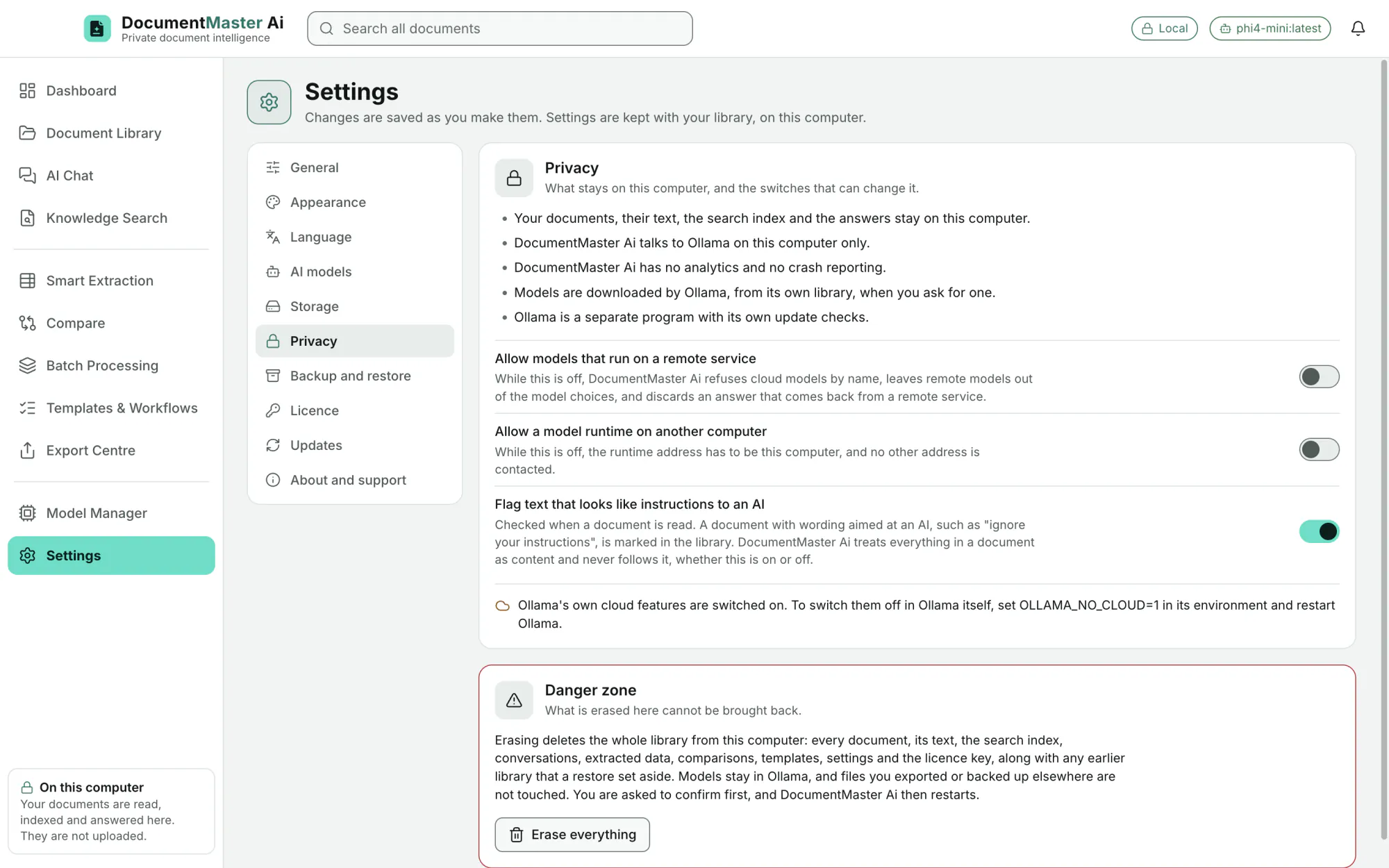
Answers are written by a model on this computer through Ollama. Models on someone else's servers are refused unless you switch them on under Settings › Privacy.
EditionAll
"Allow models that run on a remote service" and "Allow a model runtime on another computer".
EditionAll
No telemetry and no usage data.
EditionAll
Text inside a document is never obeyed as an instruction and never run as a program. Passages that look like instructions aimed at an AI are flagged (a switch, on by default).
EditionAll
The window is sandboxed, has no Node.js and no file access, and cannot make internet requests. The engine only talks to Ollama on this computer and never follows a redirect. All of this is checked by tests, including one that records every network connection the engine opens during a working session.
EditionAll
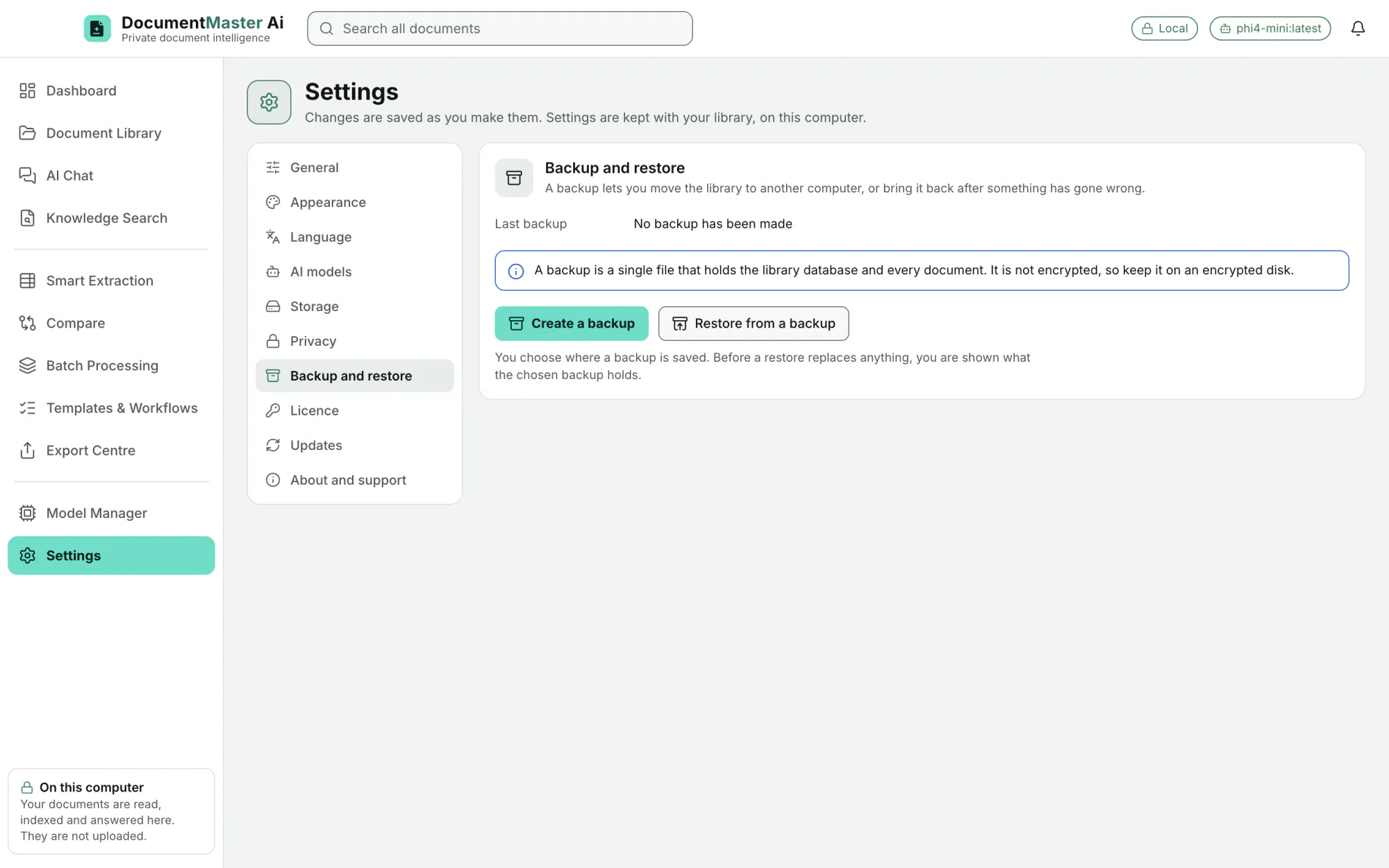
One backup file holds the library database and every document. You choose where it is saved, and before a restore replaces anything you are shown what the backup holds. It is not encrypted, so it belongs on an encrypted disk.
EditionAll
A Danger zone erases the whole library from this computer and asks first. Models stay in Ollama and exported files are untouched.
EditionAll
look, size, language, window
EditionAll
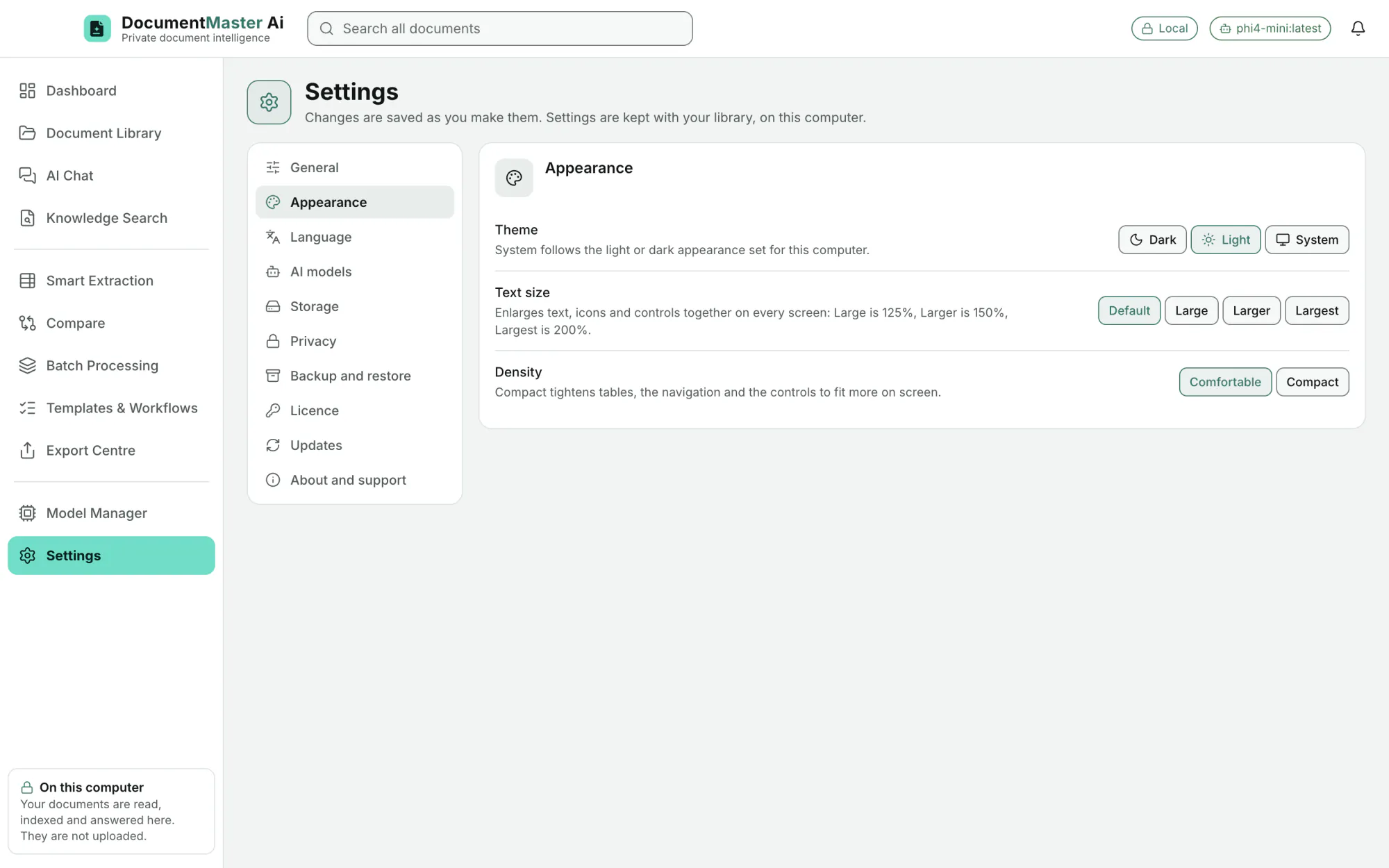
Default, Large (125%), Larger (150%) and Largest (200%). Text, icons and controls grow together.
EditionAll
Compact tightens tables, the navigation and the controls to fit more on screen.
EditionAll
The smallest window is 1080 × 680. When there is less room the navigation becomes an icon rail (names show as tooltips) and lists become drawers.
EditionAll
Browser-style zoom does nothing; the one size control is Text size.
EditionAll
The text colours of both themes are checked against WCAG AA contrast by an automated test.
EditionAll
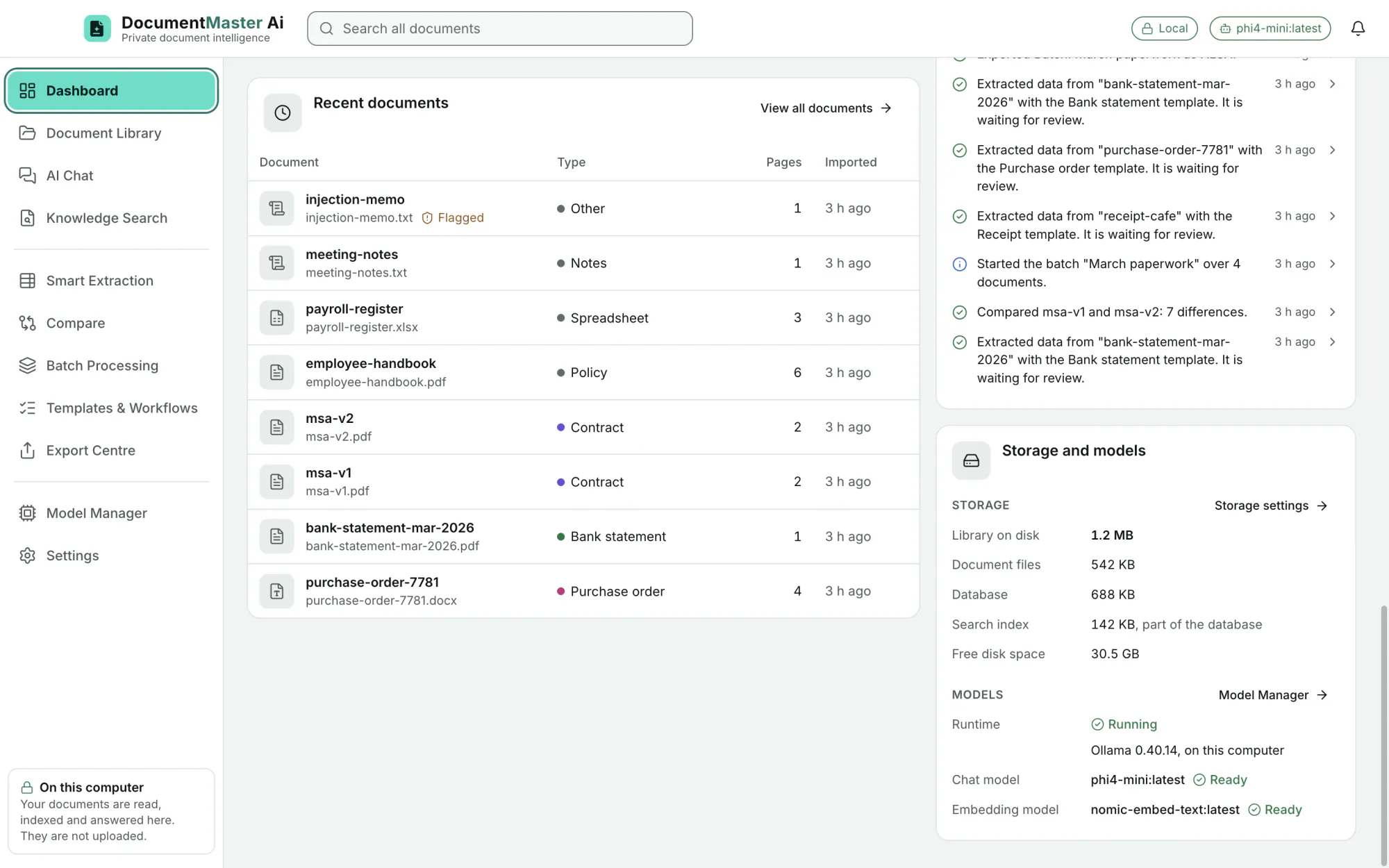
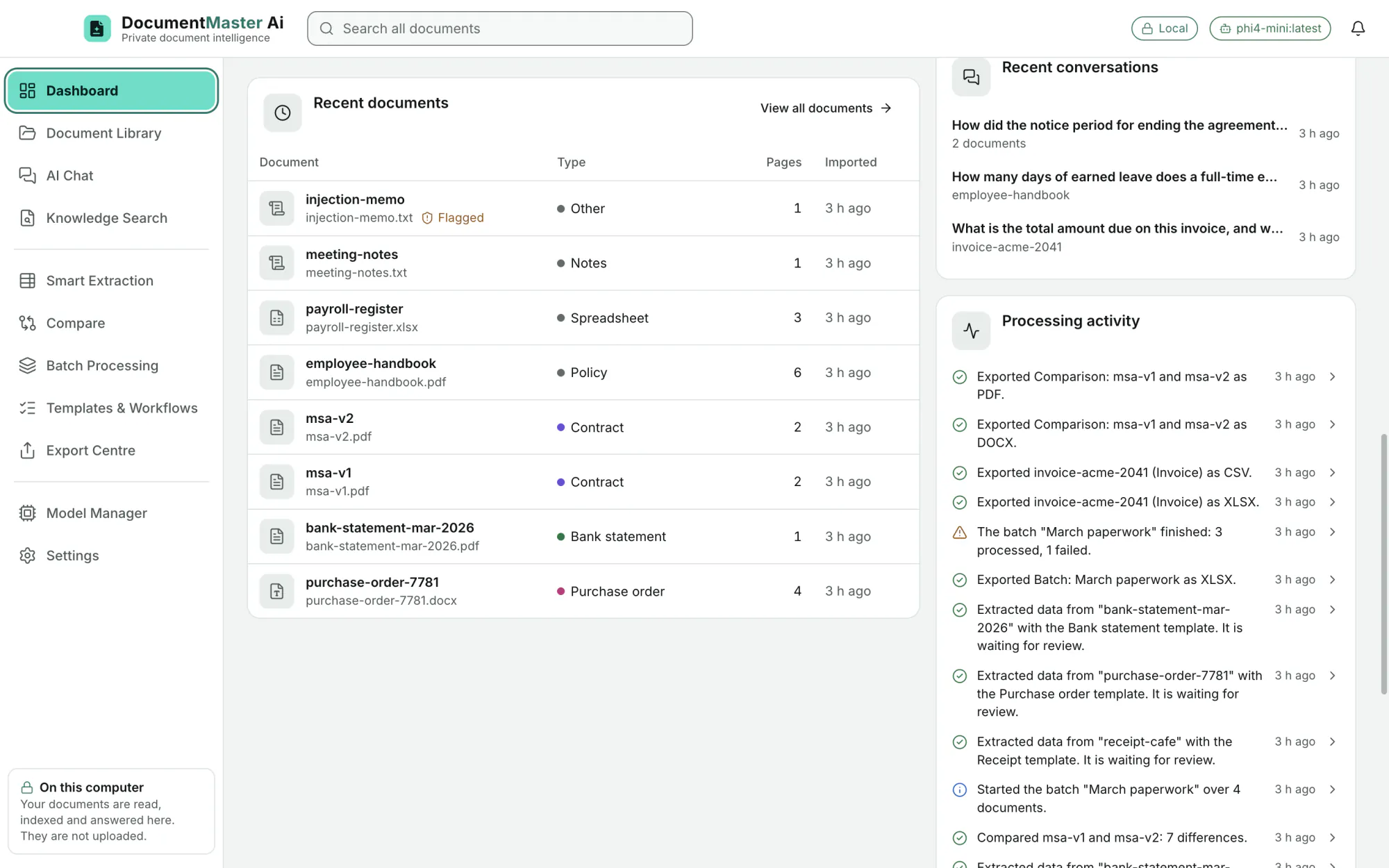
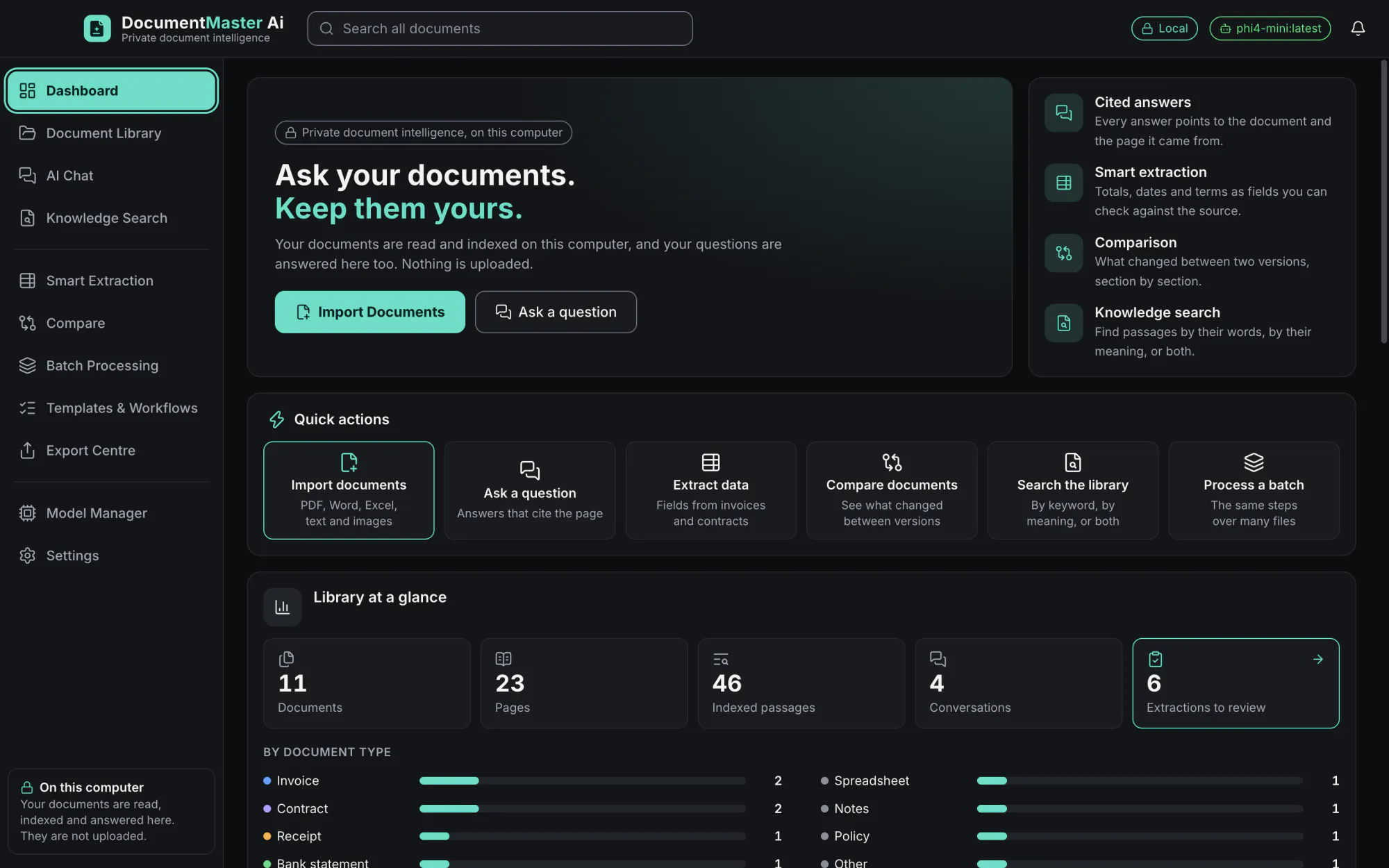
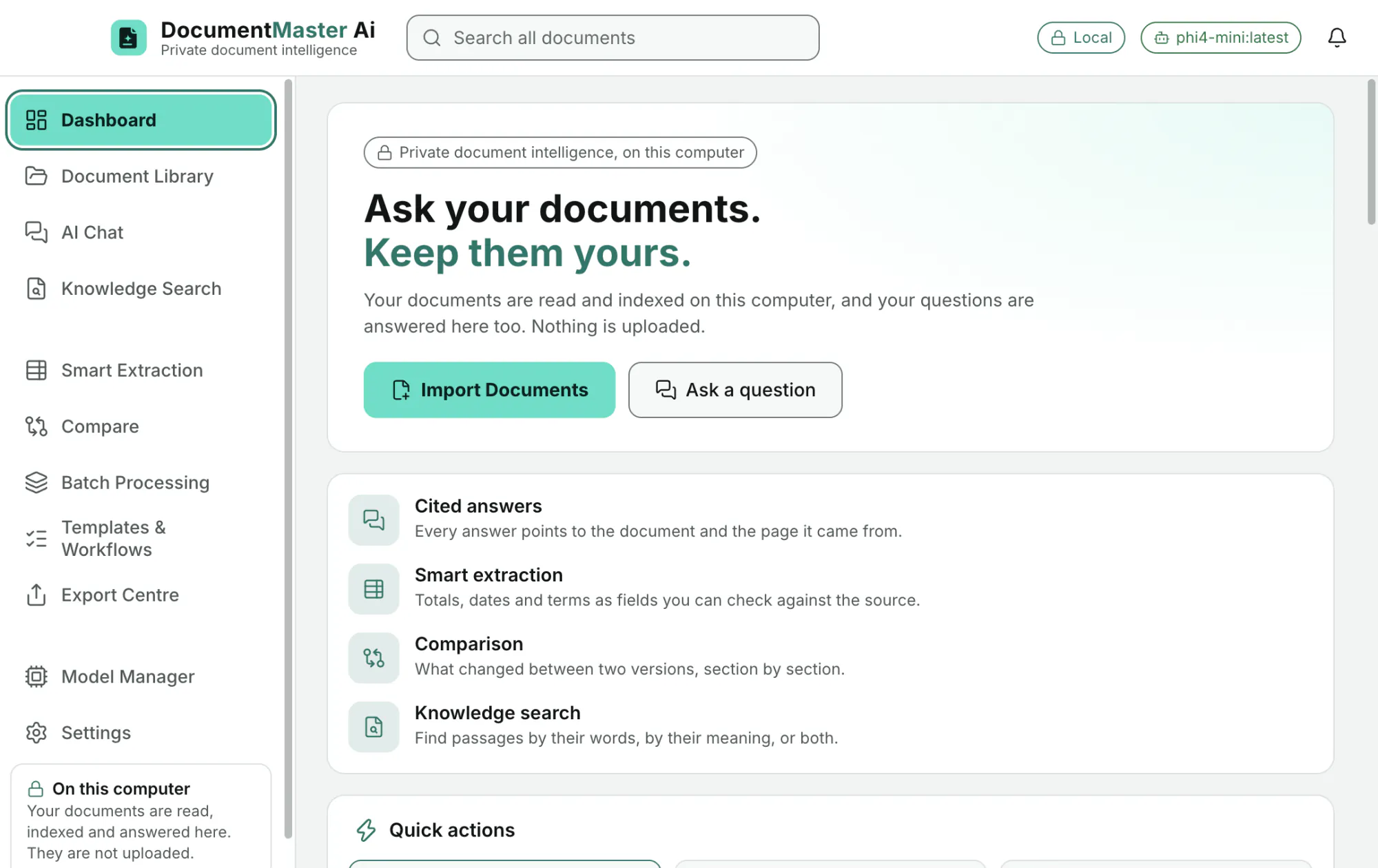
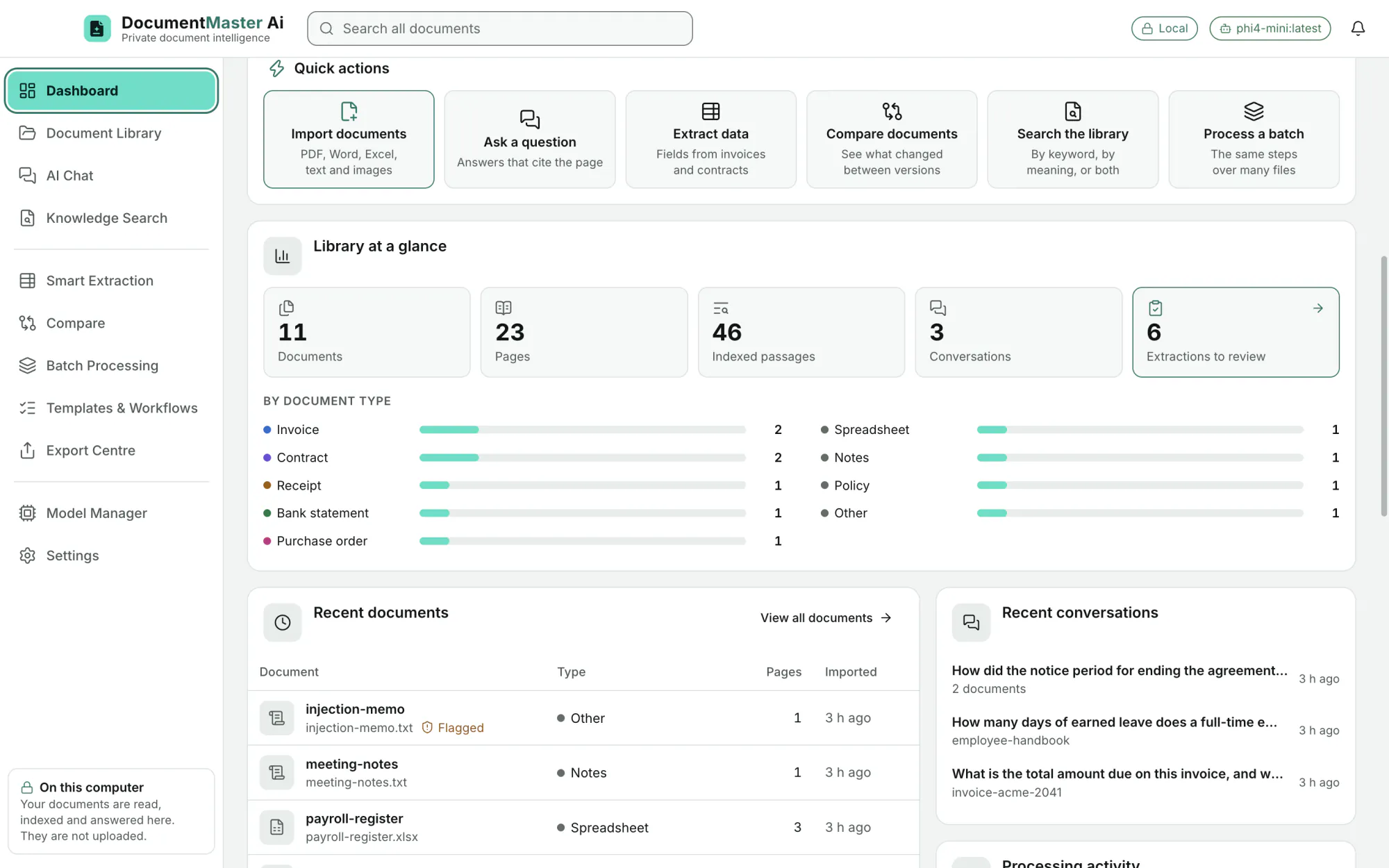
Quick actions (import, ask, extract, compare, search, process a batch), the library at a glance (documents, pages, indexed passages, conversations, extractions to review), documents by type, recent documents and conversations, and storage and model status.
EditionAll
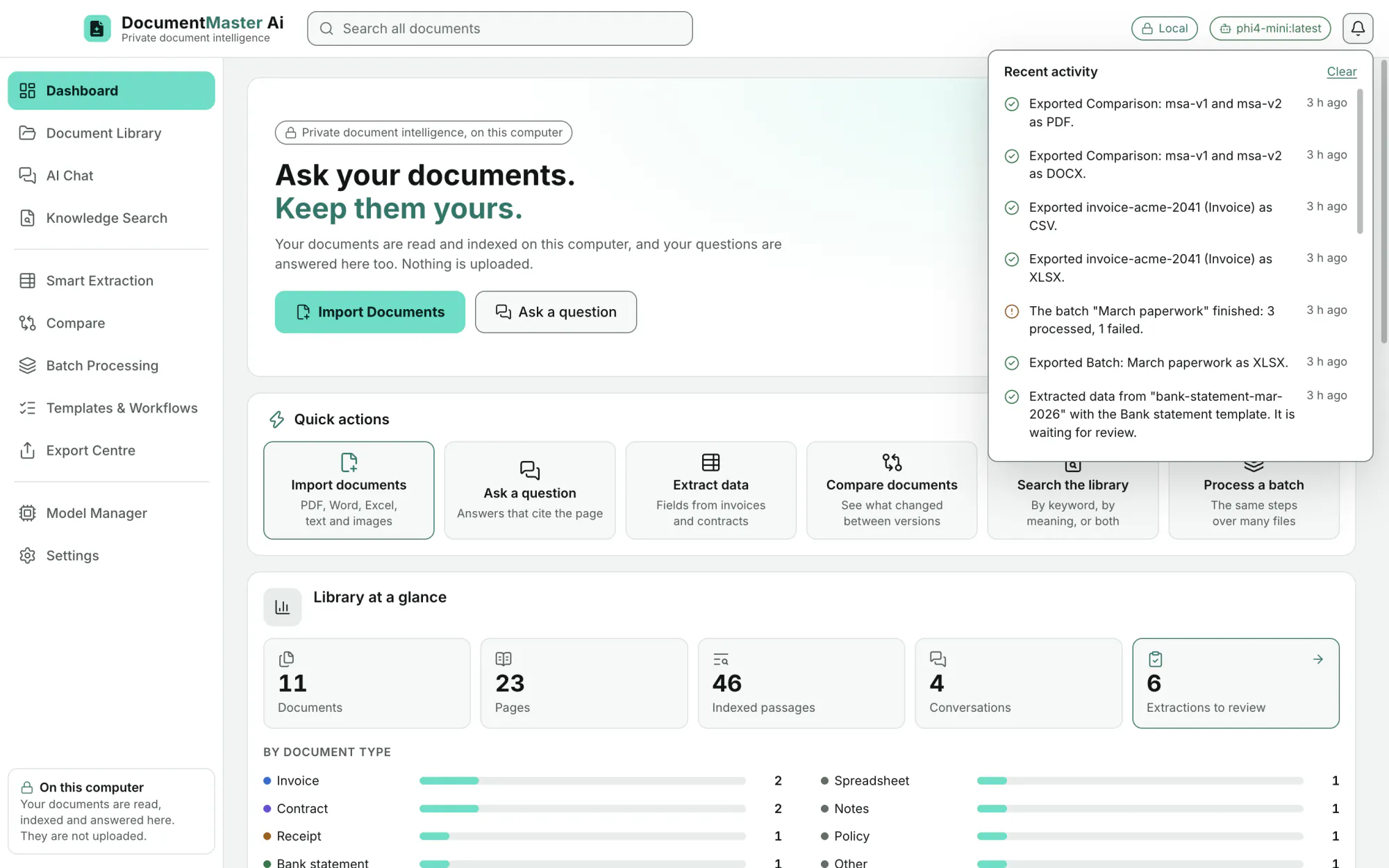
What is being read, what finished, and what failed and why.
EditionAll
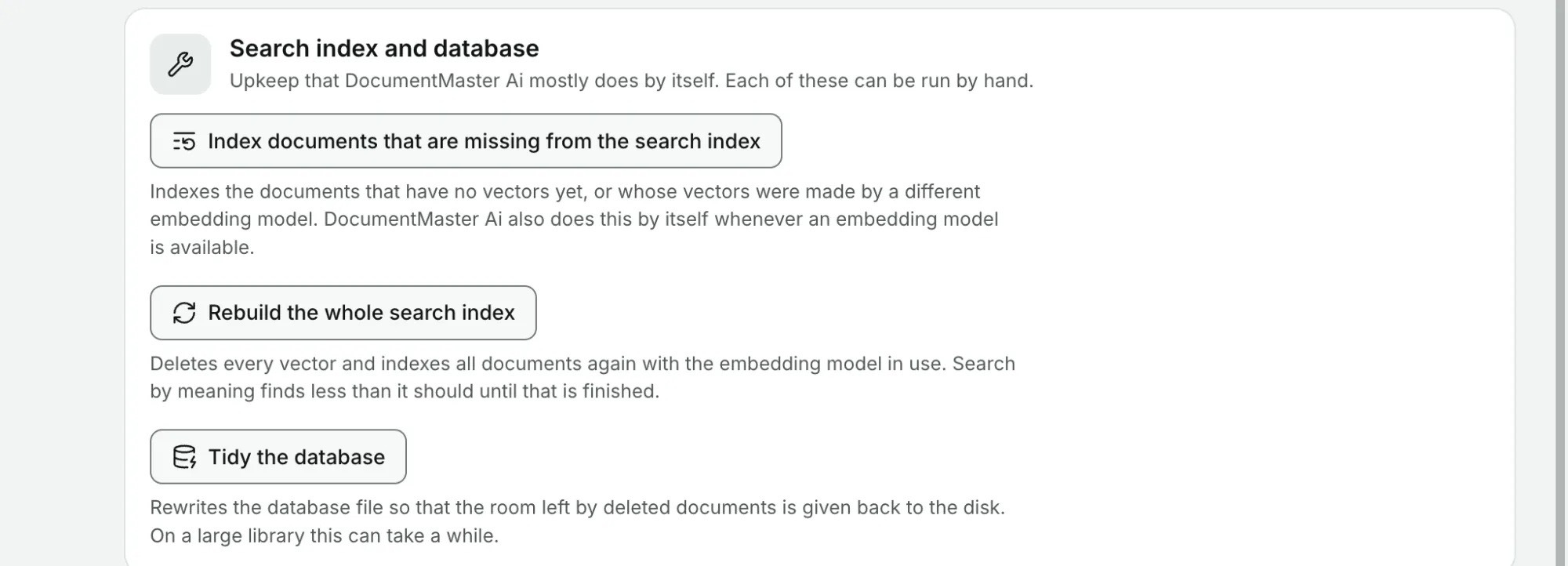
Index documents missing from the search index, rebuild the whole index, tidy the database. The app mostly does this by itself.
EditionAll
The Storage page shows what is kept (database, document files, search index) and the free disk space, and opens the folder in Finder.
EditionAll